
How Long Does ERP Implementation Take? A Realistic Timeline
“How long will this take?” is the second question almost every ERP buyer asks, right after “what will it cost?” It is also the question with the widest range of honest answers.
A mid-market distributor on a true cloud platform can go live in weeks. An enterprise rollout led by a large consulting firm can take two years. Most of the difference has less to do with the software than with scope, data, integrations, decisions, and who does the work.
This guide covers how long ERP implementation takes, the phases of a typical project and what drives the length of each one, what slows projects down, how to shorten your timeline without cutting corners, and how to build a schedule you can actually hold.
What Determines How Long Implementation Takes
Two companies of the same size can have very different timelines. The biggest factors are:
- Scope: the number of users, locations, warehouses, legal entities, and currencies, and which functions go live at once.
- Data: how many systems you are migrating from, how much history you bring, and how clean your items, customers, vendors, price lists, and bills of material are.
- Integrations: e-commerce, EDI trading partners, carriers, payment processors, and anything else the ERP has to exchange data with.
- Customization: how much the software must be changed to fit your processes, rather than configured.
- Fit: whether the core product already handles your industry’s requirements, or they must be built or added.
- Your team’s availability: how quickly decisions get made, and how much time the people who know the business can give the project.
- Implementation model: whether the vendor that built the software implements it, or a third-party consulting firm or reseller does.
The Phases of an ERP Implementation
Most implementations move through the same phases, whatever their total length. What changes is how long each one takes:
| Phase | What happens | What drives its length |
|---|---|---|
| Planning and discovery | Confirm scope, team, and schedule; document how each process will run | How clearly scope was defined during selection |
| Configuration | Set up items, pricing, warehouses, workflows, approvals, and reports | Number of locations and entities; fit of the core product |
| Data migration | Extract, clean, map, load, and reconcile data from your current systems | Number of source systems, history, data quality |
| Integrations | Connect e-commerce, EDI, carriers, payments, and other systems | Number of integrations and trading partners |
| Testing | Run real scenarios end to end, including exceptions | How many scenarios, and how quickly issues are resolved |
| Training | Train each role on the work they actually do | Number of users and roles |
| Cutover and go-live | Final data load, open transactions, and the switch to the new system | Rehearsal, timing, and readiness |
The cutover itself usually takes a few days, often over a weekend. Planning and rehearsing it takes weeks. See ERP cutover planning.
How Long Projects Typically Take
There is no single number, but there are clear patterns:
- Mid-market, true cloud, vendor-direct implementation: typically a few weeks to a few months, depending on users, warehouses, integrations, and data migration scope.
- Mid-market, consultant-led implementation: commonly several months or longer. In ERP implementation by the numbers, vendor-quoted timelines averaged four to six months, actual go-lives averaged seven to nine, and fewer than a quarter of projects met their original timeline.
- Enterprise implementations using third-party consulting firms: routinely 12 to 24 months.
Manufacturers should expect their bills of material, routings, and inventory data to be the largest variable. Distributors with many warehouses, heavy EDI, customer-specific pricing, and years of legacy data will sit at the longer end of their range. For more, see our guides to distribution ERP software and manufacturing ERP software.
Selection comes before all of this, and it takes time too. Writing your scenarios and requirements before contacting vendors shortens it considerably. See the ERP RFP template.
What Slows an Implementation Down
- Vague scope: requirements discovered mid-project become change orders and new work.
- Dirty data: duplicate items, inconsistent units of measure, outdated price lists, and inaccurate bills of material found during migration rather than before it. See ERP data hygiene.
- Heavy customization: every change to the software has to be specified, built, tested, and maintained.
- Too many integrations: each one is its own small project, with another party to coordinate.
- Slow decisions: open questions waiting on someone who is busy running the business.
- Too many parties: a software vendor, a reseller, an implementation partner, and integration specialists, each with its own schedule.
- Weak executive sponsorship: no one with the authority to make trade-offs and keep the project a priority. See why ERP implementations fail without executive leadership.
How to Shorten Your Timeline
The fastest implementations are not the ones that skip steps. They are the ones that remove delays:
- Define scope during selection, in writing, so the project starts with decisions already made.
- Clean your data before the project starts. Decide what history to bring and what to archive. See data migration for distribution ERP.
- Choose a system that already does what you need, so the project is configuration, not custom development. Each module or add-on that comes from a separate product is another integration to build.
- Configure before you customize. Adapt processes that are not a competitive advantage to how the software works.
- Name an internal project lead with time set aside for the project and the authority to decide.
- Test with the people who do the work. See why warehouse and accounting staff make the best ERP testers and testing scenarios that catch problems before go-live.
- Rehearse the cutover with real data, so go-live has no surprises.
For a step-by-step list, see the ERP implementation checklist.
After Go-Live
Go-live is not the end of the timeline. Plan for a few weeks of stabilization, when questions are answered quickly and small issues are fixed, followed by a period of adoption and improvement as people move beyond the basics. See what happens after ERP go-live: the first 180 days.
See Bizowie in Action
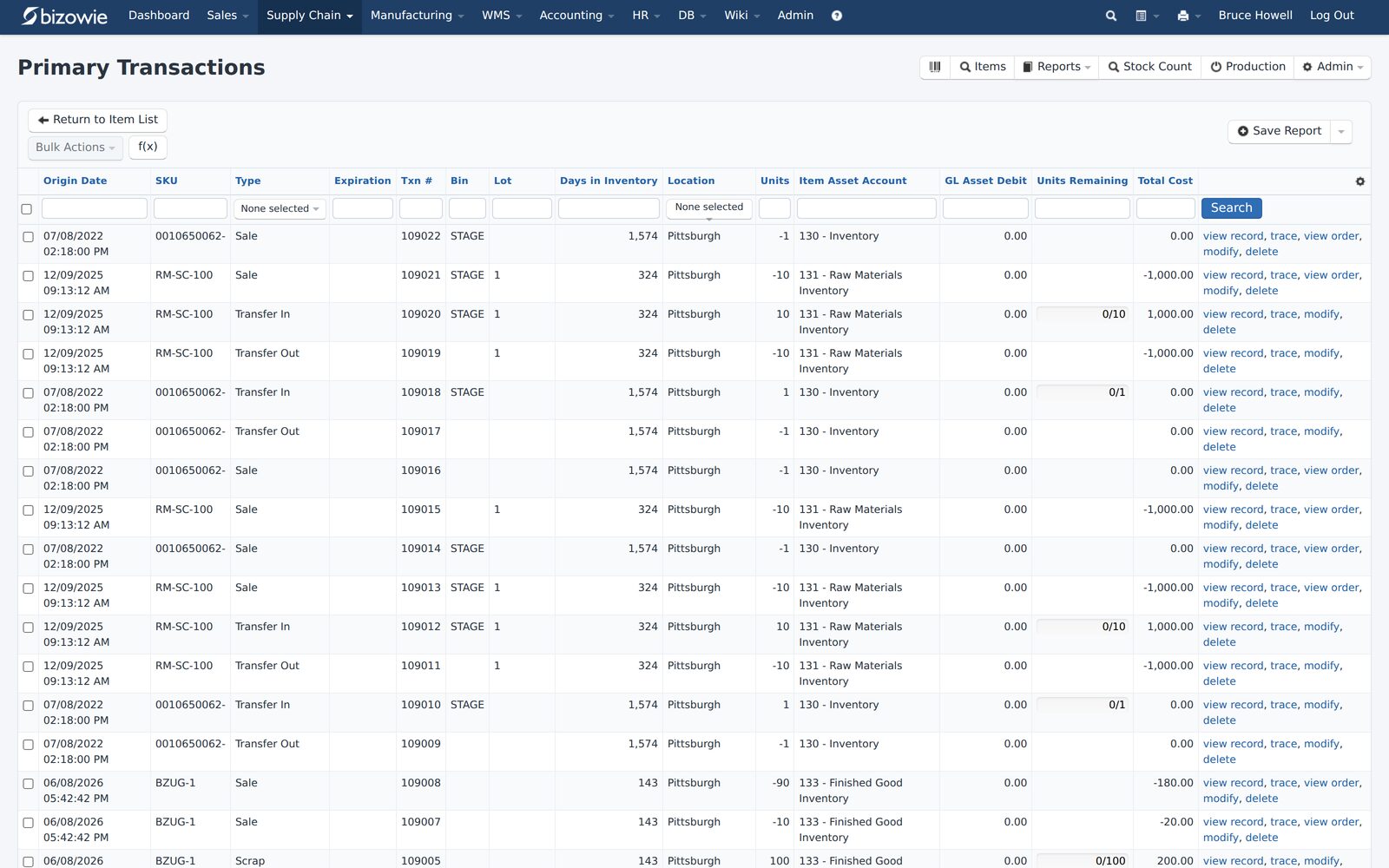
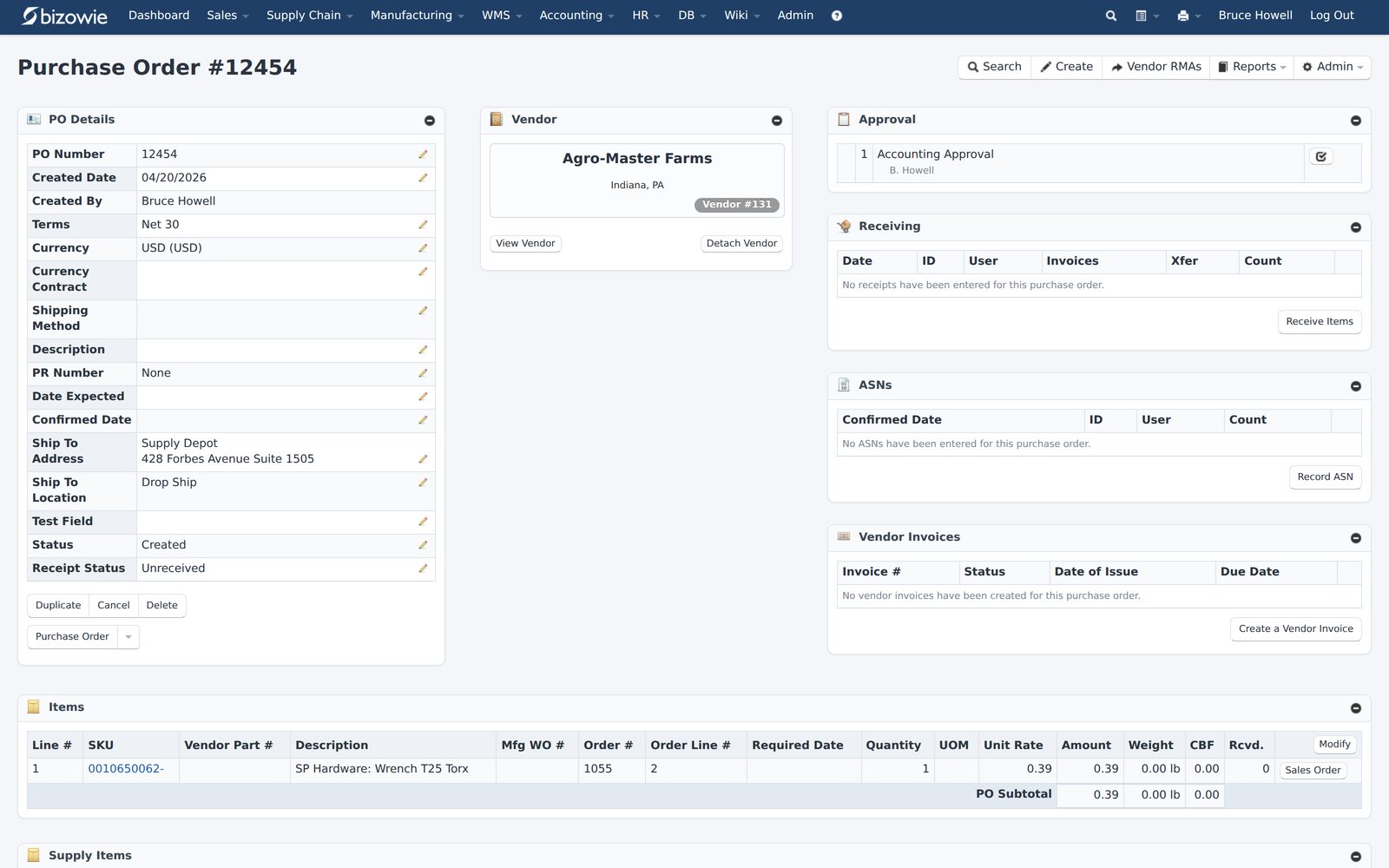
Real screens from Bizowie, not mockups. Click any screen to enlarge.
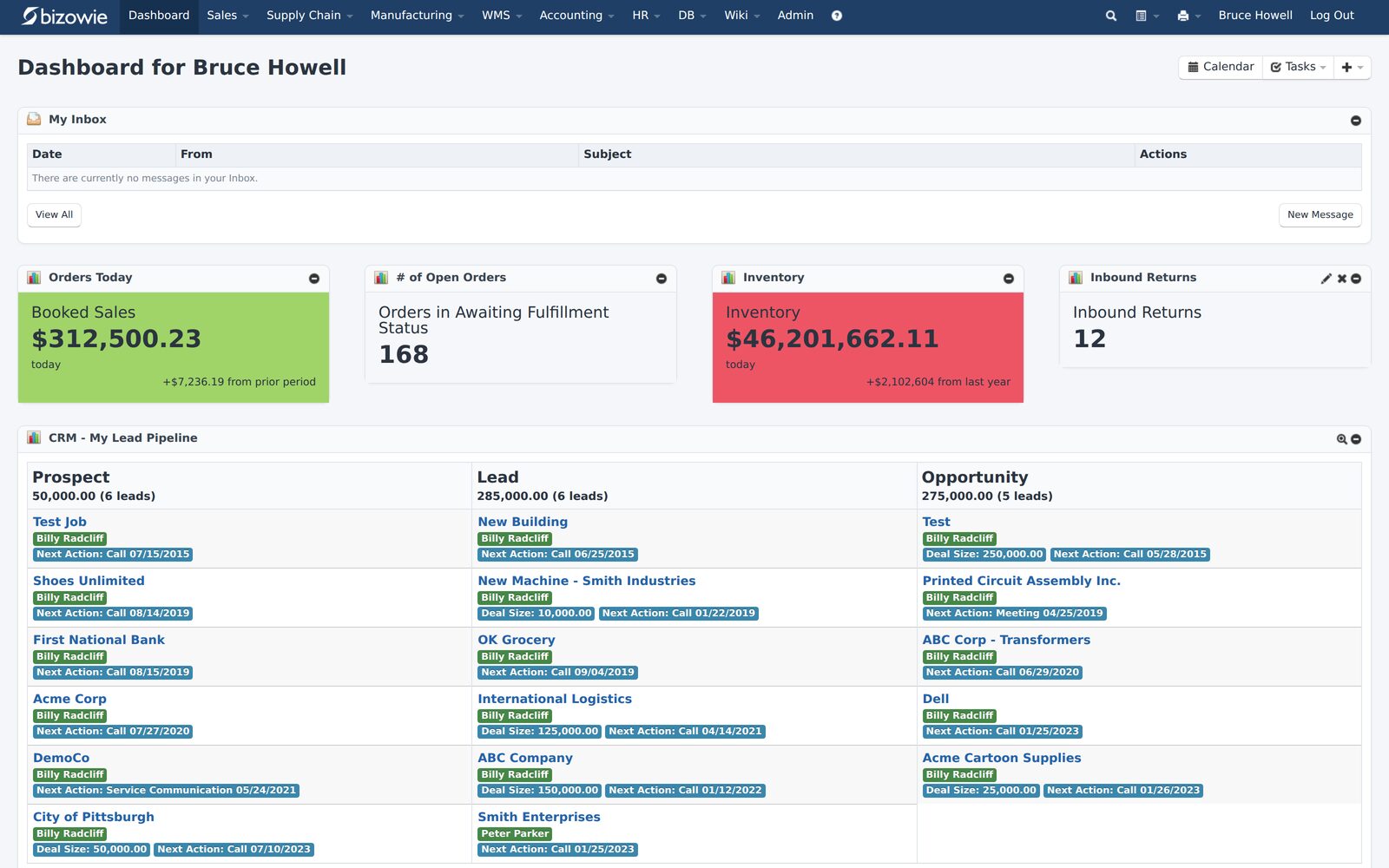
Bookings, open orders awaiting fulfillment, and inventory value at a glance.
Every receipt, transfer, build, and quarantine move by SKU, lot, bin, and location.
Purchase orders with approvals, receiving, ASNs, and vendor invoices on one screen.
How to Build a Realistic Timeline
- Ask each vendor for examples of customers with comparable complexity, not a generic implementation timeline.
- Ask what the timeline assumes: scope, data, integrations, and how much of your team’s time.
- Ask who does the work and how many parties are involved.
- Check references on how the actual timeline compared with the quote, and why. See ERP reference check questions.
- Pick a go-live date that fits your business: the start of a fiscal period, away from your busiest season and year-end.
- Put milestones in the contract, with payments tied to accepted deliverables. See ERP contract negotiation.
Timeline and cost move together: a longer project costs more in services and in your team’s time. See how much ERP costs.
“From our first contact all the way through to our implementation, Bizowie has been a first class organization to work with… We strongly recommend the Bizowie software program.”
Alan Seymour — President, Cleveland Electric Labs
How Bizowie Approaches Implementation
Bizowie customers go live in weeks, not years, implemented by the team that built the platform. Because the people implementing Bizowie also build and support it, one company is accountable for the software, the implementation, and support, and there is no third-party consulting layer between you and the product.
Manufacturing, warehouse management, EDI, and financials all run in one system, so there are fewer separate products to connect. And as a true multi-tenant SaaS platform, updates are continuous: there are no upgrade projects to schedule after go-live.
Frequently Asked Questions
How long does ERP implementation take?
For mid-market companies on a true cloud platform with vendor-direct implementation, typically a few weeks to a few months, depending on users, warehouses, integrations, and data. Enterprise implementations using third-party consulting firms routinely take 12 to 24 months.
What is the longest part of an ERP implementation?
Usually data migration and integrations. Cleaning and mapping items, customers, price lists, bills of material, and open transactions takes longer than most teams expect.
Why do ERP implementations run late?
The most common reasons are scope that was not defined up front, data problems found during migration, customization, slow decisions, and too many parties to coordinate.
How long does an ERP cutover take?
The cutover itself usually takes a few days, often over a weekend. Planning and rehearsing it takes weeks, and stabilization afterward takes a few weeks more.
How long does it take to choose an ERP system?
It depends on how many people are involved and how prepared you are. Writing your scenarios and requirements before contacting vendors shortens it considerably.
Get a Realistic Timeline
Tell us about your operation. We’ll walk you through what an implementation would involve for your scope, and if we are not the right fit, we will tell you.
Get a realistic implementation timeline
For manufacturers and distributors. Tell us a little about your operation and we’ll reply with an honest assessment of fit, not a sales pitch.
- A real person reviews your submission and replies within one business day.
- No automated email sequences.
- If we’re not the right fit, we’ll tell you.
Prefer to talk?
Call (888) 635-2517, Mon–Fri, 9 AM–5 PM Eastern