
EDI 850, 855, 856, and 810: The Core EDI Documents Explained
Selling to a retailer means trading documents with the retailer’s systems, not with a buyer’s inbox. The purchase order arrives as an EDI 850. The retailer expects an 855 back, an 856 before the truck arrives, and an 810 that matches both. Each one is checked by software, and each mismatch can turn into a deduction from your payment.
Only a handful of these documents matter for a distributor selling to retail, and they follow the order-to-cash sequence you already run: order, confirm, ship, bill, get paid.
This guide explains the core EDI documents, the 850, 855, 856, 810, 846, and 997, shows how they fit together in an order-to-cash flow with a worked example, and covers the common causes of chargebacks and how to avoid them.
What Are EDI Documents?
Electronic data interchange (EDI) is the exchange of business documents between two companies’ systems in a standard, machine-readable format. In North America the standard is ANSI X12, and each document type, called a transaction set, has a three-digit number. An 850 is always a purchase order, whoever sends it.
The standard defines the structure. Each retailer then publishes its own implementation guide saying which fields it requires, which codes it uses, and how quickly each document must be sent. That is why every new trading partner involves setup and testing. For the ways to connect, see cloud ERP and EDI: what you need to know.
The Order-to-Cash Flow in EDI
| Step | Document | Name | Direction | Sent when |
|---|---|---|---|---|
| 1 | 850 | Purchase order | Retailer to supplier | The retailer places an order |
| 2 | 855 | Purchase order acknowledgment | Supplier to retailer | The supplier accepts, changes, or rejects the order |
| 3 | 856 | Advance ship notice (ASN) | Supplier to retailer | The shipment leaves, before it arrives |
| 4 | 810 | Invoice | Supplier to retailer | After shipment |
| 5 | 820 | Remittance advice | Retailer to supplier | The retailer pays, listing invoices and deductions |
| Any | 997 | Functional acknowledgment | Both directions | In response to each document received |
| Periodic | 846 | Inventory inquiry and advice | Supplier to retailer | On a schedule, often daily |
Some retailers add an 860 (purchase order change) when they revise an order after sending it. Which documents are required, and the deadlines for each, are set by the trading partner.
EDI 850: Purchase Order
The 850 is the retailer’s order. It typically carries:
- The PO number and PO date
- Requested ship dates, often a ship window with a cancel-after date
- Ship-to location, such as a distribution center, and sometimes the stores the goods are marked for
- Line items identified by UPC or GTIN, the retailer’s item number, and your part number
- Quantity, unit of measure, and unit price for each line
- Payment terms, allowances, and special instructions
On your side, the 850 should become a sales order with no typing. The usual obstacles are item cross-references that do not resolve, a unit of measure that differs from yours, a price that does not match your records, and a ship-to location that has not been set up. Each should stop for a person to resolve, not pass through silently. See how distributors can automate manual order entry.
EDI 855: Purchase Order Acknowledgment
The 855 tells the retailer what you intend to do with the order. At the header or line level it says one of three things: accepted as sent, accepted with changes, or rejected. Changes can include a different quantity, a different ship date, a corrected price, or a backordered line.
The retailer plans around it. If you know on day one that you can ship only part of a line, say so in the 855 and not at the receiving dock.
EDI 856: Advance Ship Notice
The 856, or ASN, describes a shipment in detail before it arrives, so the retailer can receive it by scanning labels instead of opening cartons. It is the most demanding document of the four and the one most often tied to chargebacks.
An ASN is hierarchical. It describes the shipment from the outside in:
- Shipment: carrier, bill of lading, tracking or PRO number, ship date, ship-from and ship-to
- Order: the PO number the goods belong to
- Pallet (if used): the pallet’s serial number
- Carton: the serial shipping container code (SSCC) from each carton’s label
- Item: the item and quantity inside each carton
Each carton carries a GS1-128 label with a unique SSCC barcode, and the same SSCC appears in the ASN. When the retailer scans the label, its system already knows which PO, item, and quantity are in the box. If the label and the ASN disagree, or the ASN arrives after the truck, that advantage is lost.
An accurate ASN is built from what was actually packed, carton by carton, not from what the order said should be packed. See why warehouse management and ERP should be one system.
EDI 810: Invoice
The 810 is your invoice. The retailer’s system matches it against the purchase order and the receipt before approving payment, so it must reference the PO number and agree with both:
- Items and quantities equal to what shipped, not what was ordered
- Unit prices equal to the purchase order, unless a change was acknowledged
- Terms, allowances, and charges stated the way the retailer’s guide requires
- One invoice per shipment or per PO, according to the partner’s rules
An invoice that fails the match is not rejected with a phone call. It is paid short, or it waits. The explanation arrives later on the remittance advice (820) as a deduction code.
EDI 846 and 997
EDI 846, inventory inquiry and advice. A periodic feed of your available quantities by item, and sometimes by location. Retailers use it to decide what to order and, for drop-ship programs, what to show as available. An 846 built from inventory records that are wrong or hours old leads to orders you cannot fill.
EDI 997, functional acknowledgment. A receipt for a document. It confirms that a transmission arrived and whether it passed basic format checks: accepted, accepted with errors, or rejected. It says nothing about the business content: a 997 for your invoice means a readable 810 was received, not that it was approved. Monitor for missing 997s, because a document that was never acknowledged may never have arrived.
Worked Example: One Order, Four Documents
A retailer sends an 850 with three lines:
| Line | Ordered (cases) | Price per case | Ordered amount | Shipped | Invoiced amount |
|---|---|---|---|---|---|
| Item A | 48 | $18.50 | $888.00 | 48 | $888.00 |
| Item B | 24 | $32.00 | $768.00 | 24 | $768.00 |
| Item C | 12 | $41.25 | $495.00 | 8 | $330.00 |
| Total | 84 | $2,151.00 | 80 | $1,986.00 |
- 855: The supplier has only 8 cases of item C. The acknowledgment accepts lines A and B and reports line C as accepted with a quantity change to 8.
- 856: At shipment, the ASN lists 80 cartons on two pallets, each carton with its own SSCC, tied to the PO number.
- 810: The invoice bills what shipped: $888.00 + $768.00 + (8 × $41.25) = $1,986.00.
Now the failure case. If the invoice had been generated from the order instead of the shipment, it would bill 12 cases of item C and total $2,151.00. The retailer received 8. The invoice is $165.00 over what the receipt supports, so the retailer will short-pay it and may add a compliance charge.
Common Causes of Chargebacks
Chargebacks, also called deductions or compliance fees, are amounts a retailer subtracts from payment when a supplier misses a requirement in its vendor guide. The amounts and rules vary by retailer. The causes are much the same everywhere:
- ASN problems: sent late, missing, or not matching the physical shipment
- Label problems: a carton label that will not scan, is in the wrong place, or carries an SSCC that is not in the ASN
- Shipping outside the window: early, late, or after the cancel date
- Short shipments and substitutions that were not acknowledged in advance
- Routing violations: the wrong carrier, an unbooked appointment, or ignoring the routing guide
- Packing violations: wrong carton quantity, mixed items where not allowed, or pallets built outside the specification
- Late or missing acknowledgments
- Invoice discrepancies: price or quantity that does not match the PO and receipt, duplicate invoices, or a missing PO number
How to Prevent Them
- Integrate EDI with the ERP. Orders, shipments, and invoices should flow from the same records.
- Maintain cross-references. Item numbers, UPCs, units of measure, pack sizes, and ship-to codes need an owner.
- Pack by scan. Record each carton’s contents as it is packed, print the label then, and build the ASN from those records. See our barcode scanning guide.
- Send the ASN when the shipment is confirmed, automatically, not at the end of the day.
- Invoice from the shipment.
- Watch the exceptions: rejected documents, missing 997s, and orders approaching the end of their ship window.
- Read the remittance. Code every deduction, dispute the invalid ones on time, and fix the cause of the valid ones.
For the wider picture of selling to retail, see managing EDI and retailer requirements.
Common Mistakes
- Treating EDI as a mailbox: printing 850s and typing them into the order system
- Building ASNs from the order instead of from what was packed
- Assuming a 997 means the document was accepted by the business
- Writing off deductions without coding or disputing them
See Bizowie in Action
Real screens from Bizowie, not mockups. Click any screen to enlarge.
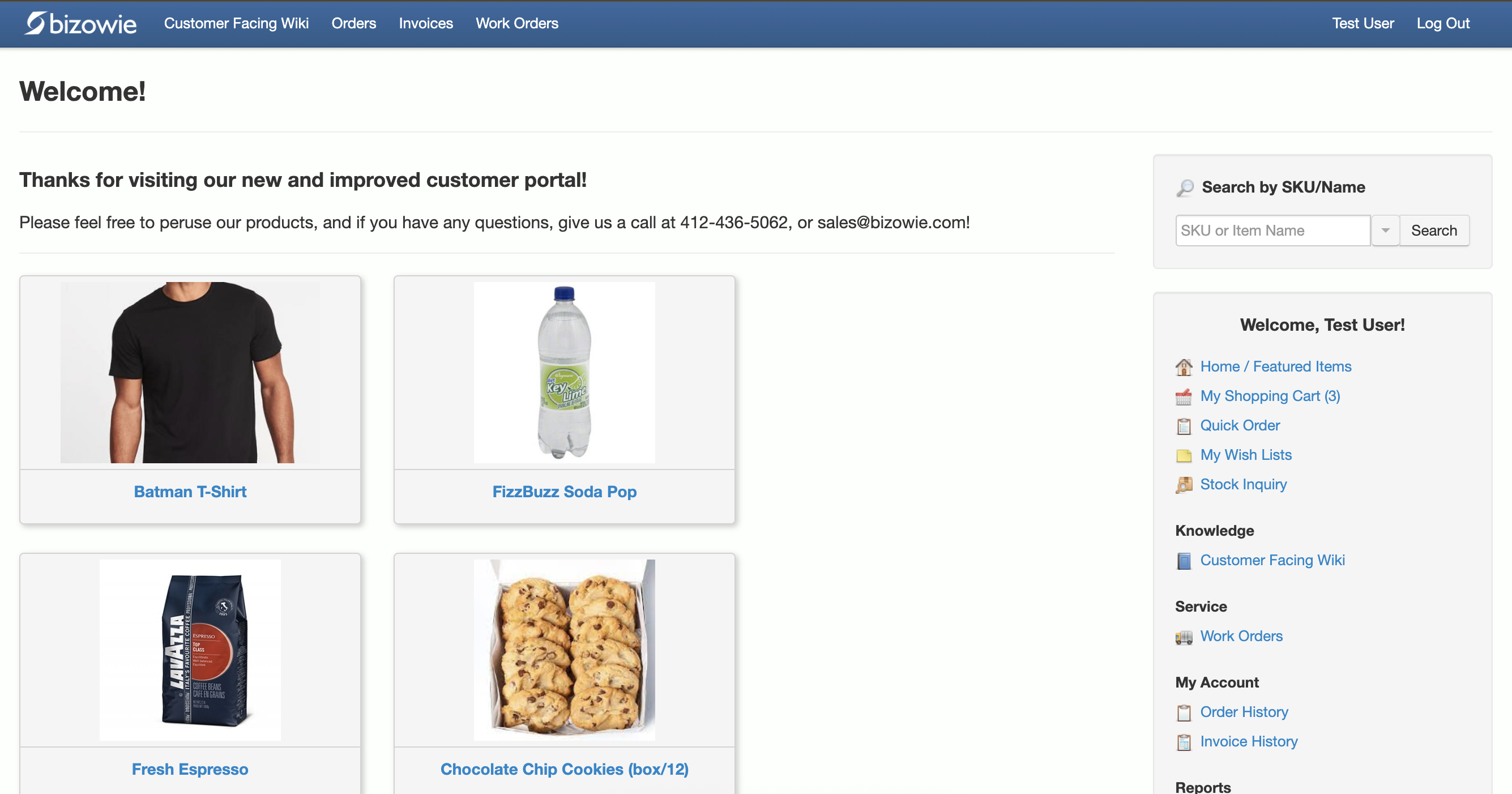
Customers search items, place orders, and check order and invoice history themselves.
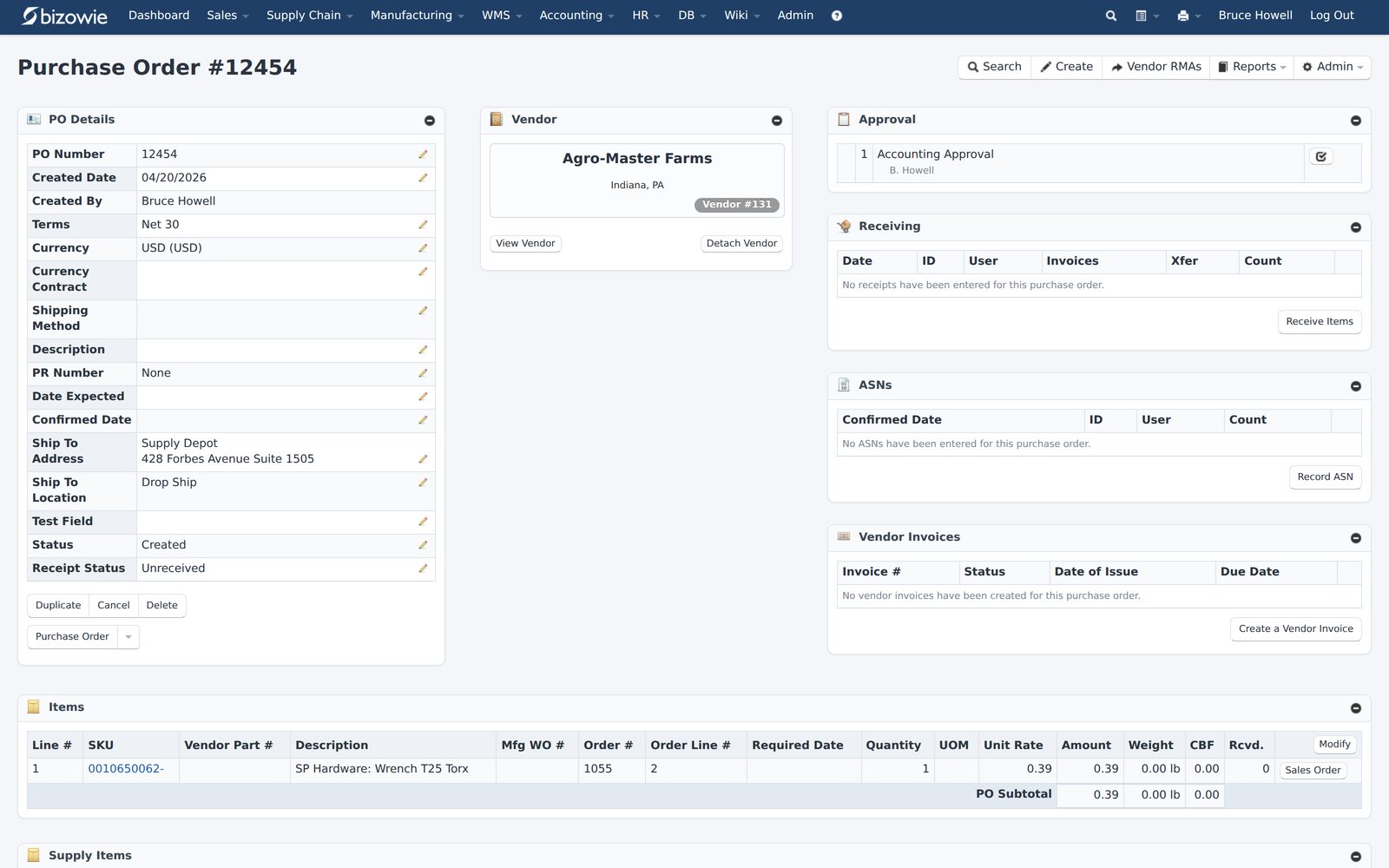
Purchase orders with approvals, receiving, ASNs, and vendor invoices on one screen.
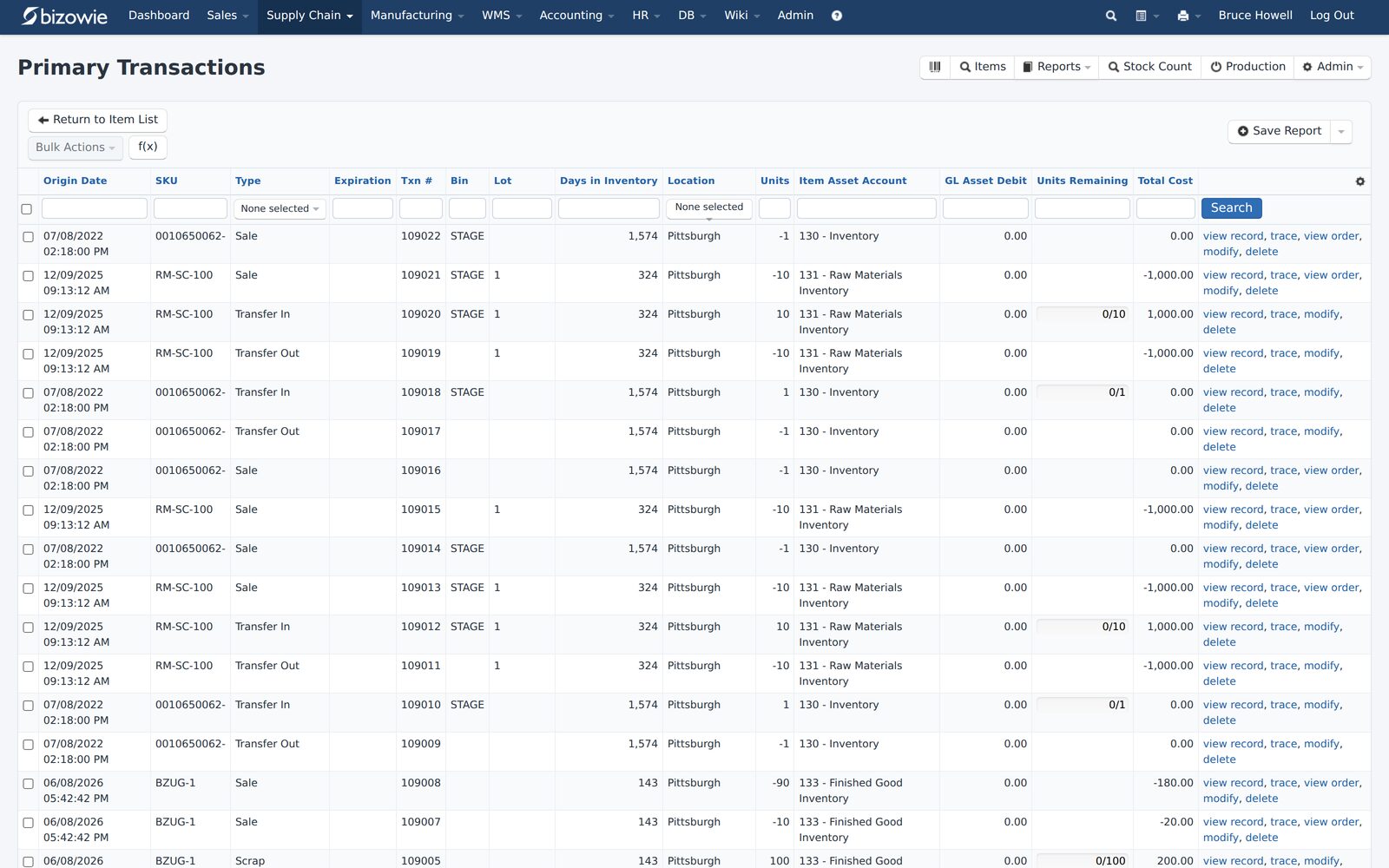
Every receipt, transfer, build, and quarantine move by SKU, lot, bin, and location.
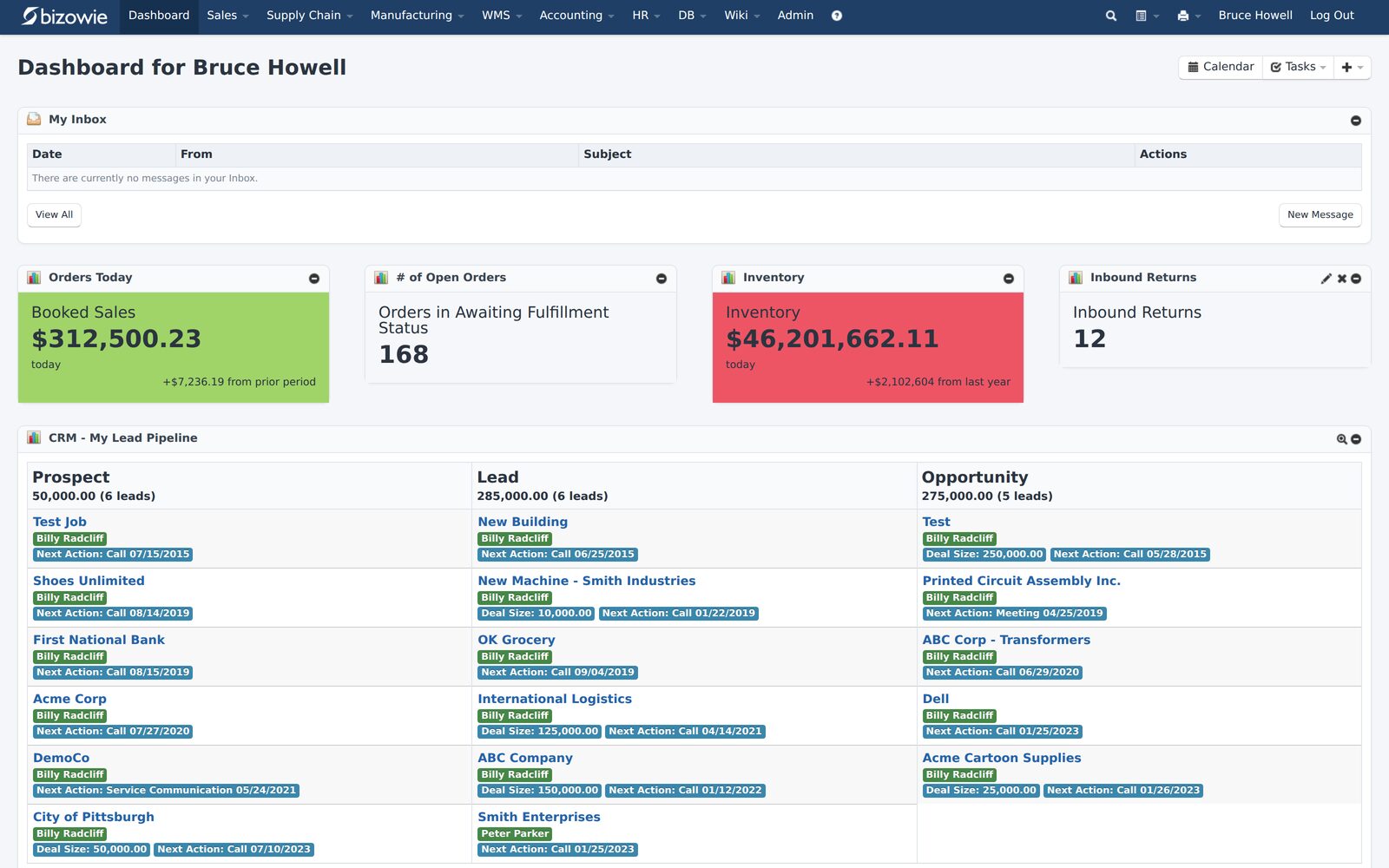
Bookings, open orders awaiting fulfillment, and inventory value at a glance.
EDI in Bizowie
Bizowie includes out-of-the-box support for EDI, exchanging messages such as sales orders, purchase orders, invoices, and shipment notifications with customers, suppliers, and carriers. It can connect directly with any trading partner capable of ANSI X12, with no third-party vendor required, or send messages to an EDI mapping service you already use. EDI messages are received and processed automatically, you are notified when EDI orders arrive, and alerts go to your system administrator if anomalies or errors are detected. Once an interface is connected, there are no per-interface or per-document charges from Bizowie. Bizowie’s in-house EDI team has more than a decade of experience and has integrated with everyone from big-box retailers to small niche vendors. See Bizowie Cloud EDI and our distribution ERP software buyer’s guide.
“We have seen immediate economic benefit for our business in terms of productivity from our warehouse staff, eliminated processing errors, and better stock control.”
Julius Hart — Managing Director, LensesOnline
Frequently Asked Questions
What is an EDI 850?
An EDI 850 is an electronic purchase order in the ANSI X12 standard. A buyer sends it to a supplier with the PO number, items, quantities, prices, ship-to locations, and requested dates.
What is the difference between an EDI 855 and a 997?
A 997 only confirms that a document was received and was readable. An 855 is a business response to a purchase order: it accepts, changes, or rejects the order or individual lines.
What is an EDI 856?
An EDI 856 is an advance ship notice. It tells the buyer what is in a shipment, down to the contents of each carton, and is sent when the shipment leaves so it arrives before the goods do.
What is an EDI 810?
An EDI 810 is an electronic invoice. The buyer’s system matches it to the purchase order and the receipt, so it must reference the PO and agree with what was shipped.
What causes EDI chargebacks?
Most come from documents and shipments that do not match: a late or inaccurate ASN, carton labels that do not scan or do not match the ASN, shipping outside the ship window, and invoices that disagree with the PO or receipt.
Bring Us Your Toughest Trading Partner
Tell us which retailers and documents you trade today and where the errors come from. We’ll show you how Bizowie handles EDI inside the ERP, and if we are not the right fit, we will tell you.
See how Bizowie would handle your EDI
Tell us a little about your operation and we’ll reply with an honest assessment of fit, not a sales pitch.
- A real person reviews your submission and replies within one business day.
- No automated email sequences.
- If we’re not the right fit, we’ll tell you.
Prefer to talk?
Call (888) 635-2517, Mon–Fri, 9 AM–5 PM Eastern