
Kanban Formula: How to Calculate the Number of Kanban Cards
A kanban system replenishes material when it is used, not when a forecast says it will be. An empty container or a card returned to the supplying process is the signal to make or deliver more. The number of cards in the loop caps how much inventory can exist.
That makes the number of kanbans the most important setting in the system. Too few and the line runs out. Too many and the system holds the excess inventory it was meant to remove.
This guide gives the kanban formula, works through an example, shows how to size a two-bin system, and covers when kanban fits, how it compares with MRP, and how to keep the numbers right as demand changes.
What Is Kanban?
Kanban is a pull system for replenishing material. The word is Japanese for a sign or signal card. Each container of parts carries a card. When the using process starts a container, the card goes back to the supplying process, which is then authorized to produce or deliver one more container. No card, no production.
Because material moves only against a card, total inventory in the loop can never exceed the number of cards multiplied by the container quantity. Kanban controls work in process by design, where a schedule only controls it by intention.
The Kanban Formula
Number of kanbans = Daily demand × Lead time × (1 + Safety factor) ÷ Container quantity
Where:
- Daily demand is the average usage of the part per day
- Lead time is the replenishment time in days: the time from a card being released to the full container arriving back at the point of use, including waiting, production or delivery, and transport
- Safety factor is a percentage that covers variation in demand and supply
- Container quantity is the number of parts in one container
Always round the result up to the next whole card. Demand and lead time must use the same time unit.
Worked Example
An assembly cell uses 400 brackets per day. The fabrication cell takes 1.5 days to replenish a container once the card is released. The plant uses a 20% safety factor, and a container holds 60 brackets.
Number of kanbans = 400 × 1.5 × (1 + 0.20) ÷ 60 = 720 ÷ 60 = 12 kanbans
The most inventory the loop can hold is 12 × 60 = 720 brackets, or 720 ÷ 400 = 1.8 days of demand. Of that, 600 covers demand during the replenishment lead time and 120 is safety stock.
What Changes the Number of Kanbans
Each term in the formula is a lever. Using the same example:
| Change | Calculation | Kanbans | Maximum inventory |
|---|---|---|---|
| Starting point | 400 × 1.5 × 1.20 ÷ 60 | 12 | 720 |
| Demand rises to 500 per day | 500 × 1.5 × 1.20 ÷ 60 | 15 | 900 |
| Lead time cut to 1 day | 400 × 1.0 × 1.20 ÷ 60 | 8 | 480 |
| Safety factor cut to 10% | 400 × 1.5 × 1.10 ÷ 60 | 11 | 660 |
Cutting the replenishment lead time by a third removed a third of the inventory. That is the practical argument for reducing setup times and queues: in a kanban loop, shorter lead time converts directly into fewer cards.
Container quantity works differently. A smaller container needs more cards for the same inventory, but each signal is smaller and more frequent, which smooths the load on the supplying process.
Sizing a Two-Bin System
A two-bin system is the simplest kanban. Parts are kept in two bins. When the first is empty, it becomes the signal to reorder, and the second bin covers usage until the replenishment arrives.
Bin quantity = Daily usage × Replenishment lead time × (1 + Safety factor)
A fastener is used at 80 per day. The supplier delivers in 5 days, and the plant uses a 25% safety factor.
Bin quantity = 80 × 5 × 1.25 = 500 per bin
Round the bin quantity to the supplier’s pack size. Two-bin systems suit low-value, steadily used items such as hardware, labels, and packaging, where counting and transacting each issue costs more than the parts. This is the same logic as a reorder point, made visible on the shelf.
Types of Kanban
- Production kanban: authorizes the supplying process to make one container of parts
- Withdrawal kanban: authorizes moving a container from a storage location to the point of use
- Supplier kanban: authorizes an outside supplier to deliver, often against a blanket purchase order. See vendor-managed inventory for a related arrangement.
- Signal kanban: a single marker at a set level in a stack or rack that triggers a batch, used where the supplying process must run in lots
- Electronic kanban: a scan of the empty container replaces the physical card, so the signal reaches the supplying process or supplier immediately and cannot be lost
Kanban vs. MRP
| Kanban | MRP | |
|---|---|---|
| Trigger | Actual consumption | Calculated future requirements |
| Logic | Pull: replace what was used | Push: plan what will be needed |
| Inventory | Capped by the number of cards | Depends on plan accuracy and lot sizes |
| Best demand pattern | Steady and repetitive | Variable, lumpy, or order-driven |
| Handles long lead times | Poorly | Well |
| Handles design changes and new products | Poorly: stock is already in the loop | Well: requirements follow the bill of materials |
| Data needed day to day | Little | Accurate BOMs, inventory, and lead times |
Most plants that use kanban also use MRP. MRP plans long-lead materials, capacity, and supplier forecasts. Kanban controls execution on the floor for the repetitive items. The two conflict only when both try to order the same part, so each item should be assigned to one method. See how MRP calculates requirements.
When Kanban Fits, and When It Does Not
Kanban fits when:
- Demand for the item is steady enough that average daily usage means something
- Replenishment lead time is short and reliable
- Quality is consistent, since a bad container cannot be covered from excess stock
- The supplying process can change over quickly
- The item is used often, not occasionally
It is a poor fit when:
- Demand is lumpy, seasonal, or driven by individual customer orders
- The item is custom or engineered to order
- Lead times are long or erratic, which forces a large number of cards
- The item is expensive and rarely used
- Design changes are frequent, which strands the stock in the loop
Keeping Kanban Quantities Current
- Recalculate when demand moves. Review card counts on a regular cycle and whenever daily demand changes materially. A loop sized for 400 a day will starve at 500.
- Audit the cards. A lost card silently removes a container from the loop. Count cards periodically or use scanned signals.
- Remove cards deliberately. Taking one card out of a loop and watching what breaks is a standard way to find the next problem to fix.
- Keep system inventory in step. Kanban controls the physical flow. The inventory and costing records still have to be updated, whether by transacting each container or by backflushing. See backflushing in manufacturing.
- Plan for known swings. Add temporary cards ahead of a planned demand increase and take them back afterward.
Common Mistakes
- Setting the number of cards once and never recalculating
- Rounding down, which builds a shortage into the loop
- Using a large safety factor to cover problems that should be fixed
- Leaving waiting and transport time out of the lead time
- Putting lumpy or custom items on kanban
- Producing without a card “to keep the machine busy”
- Letting MRP and kanban both order the same part
- Losing cards and not noticing until the line stops
- Running kanban on the floor with no matching transactions in the inventory system
See Bizowie in Action
Real screens from Bizowie, not mockups. Click any screen to enlarge.
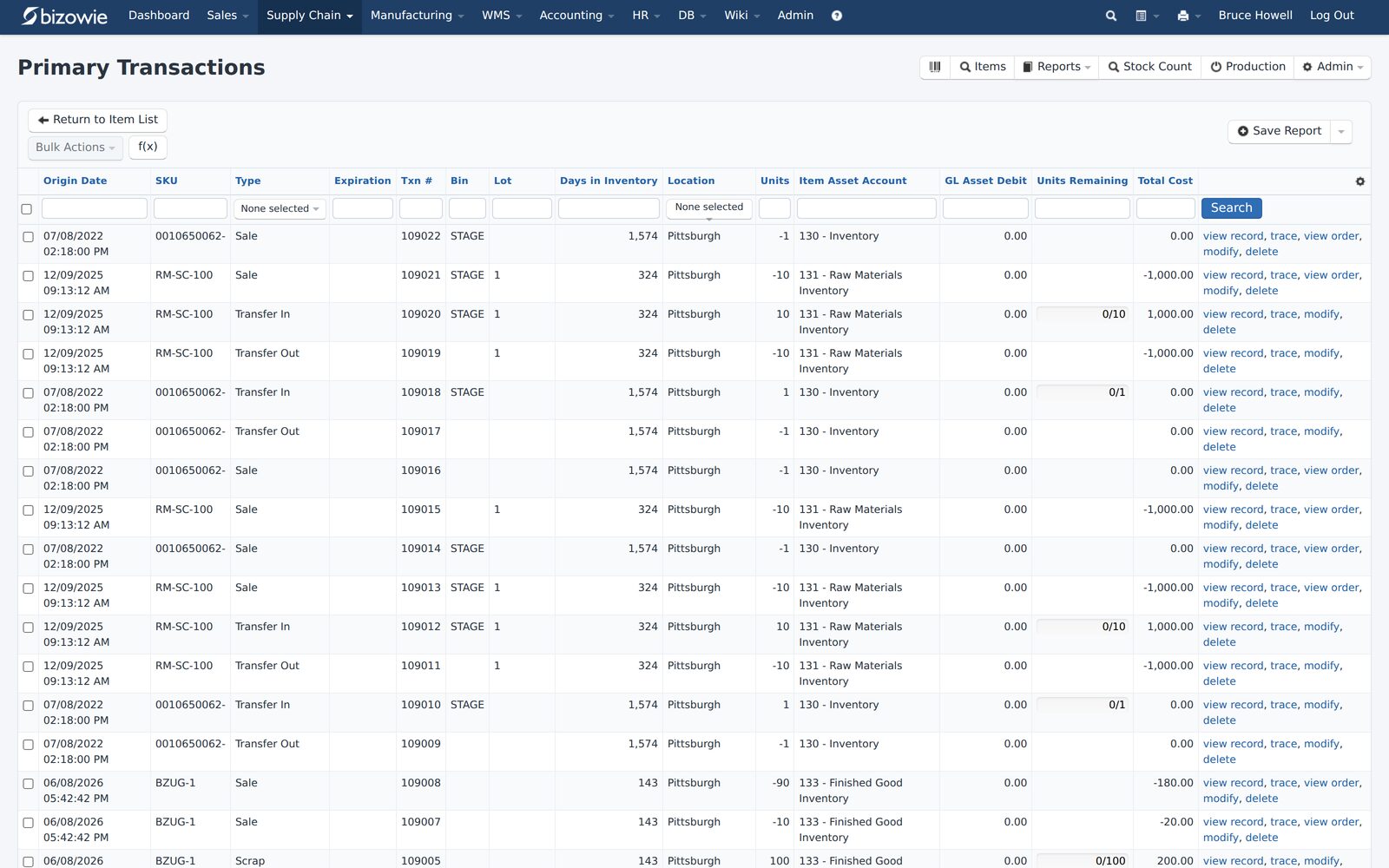
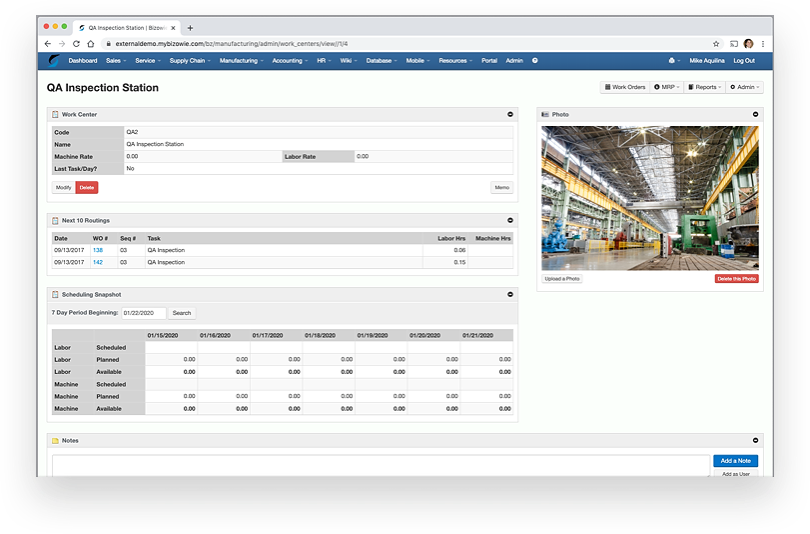
Every receipt, transfer, build, and quarantine move by SKU, lot, bin, and location.
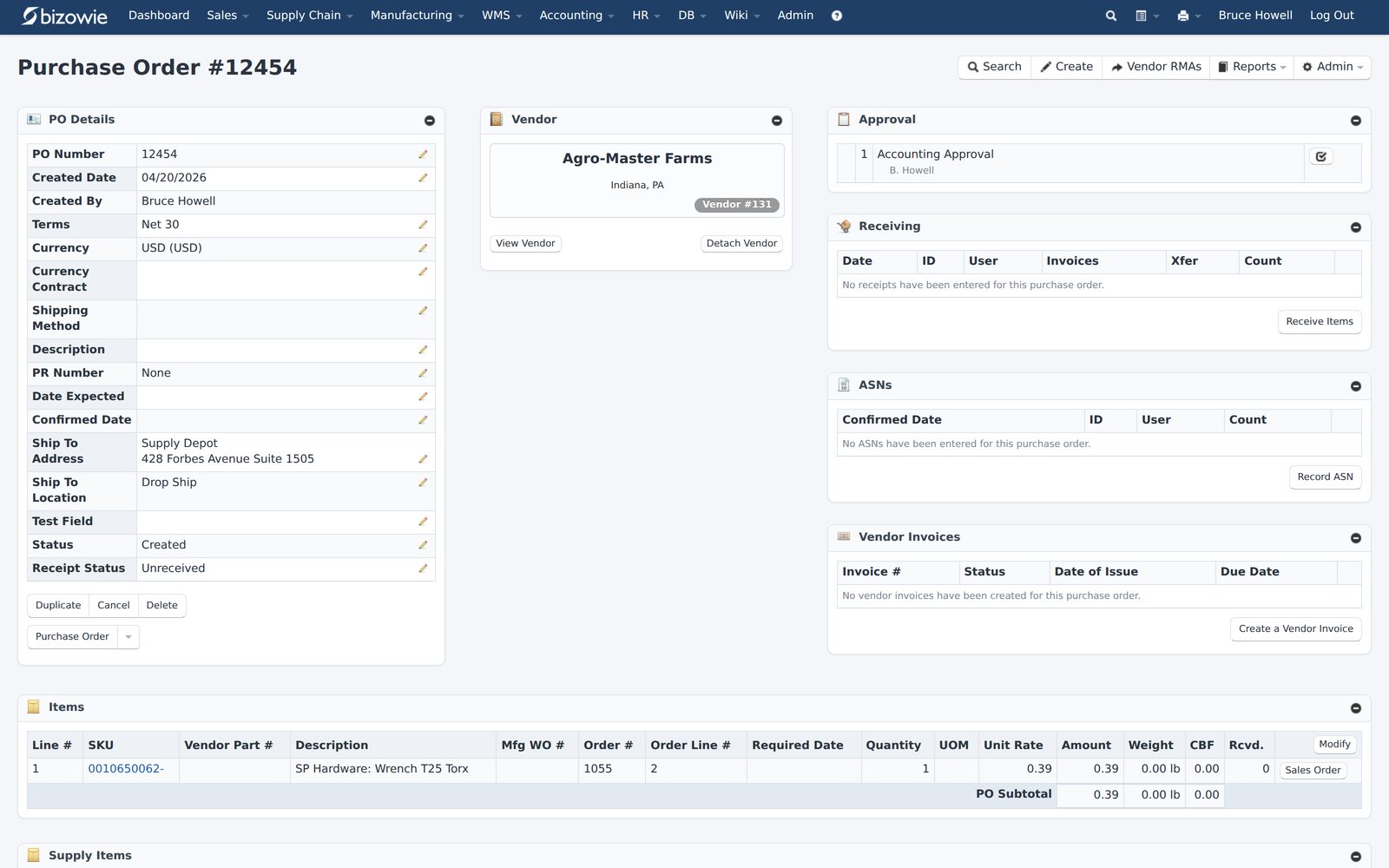
Purchase orders with approvals, receiving, ASNs, and vendor invoices on one screen.
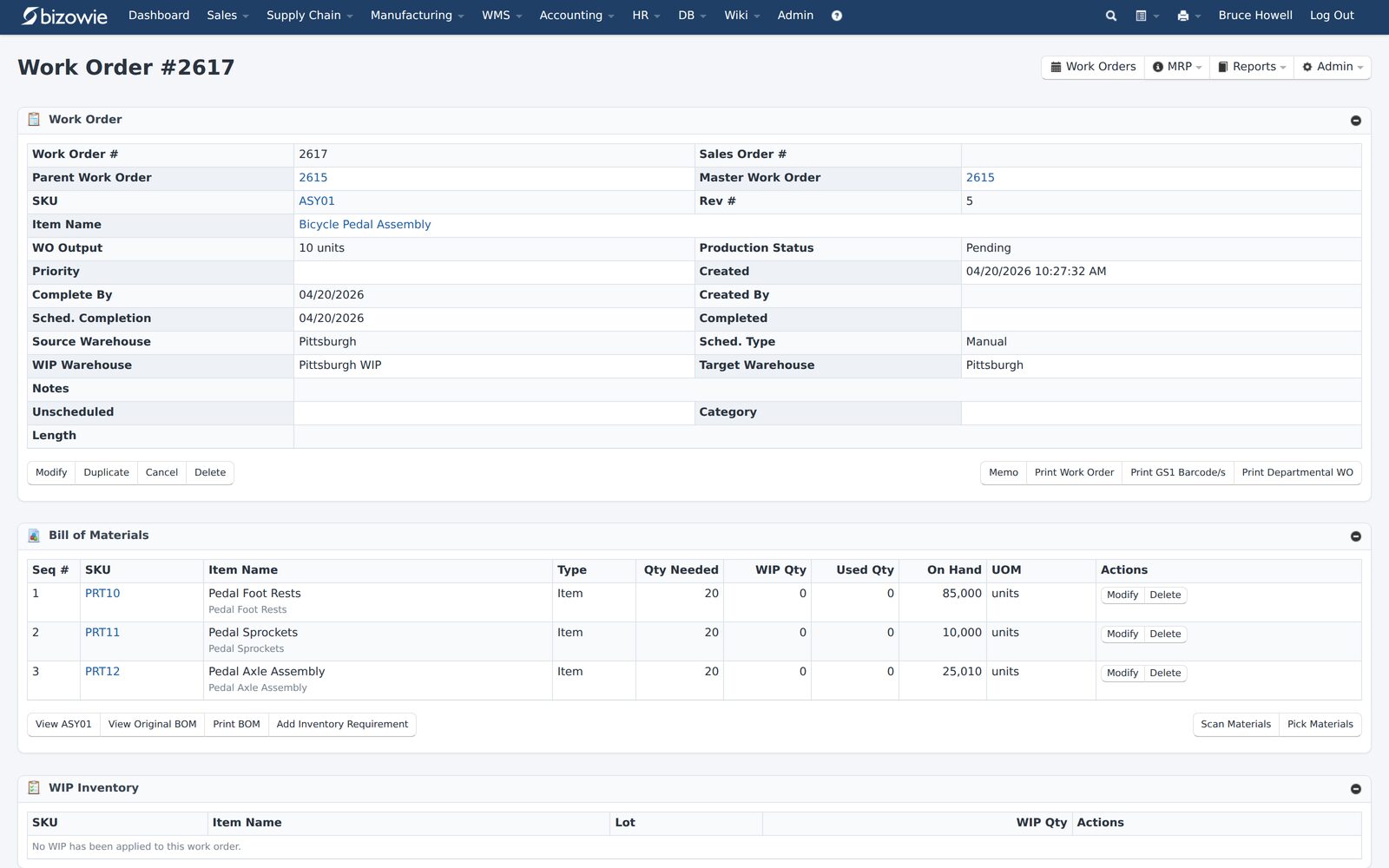
Each work order carries its multi-level bill of materials, batches, and live on-hand quantities.
Routings, labor and machine rates, and a scheduling snapshot for every work center.
Inventory and Replenishment Visibility in Bizowie
Bizowie tracks inventory in real time by warehouse, zone, bin, and LPN, with barcoded picking and end-to-end traceability. MRP is always up to date and reports purchasing requirements and shortages, and work orders can be created automatically or manually from sales activity and planned demand. The work center dashboard shows current load, work in process, and inbound jobs. For the wider evaluation, see our manufacturing ERP software buyer’s guide and our guide to manufacturing inventory management.
“From our first contact all the way through to our implementation, Bizowie has been a first class organization to work with… We strongly recommend the Bizowie software program.”
Alan Seymour — President, Cleveland Electric Labs
Frequently Asked Questions
What is the kanban formula?
Number of kanbans = Daily demand × Lead time × (1 + Safety factor) ÷ Container quantity. The result is rounded up to the next whole number.
How do you calculate the number of kanban cards?
Multiply average daily demand by the replenishment lead time in days, add a safety allowance, and divide by the number of parts in one container. With demand of 400 per day, a 1.5-day lead time, a 20% safety factor, and 60 parts per container, the answer is 12 cards.
What is a two-bin kanban system?
A two-bin system keeps a part in two bins. When the first bin is empty it triggers a reorder, and the second bin supplies the line until the replenishment arrives. Each bin holds enough to cover the replenishment lead time plus a safety allowance.
What is the difference between kanban and MRP?
Kanban replenishes what has actually been used, which suits steady, repetitive demand. MRP calculates future requirements from the schedule and bills of materials, which suits variable demand and long lead times. Many plants use both.
How often should kanban quantities be reviewed?
On a regular cycle and whenever demand, lead time, or container size changes materially. Card counts sized for old demand cause either shortages or excess inventory.
Bring Us the Part You Run Out of Most
Tell us how you replenish material on the floor today. We’ll show you how Bizowie tracks inventory and plans requirements in real time, and if we are not the right fit, we will tell you.
See how Bizowie would track your inventory
Tell us a little about your operation and we’ll reply with an honest assessment of fit, not a sales pitch.
- A real person reviews your submission and replies within one business day.
- No automated email sequences.
- If we’re not the right fit, we’ll tell you.
Prefer to talk?
Call (888) 635-2517, Mon–Fri, 9 AM–5 PM Eastern