
Replacing a Homegrown or Custom-Built ERP System
Many successful distributors and manufacturers run on software they built themselves.
It started as a sensible decision: nothing on the market fit, a talented developer was on staff, and the system grew alongside the business. Years later it knows every quirk of how the company works, and that is exactly the problem. It depends on one or two people, it is hard to integrate, reporting takes a programmer, and every new requirement becomes a development project.
This guide explains when it is time to replace a homegrown or custom-built system, how to do it without losing what made it valuable, the risks to plan for, and what one Bizowie customer gained when they made the move.
Why Companies Built Their Own Systems
Custom systems are usually built for good reasons:
- Off-the-shelf software at the time could not handle the company’s pricing, products, or workflows
- Packaged ERP was too expensive, or too complex to implement
- The company had a capable developer, and building felt faster than buying
- The business wanted a competitive edge that generic software could not give
Many of those reasons were true when the decision was made. The question is whether they are still true today.
Signs It’s Time to Replace It
- Key-person risk: one or two people understand how it works, and they are busy, retiring, or gone
- Every change is a project: new price rules, reports, or integrations need programming time
- Integration is painful: ecommerce, EDI, carriers, and banks connect through scripts and file transfers
- Reporting needs a programmer
- Security and infrastructure are aging: old servers, old databases, missed updates
- Accounting lives elsewhere, so month-end means reconciling two systems. See the month-end close checklist.
- Growth is blocked: a new warehouse, entity, channel, or customer requirement cannot be supported quickly
What the Homegrown System Got Right
Before replacing it, write down what the system does well. Custom systems often encode real advantages: a pricing method, a fast order-entry screen, an exception report that catches costly mistakes, a workflow tuned over years. Those are requirements for the new system, not things to give up. The goal is to keep the advantages while losing the fragility.
The Real Risks of Staying
- Losing the developer can leave the business unable to change, or even fix, its core system
- Security exposure from unsupported operating systems, databases, and libraries
- Opportunity cost: development time spent maintaining the system instead of improving the business
- Undocumented logic that no one can explain when something goes wrong
See the legacy ERP trap.
How to Replace a Custom System
- Document what it actually does, including the hidden logic: pricing rules, special cases, automated jobs, and reports people rely on. Interview the developer and the heaviest users.
- Separate needs from habits. Some custom behavior is a genuine advantage; some is a workaround for a problem a modern system handles differently.
- Look for configuration, not more custom code. The point of moving is to stop maintaining software. Choose a platform where your requirements are met by configuration and workflows. See configuration vs. customization.
- Test with your hardest cases, the ones the custom system was built for. See the ERP RFP template.
- Plan integrations early: every script, export, and connection the old system runs.
- Plan the cutover carefully. See ERP cutover planning.
Getting the Data Out
Homegrown systems often have unusual data structures, inconsistent historical data, and fields that mean different things over time. Plan for:
- Mapping each table and field to the new system, with the developer’s help while they are still available
- Cleaning items, customers, and pricing before migration
- Bringing balances and open transactions, and keeping detailed history accessible read-only
See data migration: what to bring, archive, and leave behind.
The People Side
The developer who built the system can be the project’s greatest asset or its biggest obstacle. Involve them early, value what they know, and give them a meaningful role, such as data migration, integrations, testing, or owning the new platform internally. Users who have shaped the system for years need the same respect. See overcoming resistance to new systems.
See Bizowie in Action
Real screens from Bizowie, not mockups. Click any screen to enlarge.
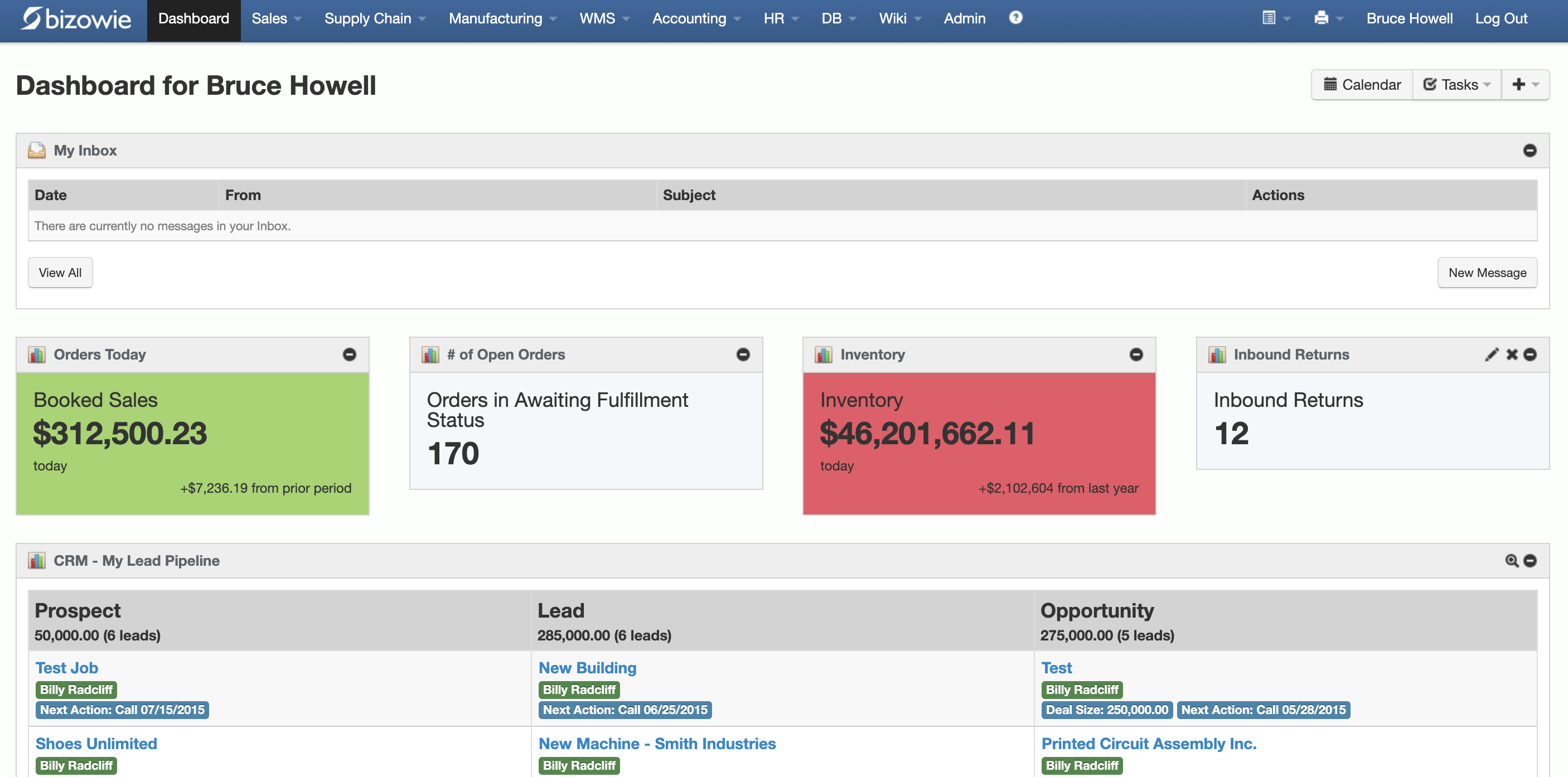
Live Dashboard
Bookings, open orders awaiting fulfillment, and inventory value at a glance.
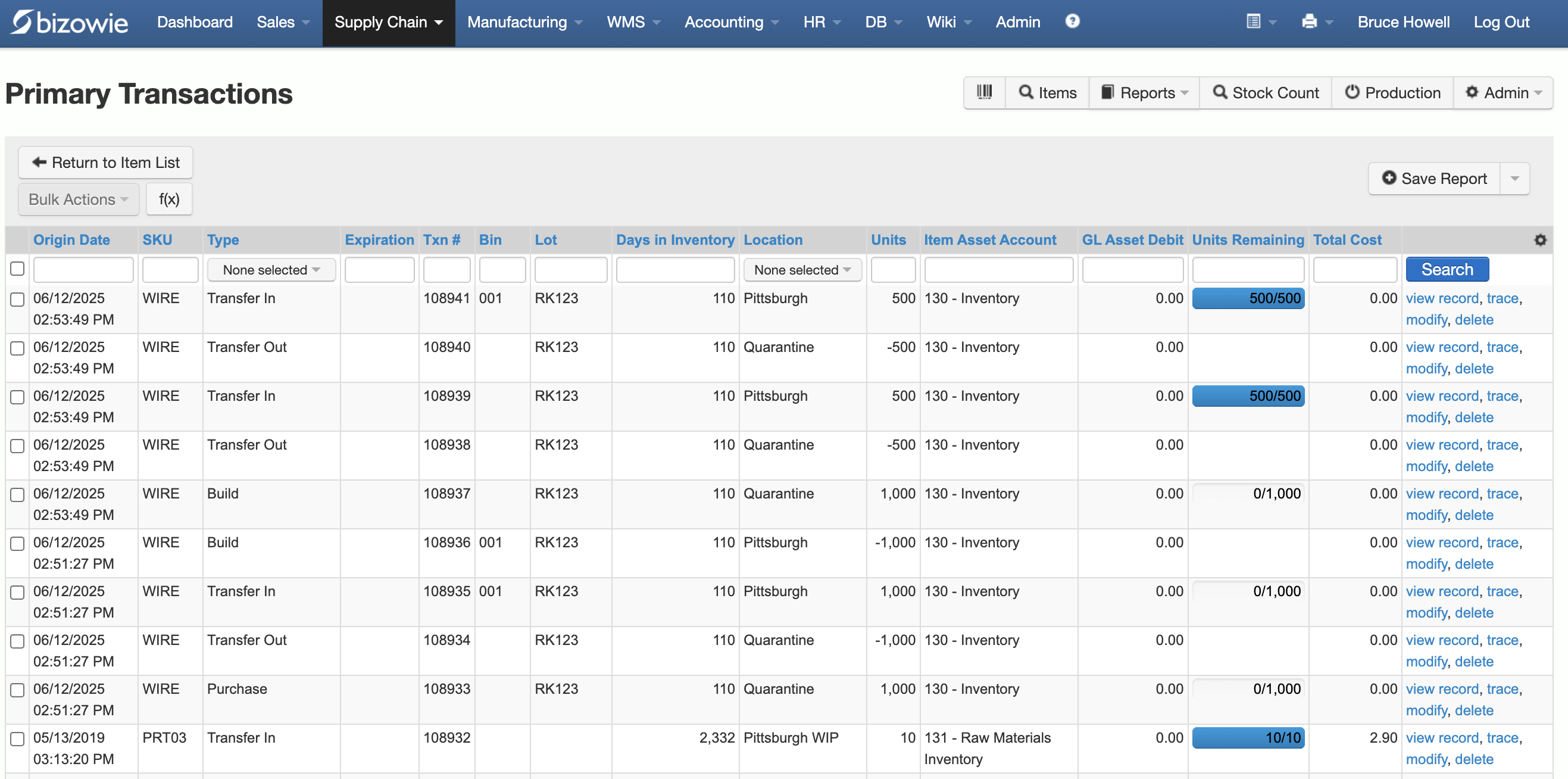
Inventory Transactions
Every receipt, transfer, build, and quarantine move by SKU, lot, bin, and location.
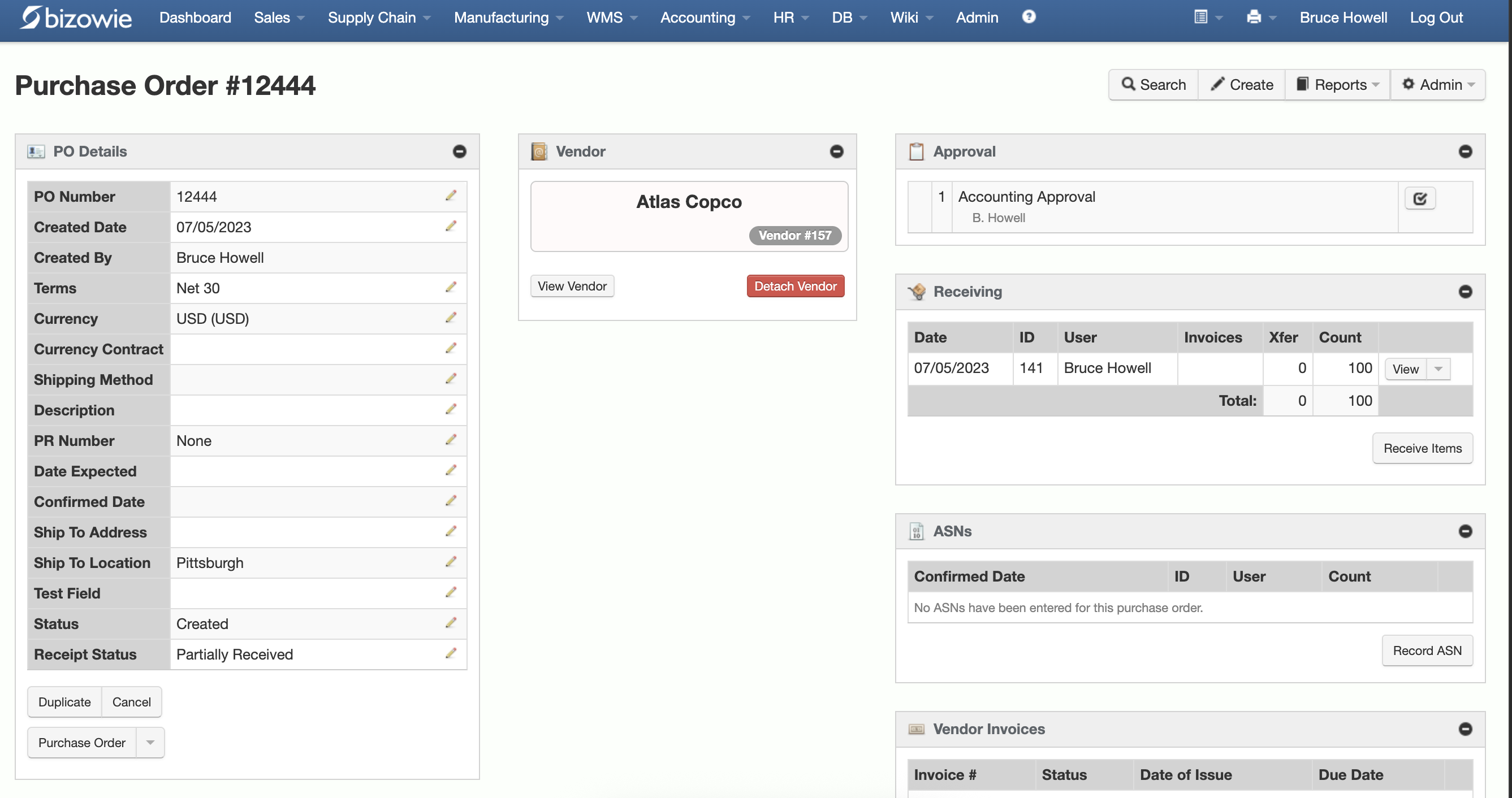
Purchasing & Receiving
Purchase orders with approvals, receiving, ASNs, and vendor invoices on one screen.
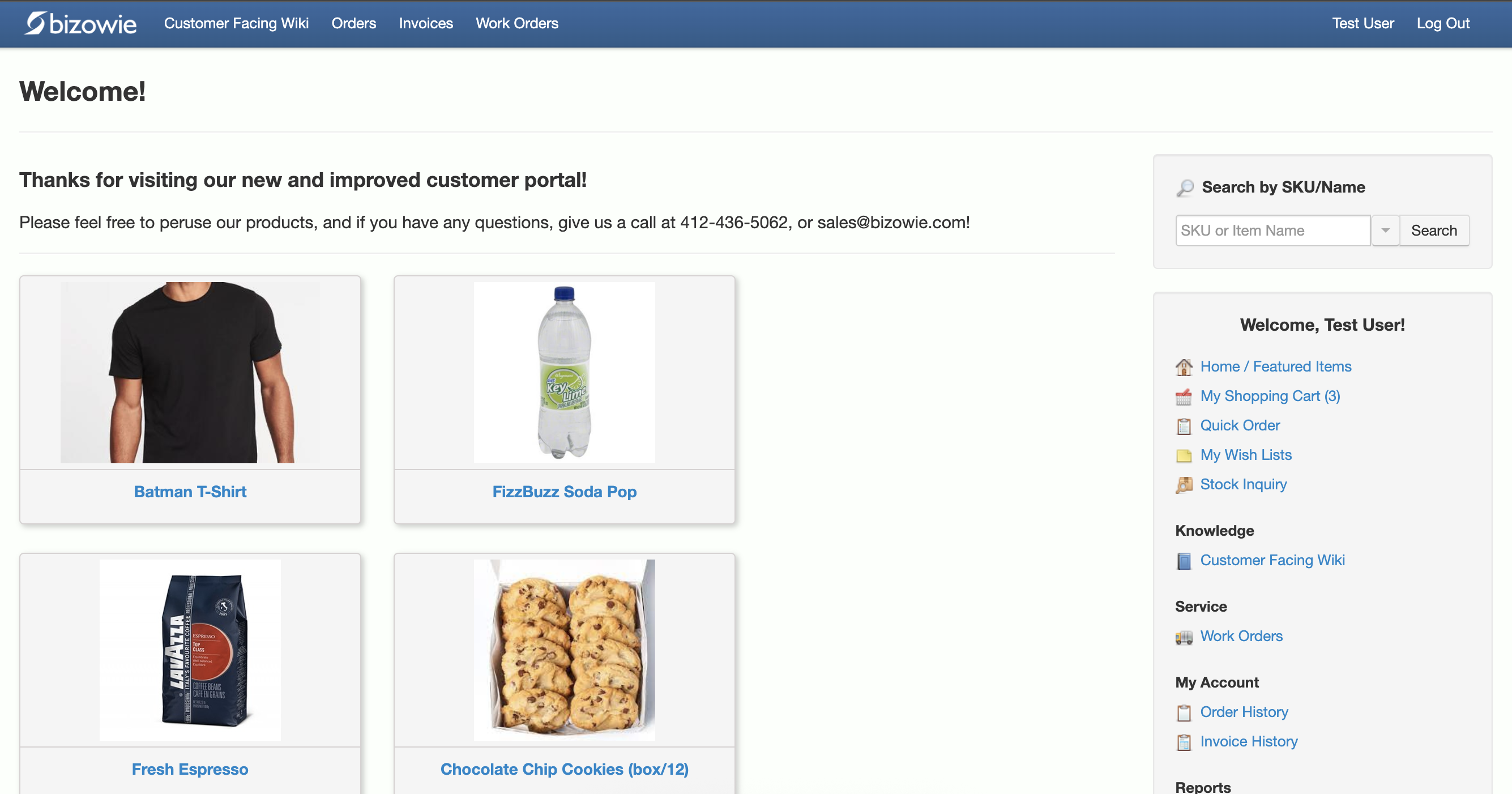
B2B Customer Portal
Customers search items, place orders, and check order and invoice history themselves.
Customer Story: LensesOnline
LensesOnline is New Zealand’s leading online retailer of contact lenses and vision care products, established in 2006 by a group of optometric professionals. As the company grew, it set out to upgrade from an internally developed order processing system to a more robust ERP. It faced high order volume, more than 1,000,000 distinct SKUs in inventory, reporting needs specific to the optometric industry, and a 24/7 business model.
Bizowie’s project team worked closely with LensesOnline’s staff to learn the business and its requirements, then implemented a solution that automated its processes, from order processing to warehouse management, automated reorders, and fulfillment, all without customer-specific code to inhibit future upgrades. As part of the implementation, Bizowie built a full EDI integration with one of New Zealand’s leading courier services, for automated shipment booking, label printing, and real-time track and trace. Because Bizowie is cloud-based, LensesOnline continues to receive new features and releases without costly upgrades or custom programming.
“A month down the road, we have received more feature releases than we had received in the past year from our previous provider… We have seen immediate economic benefit for our business in terms of productivity from our warehouse staff, eliminated processing errors, and better stock control.”
Julius Hart — Managing Director, LensesOnline
Why Bizowie Fits Companies Leaving Custom Systems
- Configuration instead of code: no-code platform capabilities and workflows, so requirements are met without customer-specific code that blocks upgrades
- Continuous updates as a cloud platform, with no servers to maintain
- One system for orders, inventory, warehouse management, purchasing, manufacturing, EDI, and financials
- Vendor-direct implementation by the team that builds and supports the software
Frequently Asked Questions
Should we replace our homegrown ERP?
If it depends on one or two people, every change needs programming, integrations are fragile, or it cannot support growth, it is usually time. Start by documenting what it does well, so those advantages carry over.
How do you migrate data from a custom system?
Map each table and field to the new system with help from the people who built the old one, clean master data first, bring balances and open transactions, and keep history accessible read-only.
Will we lose the features we built?
The goal is to keep the real advantages by treating them as requirements, and to meet them with configuration on a supported platform instead of more custom code.
What should we do with the developer who built the system?
Involve them early. Their knowledge is essential for data migration and integrations, and many become the internal owner of the new platform.
Tell Us What Your System Does
Walk us through the parts of your custom system you would never give up. We’ll show you how Bizowie would handle them, and if we are not the right fit, we will tell you.
See how Bizowie would replace your custom system
For manufacturers and distributors. Tell us a little about your operation and we’ll reply with an honest assessment of fit, not a sales pitch.
- A real person reviews your submission and replies within one business day.
- No automated email sequences.
- If we’re not the right fit, we’ll tell you.
Prefer to talk?
Call (888) 635-2517, Mon–Fri, 9 AM–5 PM Eastern