
Master Production Schedule (MPS): How It Works, With an Example
A master production schedule (MPS) states what finished products a plant will build, in what quantities, and in which periods. It is the plan that turns a sales forecast and a stack of customer orders into specific production commitments.
Everything downstream depends on it. Material requirements planning explodes the MPS into component and purchasing needs. Capacity planning tests it against the hours available. Customer service uses it to promise delivery dates. When the MPS is unrealistic or changes every day, the whole plant spends its time expediting.
This guide explains what a master production schedule contains, how to build one with a worked example, how available-to-promise is calculated, how time fences keep the plan stable, and how the MPS differs from MRP and a shop floor schedule.
What Is a Master Production Schedule?
A master production schedule is a time-phased plan for end items or other independently planned items. For each item it lists the quantity to be completed in each period, usually by week, over a horizon long enough to cover the longest cumulative lead time of the product.
A good MPS has three properties:
- It is specific. It names items and quantities, not product families or dollar totals.
- It is achievable. It has been checked against material availability and capacity.
- It is stable in the near term. Changes inside the cumulative lead time are controlled, because they are expensive.
Where the MPS Fits in Planning
The MPS sits in the middle of the planning hierarchy:
- Sales and operations planning sets production volume by product family, usually by month.
- The master production schedule breaks that volume into specific items and weeks.
- MRP explodes the MPS through the bill of materials to plan components and purchases. See how MRP calculates requirements.
- Production scheduling sequences the resulting work orders through work centers. See production scheduling.
Inputs to the MPS
- Demand forecast by item and period
- Booked customer orders
- On-hand finished goods inventory
- Lot size or order policy
- Safety stock, if the item carries any
- Production lead time
- Available capacity at key work centers
Worked Example: Building an MPS
A manufacturer builds a pump to stock. The planner has the following:
- On hand at the start of week 1: 60 units
- Lot size: 100 units
- Safety stock: none, to keep the arithmetic simple
- Demand each week: the greater of the forecast and booked customer orders
The rule: project the balance forward week by week. When the balance would fall below zero, schedule one lot to be completed in that week.
Projected available balance = Previous balance + MPS quantity − Demand
| Week | 1 | 2 | 3 | 4 | 5 | 6 |
|---|---|---|---|---|---|---|
| Forecast | 40 | 40 | 50 | 50 | 60 | 60 |
| Customer orders | 45 | 30 | 20 | 10 | 0 | 0 |
| Demand used | 45 | 40 | 50 | 50 | 60 | 60 |
| MPS quantity | 100 | 100 | 100 | |||
| Projected available balance | 15 | 75 | 25 | 75 | 15 | 55 |
| Available-to-promise | 15 | 50 | 90 | 100 |
Week by week:
- Week 1: 60 − 45 = 15. No production needed.
- Week 2: 15 − 40 would be −25, so schedule a lot. 15 + 100 − 40 = 75.
- Week 3: 75 − 50 = 25.
- Week 4: 25 − 50 would be −25, so schedule a lot. 25 + 100 − 50 = 75.
- Week 5: 75 − 60 = 15.
- Week 6: 15 − 60 would be −45, so schedule a lot. 15 + 100 − 60 = 55.
The master production schedule is the MPS row: 100 units due in weeks 2, 4, and 6. Those three quantities are what MRP will explode into component requirements.
Available-to-Promise
Available-to-promise (ATP) is the part of inventory and scheduled production not yet committed to customer orders. It tells sales what can still be promised, and when. Unlike the projected balance, it ignores the forecast and looks only at booked orders.
ATP = On hand or MPS quantity − Customer orders due before the next MPS quantity
From the example:
- Week 1: 60 on hand − 45 ordered in week 1 = 15
- Week 2: 100 − (30 + 20 ordered in weeks 2 and 3) = 50
- Week 4: 100 − (10 + 0 ordered in weeks 4 and 5) = 90
- Week 6: 100 − 0 = 100
If a customer asks for 40 units in week 2, the answer is yes. If they ask for 40 in week 1, only 15 are uncommitted, and the rest can ship from the week 2 lot.
Time Fences
An MPS that changes freely is not a plan. Time fences divide the horizon into zones with different rules for change.
| Zone | Typical position | What can change |
|---|---|---|
| Frozen | Inside the demand time fence, often final assembly lead time | Nothing without management approval. Material is issued and capacity is committed. |
| Slushy | Between the demand and planning time fences | Mix and timing can change if material and capacity allow. The planner decides. |
| Liquid | Beyond the planning time fence, usually past cumulative lead time | The system can replan freely as forecasts change. |
Many planners also change the demand rule by zone: inside the demand time fence, only booked customer orders count, because there is no longer time for unforecast demand to arrive and be built.
Rough-Cut Capacity Check
Before the MPS is released to MRP, check it against the few resources that limit output. This is rough-cut capacity planning.
Example: each pump needs 1.5 hours of final assembly. A 100-unit lot needs 100 × 1.5 = 150 hours. The assembly cell has 160 hours available per week, so one lot fits. If a second product also had a lot due in week 4 needing 60 hours, the load would be 210 hours against 160 available, and one of the lots would have to move or overtime would have to be planned before the schedule is released.
A rough-cut check will not catch every problem, but it stops a plan that cannot be built from driving purchasing. See capacity planning in manufacturing ERP.
MPS vs. MRP vs. the Production Schedule
| Master production schedule | MRP | Production schedule | |
|---|---|---|---|
| Plans | End items | Components and raw materials | Operations at work centers |
| Demand type | Independent: forecasts and orders | Dependent: calculated from the MPS and BOM | Released work orders |
| Typical buckets | Weeks | Days or weeks | Hours or shifts |
| Output | Quantities and due dates for finished items | Planned purchase and work orders | A sequence and dispatch list |
| Owner | Master scheduler or planner | Planner or buyer | Production supervisor or scheduler |
What to Master Schedule
The item you master schedule depends on how you meet demand:
- Make-to-stock: schedule finished goods, driven mostly by forecast.
- Assemble-to-order: schedule the common subassemblies and options, then use a final assembly schedule for customer orders.
- Make-to-order and engineer-to-order: the MPS is largely the order backlog, and the scarce resource to plan is capacity, not finished inventory.
For the differences among these strategies, see make-to-order vs. make-to-stock.
Common Mistakes
- Loading the MPS with more than the plant has ever produced in a week
- Leaving past-due quantities in the schedule instead of rescheduling them
- Changing the schedule inside the frozen zone for every new order
- Master scheduling at the product family level, so MRP has nothing specific to explode
- Promising delivery from the projected balance, which includes forecast, instead of available-to-promise
- Releasing the plan to MRP without any capacity check
- Running the MPS from a spreadsheet that does not see current inventory or orders
- Lot sizes and lead times in the item master that no longer match reality
See Bizowie in Action
Real screens from Bizowie, not mockups. Click any screen to enlarge.
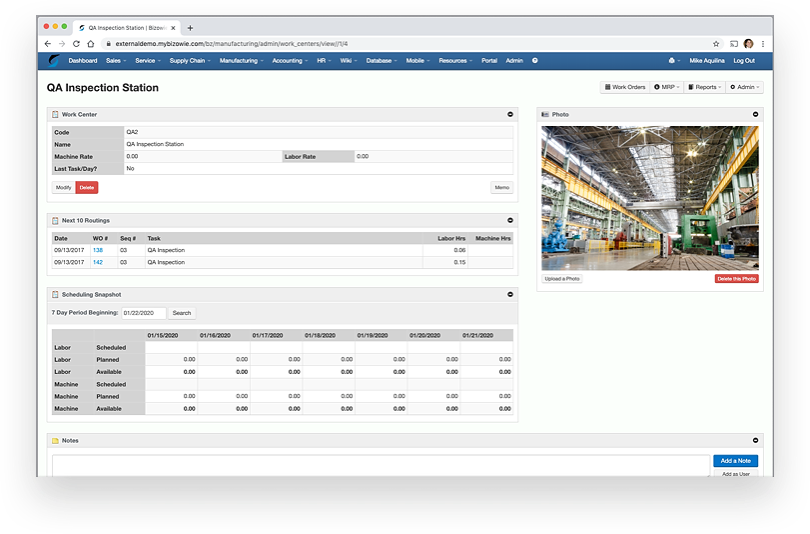
Routings, labor and machine rates, and a scheduling snapshot for every work center.
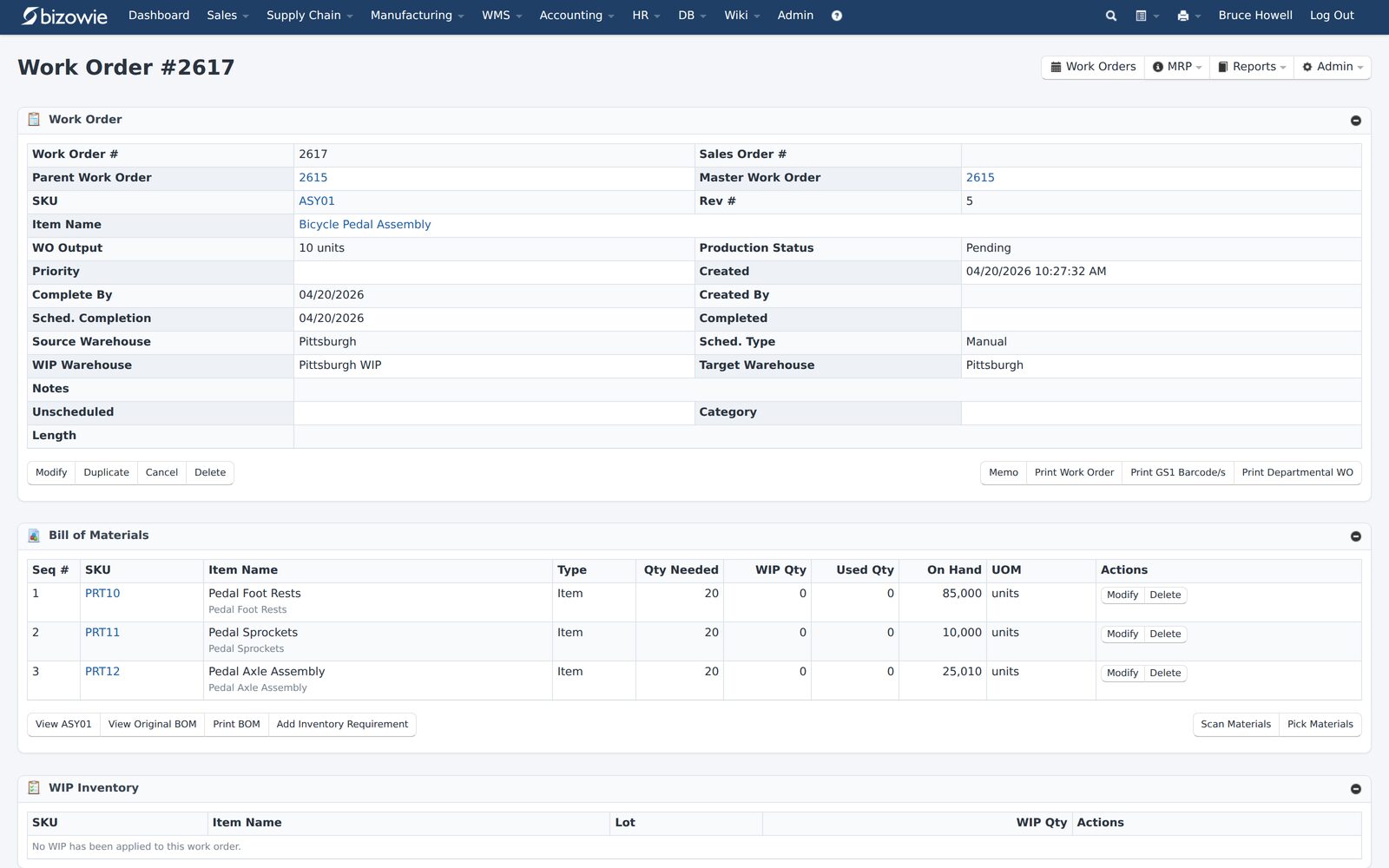
Each work order carries its multi-level bill of materials, batches, and live on-hand quantities.
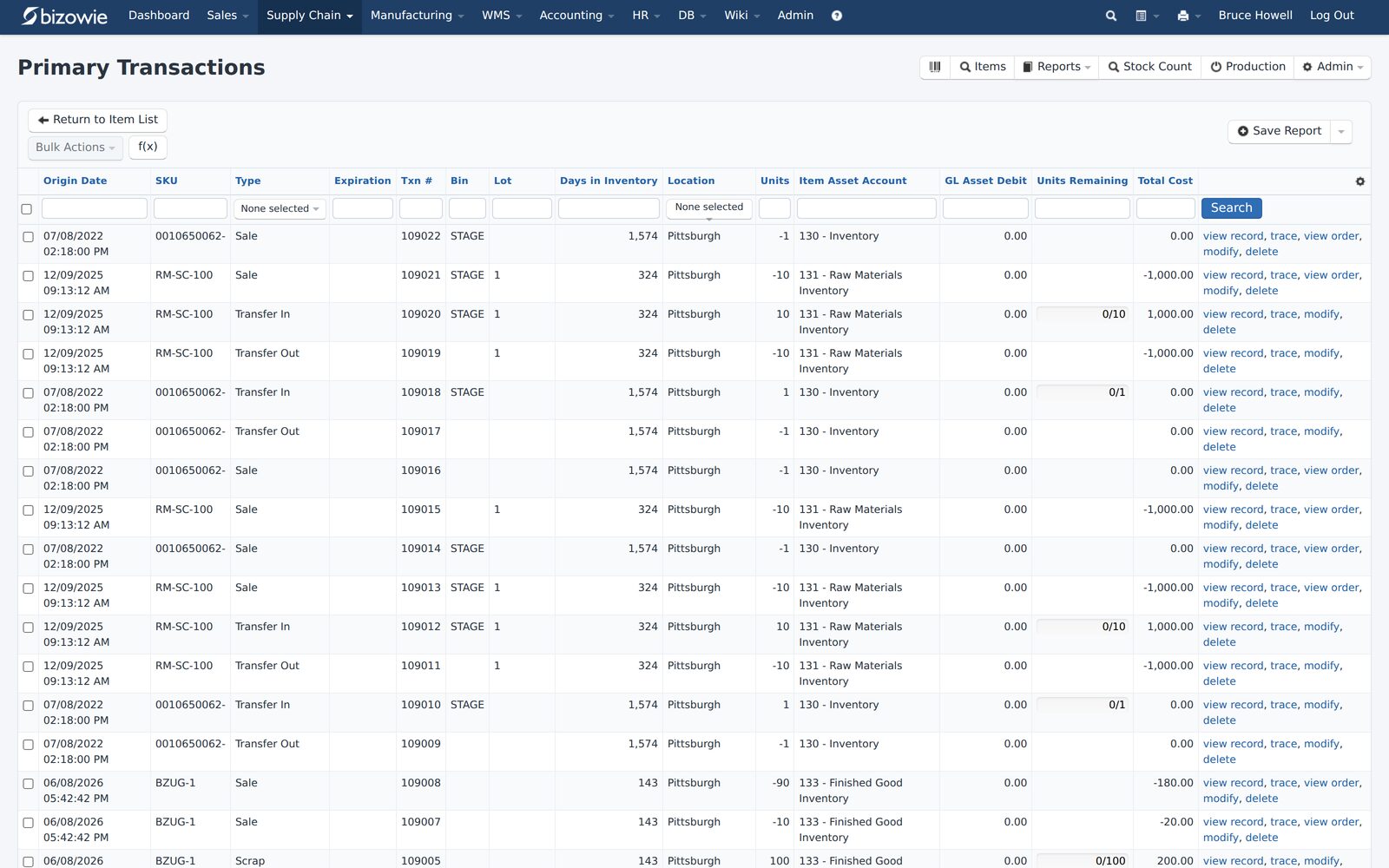
Every receipt, transfer, build, and quarantine move by SKU, lot, bin, and location.
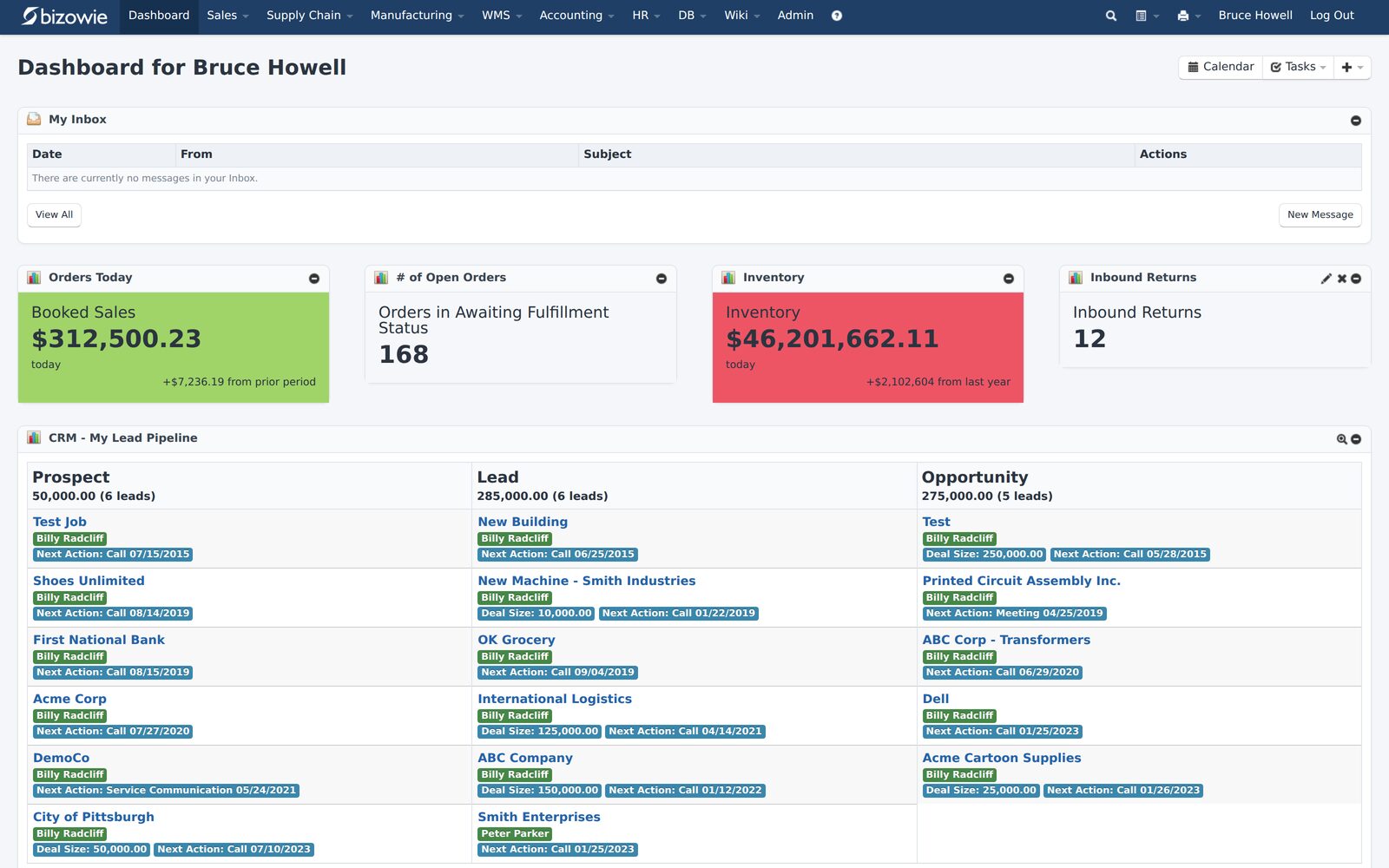
Bookings, open orders awaiting fulfillment, and inventory value at a glance.
Planning and Scheduling in Bizowie
Bizowie supports make-to-stock, make-to-order, engineer-to-order, and process manufacturing in any combination. Work orders are created automatically or manually from sales activity and planned demand, and dependent work orders are created automatically for multi-level subassemblies. MRP stays up to date and reports purchasing requirements and shortages. Production is scheduled automatically based on constraints, with finite, infinite, or mixed capacity and forward or backward scheduling by priority, and a work center dashboard shows current load, work in process, and inbound jobs. For the wider evaluation, see our manufacturing ERP software buyer’s guide.
“From our first contact all the way through to our implementation, Bizowie has been a first class organization to work with… We strongly recommend the Bizowie software program.”
Alan Seymour — President, Cleveland Electric Labs
Frequently Asked Questions
What is a master production schedule?
A time-phased plan that states which finished items a plant will produce, in what quantities, and in which periods. It is built from forecasts, customer orders, inventory, and capacity.
What is the difference between MPS and MRP?
The MPS plans end items from independent demand. MRP takes the MPS and uses bills of materials, inventory, and lead times to calculate when components and raw materials must be made or bought.
How is available-to-promise calculated?
For the first period, subtract customer orders due before the next MPS quantity from on-hand inventory. For each later period with an MPS quantity, subtract the customer orders due from that period until the next MPS quantity.
How far out should a master production schedule go?
At least as far as the longest cumulative lead time of the product, including purchasing lead time for components, so that every purchase and production decision falls inside the plan.
What is a time fence?
A boundary in the planning horizon that controls how the schedule can change. Inside the demand time fence the plan is frozen. Beyond the planning time fence the system can replan freely.
Bring Us a Week Your Plan Fell Apart
Tell us how you plan production today. We’ll show you how Bizowie would plan the same demand, and if we are not the right fit, we will tell you.
See how Bizowie would plan your production
Tell us a little about your operation and we’ll reply with an honest assessment of fit, not a sales pitch.
- A real person reviews your submission and replies within one business day.
- No automated email sequences.
- If we’re not the right fit, we’ll tell you.
Prefer to talk?
Call (888) 635-2517, Mon–Fri, 9 AM–5 PM Eastern