
Engineering Change Management: ECRs, ECOs, and Controlling BOM Changes
Every manufacturer changes its products. The question is whether changes are controlled or simply happen.
A controlled engineering change has a reason, an approval, an effective date or quantity, and a plan for everything it touches: open work orders, inventory of the old part, open purchase orders, routings, and documents. An uncontrolled one shows up on the floor as the wrong part built to the wrong drawing.
This guide explains how engineering change management works, the difference between ECRs and ECOs, how to decide what happens to work in process and inventory, and what your systems need to support it.
What Is Engineering Change Management?
Engineering change management is the process of requesting, reviewing, approving, and implementing changes to a product’s design, bill of materials, routing, or specifications, and recording what changed, why, and when.
ECR, ECO, and ECN
- Engineering change request (ECR): a proposal to change something, with the reason and the problem it solves.
- Engineering change order (ECO): the approved instruction to make the change, with exactly what changes and when.
- Engineering change notice (ECN): the notification that tells affected people a change has been made. Some companies use ECN and ECO interchangeably.
The Engineering Change Process
- Request: anyone can raise an ECR, such as engineering, production, quality, purchasing, or a customer.
- Evaluate: assess cost, the effect on open orders and inventory, supplier impact, and customer approval if required.
- Approve: the right people sign off, based on the type and size of change.
- Plan: set effectivity and decide disposition of existing stock and work in process.
- Implement: update the BOM, routing, drawings, and work instructions, and release the new revision.
- Verify: confirm the first builds under the new revision are correct.
Effectivity: When a Change Takes Effect
- Date effectivity: the change applies to work started after a set date.
- Serial or lot effectivity: the change applies from a specific serial number or lot onward.
- Use-up effectivity: the old part is used until stock runs out, then the new part takes over.
- Immediate: for safety or quality problems, everything changes now.
Use-up effectivity is common for cost or supplier changes, because it avoids scrapping good inventory.
What a Change Affects
Before approving a change, find everything it touches:
- Where-used: every parent assembly that uses the part
- Open work orders at every stage, from not started to nearly complete
- Inventory of the old part, raw material, WIP, and finished goods
- Open purchase orders for parts being replaced
- Routings and work instructions
- Costs and quotes built on the old design
- Customer orders that specified a revision
See BOM management and routings in manufacturing.
Disposition: Use, Rework, or Scrap
For each affected item, decide: use as is (the old version is acceptable), rework (bring it up to the new revision), return to supplier, or scrap. Record the decision and the cost, because disposition costs are part of the true cost of a change.
Revisions and Documents
Every released change should produce a new revision of the item, BOM, routing, and drawing, with the old revision kept for history. Work orders should record which revision they were built to, and the shop floor should only ever see the current, released documents. Lot and serial records tied to revisions let you answer, years later, exactly what a customer received. See lot traceability for manufacturers.
See Bizowie in Action
Real screens from Bizowie, not mockups. Click any screen to enlarge.
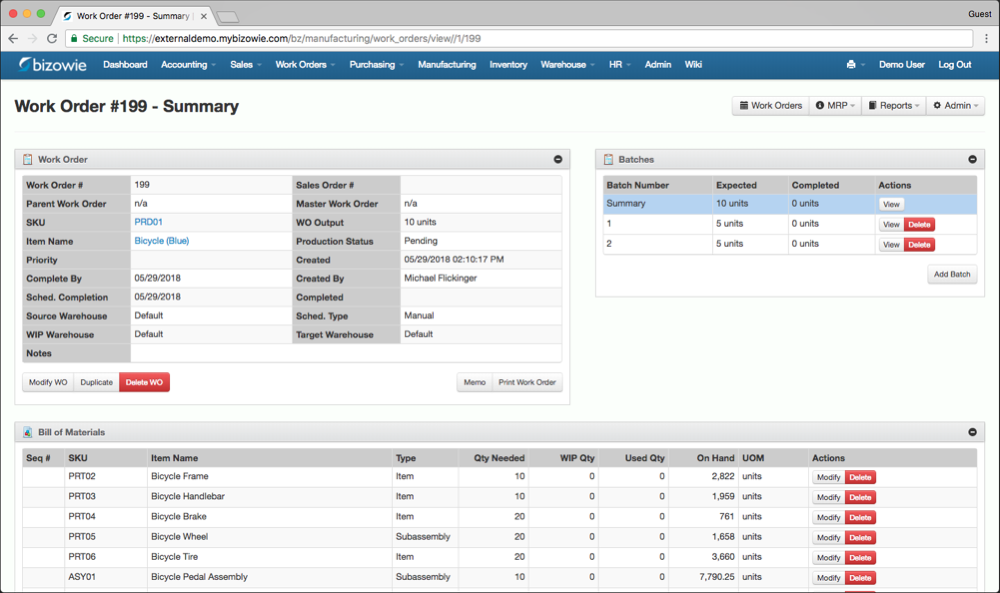
Work Orders & BOMs
Each work order carries its multi-level bill of materials, batches, and live on-hand quantities.
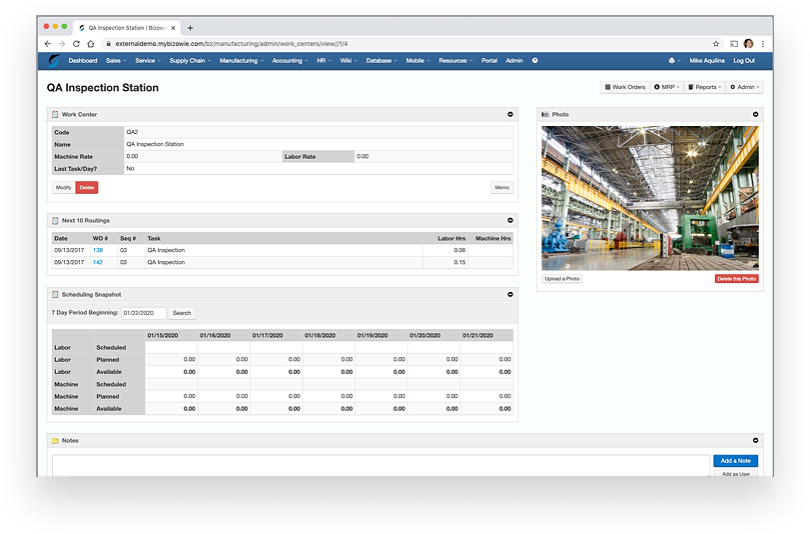
Work Centers & Capacity
Routings, labor and machine rates, and a scheduling snapshot for every work center.
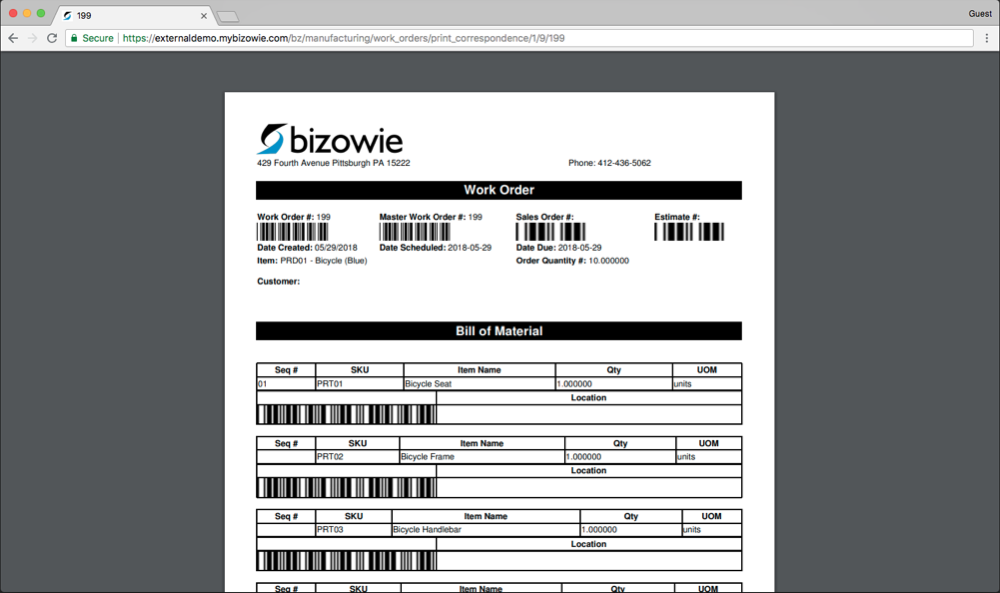
Barcoded Travelers
Printed work orders with barcoded BOM lines, so the shop floor scans instead of writing.
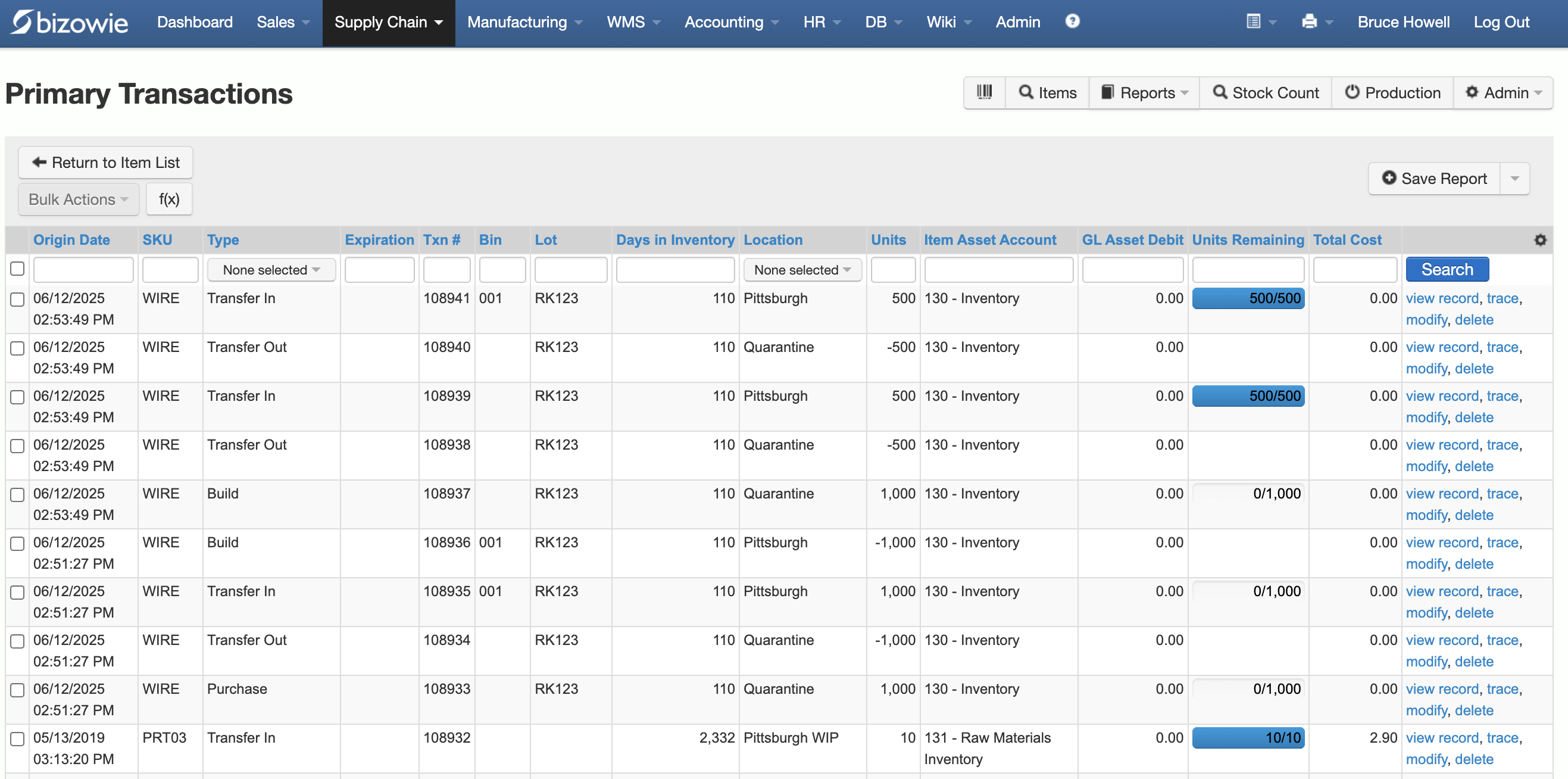
Inventory Transactions
Every receipt, transfer, build, and quarantine move by SKU, lot, bin, and location.
Common Mistakes
- Changing the BOM directly, with no record of why or when
- Releasing changes without checking open work orders and purchase orders
- Old drawings still printed on travelers or posted at work centers
- No disposition decision, so old stock is used by accident or scrapped unnecessarily
- Costs and quotes never updated for the new design
Engineering Changes in Bizowie
Bizowie includes out-of-the-box document management and knowledge management capabilities for controlled drawings, ECO/ECR workflows, and quality data tracking, with user-customizable data sets and workflows. True multi-level BOMs drive work orders and MRP, so changes are reflected in planning, and the BOM, work instructions, and drawings can be pushed directly to the employee’s workstation on the shop floor. Lot and serial traceability is maintained through production.
“From our first contact all the way through to our implementation, Bizowie has been a first class organization to work with… We strongly recommend the Bizowie software program.”
Alan Seymour — President, Cleveland Electric Labs
Frequently Asked Questions
What is the difference between an ECR and an ECO?
An ECR is a request to change something; an ECO is the approved instruction to make the change, with exactly what changes and when it takes effect.
What is effectivity in engineering change management?
The rule that determines when a change takes effect: by date, by serial or lot number, when old stock is used up, or immediately.
How do you handle open work orders when a BOM changes?
Review every open work order for the affected item, decide whether each continues on the old revision, is updated, or is reworked, and record the decision.
Bring Us a Change That Went Wrong
Tell us how engineering changes reach the floor today. We’ll show you how Bizowie would control them, and if we are not the right fit, we will tell you.
See how Bizowie would control your engineering changes
Tell us a little about your operation and we’ll reply with an honest assessment of fit, not a sales pitch.
- A real person reviews your submission and replies within one business day.
- No automated email sequences.
- If we’re not the right fit, we’ll tell you.
Prefer to talk?
Call (888) 635-2517, Mon–Fri, 9 AM–5 PM Eastern