
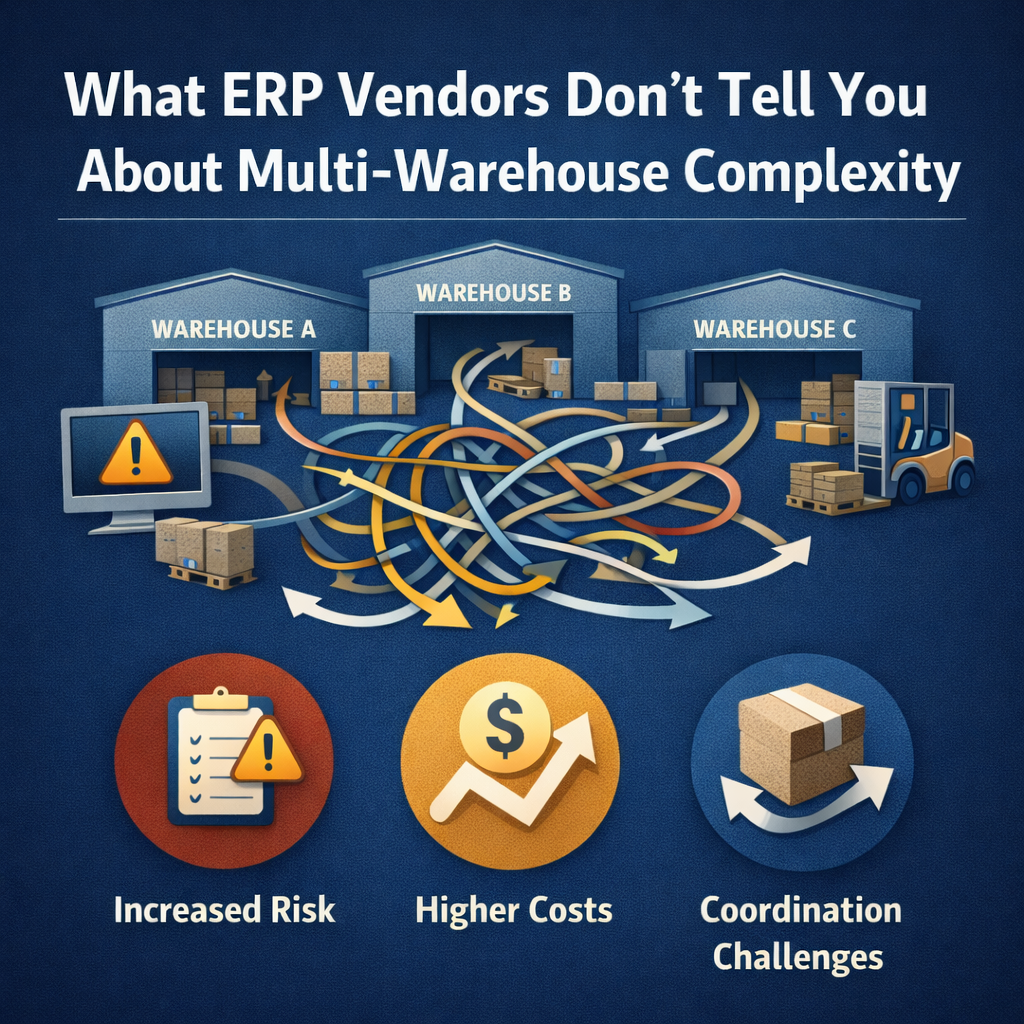
What ERP Vendors Don’t Tell You About Multi-Warehouse Complexity
During ERP evaluations, vendors showcase impressive demonstrations of multi-warehouse functionality. Inventory appears synchronized across locations. Orders automatically route to optimal warehouses. Transfers happen seamlessly. The software handles everything effortlessly.
Then implementation begins, and distributors discover reality is far more complicated.
Multi-warehouse operations expose fundamental differences between ERP platforms that remain hidden during sales demonstrations. Some systems genuinely support distributed inventory as a core architectural capability. Others bolt multi-warehouse functionality onto single-location foundations, creating complexity that only becomes apparent after go-live.
This article examines what ERP vendors don’t disclose about multi-warehouse complexity, the questions distributors should ask during evaluation, and the architectural differences that determine whether multi-warehouse operations will be straightforward or perpetually problematic.
The Multi-Warehouse Sales Demonstration vs. Reality
What Vendors Show You
ERP demonstrations follow predictable scripts designed to showcase capabilities in controlled environments. For multi-warehouse functionality, vendors typically demonstrate:
Inventory visibility across locations. The demo shows a single screen displaying stock levels at all warehouses. The sales rep queries a product and instantly sees quantities at each facility.
Automated order routing. A customer order appears, and the system intelligently assigns it to the warehouse with available inventory closest to the delivery address. The rep emphasizes how this optimizes shipping costs and delivery times.
Seamless transfers between locations. When one warehouse runs low on a fast-moving item, the system creates a transfer order from another facility with excess stock. Inventory moves between locations with a few clicks.
Consolidated reporting. Reports aggregate data across all warehouses, showing total inventory investment, turnover rates, and picking efficiency enterprise-wide.
These demonstrations aren’t fraudulent—the functionality exists. But they omit critical context about what making it work actually requires.
What Happens After Implementation
Distributors who implement multi-warehouse ERP based on sales demonstrations frequently encounter challenges the vendor never mentioned:
Different warehouse processes don’t fit the same system configuration. One facility uses zone picking while another uses wave picking. One handles full pallets while another does piece picking. The ERP expects all locations to follow identical workflows, requiring either system customization or forcing warehouses to abandon proven processes.
Inventory accuracy problems multiply across locations. A single-warehouse distributor might maintain 95% inventory accuracy through regular cycle counts. Adding a second warehouse doesn’t just double the challenge—it creates cross-location complexity where transfers, allocations, and timing differences make discrepancies harder to identify and resolve.
Transfer management becomes a full-time job. The demo made transfers look simple, but real operations involve freight coordination, quality verification, timing synchronization, and resolving discrepancies between what shipped and what arrived. Many distributors hire dedicated staff just to manage inter-warehouse transfers.
System performance degrades with data volume. Inventory queries that ran instantly during demonstrations slow to several seconds when searching across warehouses with hundreds of thousands of SKUs and millions of transactions. Reports that took minutes now take hours.
Integration complexity multiplies. Each warehouse might have local systems—barcode scanners, conveyor controls, dock door management—that need ERP integration. What worked at the first facility requires re-implementation at the second, often revealing that the ERP’s integration architecture doesn’t scale.
These challenges stem from fundamental architectural choices vendors don’t highlight during sales processes.
Architectural Differences That Determine Multi-Warehouse Success
Database Architecture: Shared vs. Separate
One critical difference between ERP platforms is whether multiple warehouses share a unified database or maintain separate instances that synchronize.
Shared database architecture: All warehouses operate from the same database in real-time. When warehouse A allocates inventory, warehouse B sees the change immediately. Queries across locations are fast because data isn’t being aggregated—it’s already together.
Separate database architecture: Each warehouse has its own database instance. Data synchronizes between them periodically through replication or batch processes. Queries across locations require aggregating data from multiple databases, which is inherently slower and more complex.
What vendors don’t tell you: Many ERP platforms originally designed for single locations were extended to support multiple warehouses through database replication. This approach appears to work but creates subtle timing issues, synchronization failures, and performance problems that only emerge at scale.
During evaluation, vendors demonstrate on small datasets that hide these architectural limitations. A distributor managing 50,000 SKUs across four warehouses will experience the system very differently than the demo environment with 500 products and two locations.
Inventory Allocation Logic: Simple vs. Sophisticated
How an ERP system allocates inventory to orders reveals whether multi-warehouse was an afterthought or a core design consideration.
Basic allocation: The system checks if any warehouse has sufficient inventory to fulfill an order. If yes, it allocates from that location. If no, it creates backorders or partial shipments.
Sophisticated allocation: The system considers multiple factors simultaneously—customer proximity, warehouse capacity, freight costs, inventory age, transfer time between locations, and strategic stocking decisions. It can split orders across warehouses when economically justified or consolidate to minimize shipping complexity.
What vendors don’t tell you: The allocation logic demonstrated during evaluation might be the only logic available. Distributors often assume they can configure more sophisticated rules post-implementation, only to discover the system wasn’t designed for that level of complexity.
Questions to ask: “Can we see the allocation rule configuration interface? How many factors can it consider simultaneously? Can rules vary by customer, product category, or business conditions? What happens when multiple rules conflict?”
If the vendor can’t demonstrate configuration flexibility during evaluation, it probably doesn’t exist.
Transfer Management: Transactional vs. Integrated
Inter-warehouse transfers are conceptually simple—move inventory from location A to location B—but operationally complex. How an ERP handles this process reveals architectural maturity.
Transactional approach: Transfers are manual transactions. Someone creates a transfer order in the system, someone else creates a corresponding receipt transaction at the receiving warehouse, and the system adjusts inventory at both locations. Each step is separate, requiring coordination and manual verification.
Integrated approach: The system treats transfers as continuous workflows. Creating a transfer order automatically generates picking instructions at the source warehouse and expected receipt at the destination. As transfer moves through stages—picked, shipped, received, quality checked, put away—the system updates status and inventory automatically. Discrepancies trigger alerts rather than requiring manual discovery.
What vendors don’t tell you: Transactional transfer management might work for occasional stock rebalancing but breaks down when transfers become frequent. A distributor with daily transfers between locations will spend significant staff time managing what should be automated workflows.
During demonstrations, vendors show successful transfer scenarios. They don’t show what happens when quantities don’t match, items arrive damaged, carriers lose shipments, or timing delays create allocation problems.
Real-Time Visibility: Actual vs. Batch Updated
Multi-warehouse demonstrations emphasize real-time visibility, but “real-time” means different things across ERP platforms.
True real-time: Inventory transactions at any warehouse update the central database immediately. Sales reps checking availability see actual current stock. Allocation decisions use live data. Reports reflect the current state, not yesterday’s state.
Batch-updated “real-time”: Warehouses operate on local systems with periodic synchronization to the central ERP. What appears as real-time visibility is actually data that’s minutes, hours, or overnight cycles old. The delay is hidden during demonstrations but causes daily operational problems.
What vendors don’t tell you: Batch synchronization creates allocation races where two warehouses simultaneously allocate the same inventory because neither knew the other had done so. These problems increase proportionally with transaction volume—exactly when distributors most need reliable allocation.
Questions to ask: “What’s the synchronization frequency between warehouses? If we allocate inventory at location A, how quickly does location B see that change? Can you demonstrate this in real-time rather than telling us it’s real-time?”
Vendors uncomfortable with live demonstrations often rely on architecture that can’t support true real-time operations.
Hidden Costs of Multi-Warehouse ERP Complexity
Staffing Requirements Vendors Underestimate
ERP vendors quote implementation costs based on software licensing, basic configuration, and training. They rarely account for the operational staffing that complex multi-warehouse systems require.
System administrators per location: Simple multi-warehouse architectures might need only one ERP administrator. Complex systems with location-specific configurations, separate database instances, or fragile integrations often require dedicated IT support at each major facility.
For a distributor operating four warehouses, the difference between one central administrator at $85,000 annually and four location-specific administrators at $340,000 annually is significant—and usually invisible during vendor selection.
Inventory coordinators managing transfers: When transfer management is transactional rather than automated, distributors need staff dedicated to creating transfer orders, tracking shipments between locations, reconciling discrepancies, and managing the paperwork.
Industry data suggests distributors processing 50+ inter-warehouse transfers monthly typically employ at least one full-time inventory coordinator for this function alone. That’s $60,000-$75,000 in annual labor cost for work that sophisticated ERP systems largely eliminate.
Customer service complexity: When multi-warehouse systems don’t provide unified order visibility, customer service representatives struggle to answer basic questions. “Where’s my order?” becomes a detective exercise across multiple screens and locations rather than a single query.
Distributors compensate by adding customer service staff or accepting longer resolution times. Either way, the cost is real even though the ERP vendor never mentioned it.
Integration Multiplication Across Locations
Single-warehouse distributors might integrate their ERP with shipping software, e-commerce platforms, EDI connections, and warehouse automation. Adding locations multiplies integration requirements—and costs.
Per-location integration costs: Each warehouse needs local integrations configured, tested, and maintained. A shipping integration that costs $15,000 to implement becomes $60,000 across four locations. Warehouse automation integration that was $30,000 becomes $120,000.
Ongoing maintenance complexity: When integrations span multiple locations, troubleshooting becomes exponentially harder. Is the problem at the source warehouse, the destination warehouse, the network connection between them, or the ERP’s synchronization logic? Each additional location increases diagnostic complexity.
What vendors don’t tell you: Integration costs in proposals are typically based on single-location implementation. The “per location” multiplication factor isn’t disclosed until implementation planning begins—after the contract is signed.
Savvy distributors negotiate multi-location integration pricing during vendor selection, not after commitment.
Data Quality Problems That Compound
Inventory accuracy challenges that are manageable in single locations become critical problems across multiple warehouses.
Cycle counting complexity: A single-warehouse distributor might cycle count 20% of inventory monthly, maintaining accuracy through systematic verification. Across four warehouses, achieving the same coverage requires counting 20% at each location—quadrupling the effort.
Many distributors reduce cycle count frequency per location to manage workload, accepting lower accuracy. But multi-warehouse operations are less tolerant of inaccuracy than single locations because errors affect allocation decisions across the entire network.
Timing discrepancies: Even with accurate physical counts, multi-warehouse systems create timing challenges. When did warehouse A allocate that inventory? Has warehouse B synchronized that allocation yet? Are we looking at real-time data or delayed snapshots?
These timing issues cause allocation errors even when inventory counts are accurate. A customer order might allocate from warehouse C based on availability data that’s 30 minutes old, unaware that warehouse D just allocated that same inventory.
Cost of inaccuracy: Industry research indicates that inventory inaccuracy costs distributors an average of 10-15% of inventory carrying costs in obsolescence, rush orders, lost sales, and excess safety stock. For a distributor with $5 million in inventory, that’s $500,000-$750,000 annually.
Multi-warehouse complexity increases inaccuracy risk, amplifying these costs exactly when distributors need accuracy most.
Performance Degradation at Scale
ERP demonstrations run on datasets carefully sized to showcase functionality without revealing performance limitations. Production environments tell different stories.
Query performance: Searching inventory across warehouses requires aggregating data from multiple locations. On small demo datasets with a few hundred products and a few thousand transactions, this happens instantly. On production data with 100,000 SKUs and millions of transactions, the same query might take 10-30 seconds—or timeout completely.
Report generation time: Financial reports, inventory valuation, and operational dashboards that aggregate across locations can take hours to generate in complex multi-warehouse systems. What vendors show running instantly during demos becomes overnight batch processes in production.
Transaction processing speed: Order entry, allocation, picking, and shipping transactions slow as data volume increases. A system that processes 1,000 orders daily might handle the first 200 quickly but slow dramatically as warehouse staff work through the day and transaction load accumulates.
What vendors don’t tell you: Performance problems at scale might not be fixable through configuration or optimization. They stem from fundamental architectural choices made when the ERP was originally designed. By the time distributors discover this, migration to a different platform represents major disruption and cost.
Questions to ask: “What’s your largest multi-warehouse customer in terms of SKU count, transaction volume, and warehouse count? Can we speak with them about performance? Can you demonstrate the system with production-scale data rather than demo data?”
Questions Distributors Should Ask About Multi-Warehouse Capability
Database and Architecture Questions
Understanding ERP database architecture requires technical questions many distributors don’t think to ask during evaluation:
“Is the database shared across all warehouses or does each location maintain a separate instance?” This single question reveals whether the platform was designed for multi-warehouse or adapted from single-location architecture.
“How frequently does data synchronize between warehouses, and is that synchronization real-time or batch?” Real-time synchronization means allocation decisions use current data. Batch synchronization means decisions use data that’s minutes or hours old.
“What happens if synchronization fails—do warehouses continue operating independently, and how do you reconcile data conflicts?” Synchronization failures reveal system fragility. Sophisticated platforms handle failures gracefully. Fragile platforms create data conflicts that require manual resolution.
“Can you show us the database schema for multi-warehouse inventory tracking?” This technical question separates distributors who want details from those accepting vendor assurances. Vendors confident in their architecture will explain it. Those deflecting the question often have architectural weaknesses to hide.
Allocation and Fulfillment Logic Questions
How the ERP allocates inventory across warehouses determines whether operations will be efficient or constantly problematic:
“What factors does the system consider when allocating inventory to orders?” Basic systems check availability. Sophisticated systems consider customer location, shipping costs, warehouse capacity, inventory age, and business rules simultaneously.
“Can allocation rules vary by customer, product category, or order characteristics?” Flexibility indicates architectural maturity. Rigid, one-size-fits-all allocation suggests limited design thinking.
“How does the system handle partial availability—can it split orders across warehouses automatically, and what rules govern when splitting is appropriate?” Partial fulfillment is common in multi-warehouse distribution. How the ERP handles this reveals whether it was designed for real operational complexity.
“When inventory is allocated from a warehouse, how quickly do other warehouses see that allocation and avoid double-allocating the same inventory?” This question directly probes synchronization speed and architecture quality.
Transfer Management Questions
Inter-warehouse transfers reveal whether ERP systems treat multi-warehouse as integrated workflows or separate transactions:
“Walk us through creating a transfer order, shipping inventory, and receiving at the destination warehouse. What manual steps are required?” The more manual steps, the more operational burden. Sophisticated systems automate the entire workflow.
“What happens when received quantities don’t match shipped quantities—how does the system identify and handle discrepancies?” Discrepancy management separates basic transfer functionality from mature transfer workflows.
“Can the system automatically suggest transfers based on inventory imbalances, demand forecasting, or replenishment rules?” Manual transfer creation makes sense for occasional rebalancing. Frequent transfers need automation.
“How do you track transfer inventory—does it show as in-transit, and can we report on transfer inventory value separately from warehouse inventory?” In-transit visibility matters for financial reporting and operational planning.
Performance and Scalability Questions
Performance problems only appear at production scale, so distributors must ask about real-world experience:
“What’s the average query response time for inventory availability across warehouses with 50,000+ SKUs and multiple years of transaction history?” Vendors comfortable with their performance will answer specifically. Those deflecting likely have problems.
“How many concurrent users can the system support across multiple warehouses before performance degrades?” Scale limitations might not matter at 10 users but become critical at 50-100.
“What’s your largest multi-warehouse customer in terms of SKU count, warehouse count, and daily transaction volume? Can we speak with them about performance?” Reference customers running at scale provide the most honest assessment of multi-warehouse capability.
“How does the system’s performance scale as we add warehouses—linearly, or does complexity increase exponentially?” This question reveals whether the architecture was designed for growth.
Red Flags During Multi-Warehouse ERP Evaluation
Certain vendor responses during evaluation signal architectural problems that will cause operational difficulties:
Vague answers about synchronization: When asked about data synchronization frequency and mechanisms, vendors should provide specific technical answers. Vague responses like “it’s basically real-time” or “fast enough for operations” suggest either the salesperson doesn’t understand the architecture or the architecture has problems worth obscuring.
Different terminology for similar concepts: If the vendor uses different terms when discussing warehouse operations versus ERP capabilities—calling something a “location” in one context and a “site” in another—it often indicates the multi-warehouse functionality was bolted onto a single-location foundation rather than designed holistically.
Demonstrations only showing successful scenarios: Vendors should demonstrate not just transfers that work but how the system handles discrepancies, allocation conflicts, and timing issues. Refusing to show error scenarios suggests the error handling is inadequate.
Reluctance to show configuration interfaces: ERP vendors should willingly demonstrate how allocation rules configure, how transfer workflows customize, and how reporting parameters set up. Hiding configuration complexity suggests it’s either overly complicated or insufficiently flexible.
No customers at similar scale: If the vendor can’t provide references from distributors operating similar warehouse counts, SKU volumes, and transaction levels, they probably haven’t proven the system at that scale. Being the first customer to test multi-warehouse capability at production scale is expensive and risky.
Significant customization required: When multi-warehouse functionality requires extensive customization rather than configuration, the platform wasn’t designed for distributed operations. Customization creates ongoing maintenance burdens and upgrade complications.
What Modern Distribution ERP Should Provide
Distributors evaluating multi-warehouse ERP should expect certain capabilities as baseline rather than advanced features:
Unified Real-Time Database Architecture
All warehouses should operate from a shared database with immediate transaction visibility across locations. Inventory allocated at one warehouse appears instantaneously at others. Reports reflect current state, not batch-updated snapshots from hours earlier.
This architecture eliminates timing issues, allocation races, and synchronization failures that plague systems with separate databases per location.
Intelligent Multi-Factor Allocation
The system should consider customer proximity, freight costs, warehouse capacity, inventory age, and business rules when allocating orders. Allocation rules should be configurable without custom development, varying by customer type, product category, or operational conditions.
Sophisticated allocation reduces shipping costs, improves delivery times, and optimizes inventory distribution without requiring manual decision-making for every order.
Automated Transfer Workflows
Inter-warehouse transfers should trigger integrated workflows: picking instructions at source, shipment tracking in-transit, receiving alerts at destination, and automatic inventory adjustment. Discrepancies should trigger notifications, not require manual discovery.
When transfers are frequent, automation saves significant labor while improving accuracy and reducing delays.
Consistent User Experience Across Locations
Warehouse staff at all locations should use identical interfaces and processes. Configuration flexibility accommodates local variations—zone picking versus wave picking, for example—without requiring separate training or creating confusion when staff move between facilities.
Consistent user experience reduces training costs and enables flexible staffing across locations.
Scalable Performance Architecture
Query speed, report generation, and transaction processing should maintain acceptable performance as distributors add warehouses, SKUs, and transaction volume. Performance degradation shouldn’t be “solved” by adding hardware—it should be prevented through efficient architectural design.
Cloud-native platforms typically handle scale better than on-premise systems because they were designed for distributed operations from inception.
The Multi-Warehouse Decision: Build vs. Buy vs. Native
When distributors discover their current ERP handles multi-warehouse poorly, they face three options:
Build custom functionality: Develop custom code, reports, and integrations to address architectural limitations. This approach seems cost-effective initially but creates technical debt, maintenance burdens, and upgrade complications that compound over years.
Buy bolt-on solutions: Implement third-party warehouse management systems, transfer management tools, or integration middleware to compensate for ERP limitations. This increases complexity, introduces new integration points, and rarely addresses fundamental architectural problems.
Replace with native multi-warehouse ERP: Migrate to a platform designed from inception for distributed operations. This involves implementation disruption but eliminates accumulated workarounds, reduces ongoing costs, and provides foundation for future growth.
For distributors operating multiple warehouses—or planning to expand—native multi-warehouse capability should be non-negotiable during ERP selection. Retrofitting multi-warehouse onto inadequate architecture is always more expensive and problematic than selecting the right platform initially.
Moving Forward with Multi-Warehouse Clarity
ERP vendors naturally emphasize capabilities during sales processes while downplaying complexity. Multi-warehouse functionality particularly suffers from this dynamic because architectural differences remain hidden during demonstrations using demo data and simplified scenarios.
Distributors planning multi-warehouse operations should evaluate ERP platforms based on architecture, not demonstrations. The questions asked during evaluation matter more than the features showcased. References from customers operating at similar scale provide more insight than vendor assurances.
Modern cloud-native distribution ERP platforms designed specifically for wholesale distributors handle multi-warehouse operations as core functionality rather than bolted-on features. Real-time database architecture, intelligent allocation, automated transfers, and scalable performance enable distributed operations without the hidden costs and complexity that plague legacy systems.
For distributors, understanding what ERP vendors don’t tell you about multi-warehouse complexity is the first step toward making informed platform decisions that support operations rather than complicate them. Schedule a demo to see how purpose-built distribution ERP handles multi-warehouse operations without the hidden complexity.
Related Reading
- Why Warehouse Management and ERP Should Be One Integrated System
- Why ERP Integrations Break at Scale (And How Native Functionality Prevents It)
- What is Retail ERP? A Complete Guide to Enterprise Resource Planning for Retailers
- Why Large Retailers Need Centralized Inventory (Not 5 Different Systems)
- Distribution ERP Software: A Buyer’s Guide