
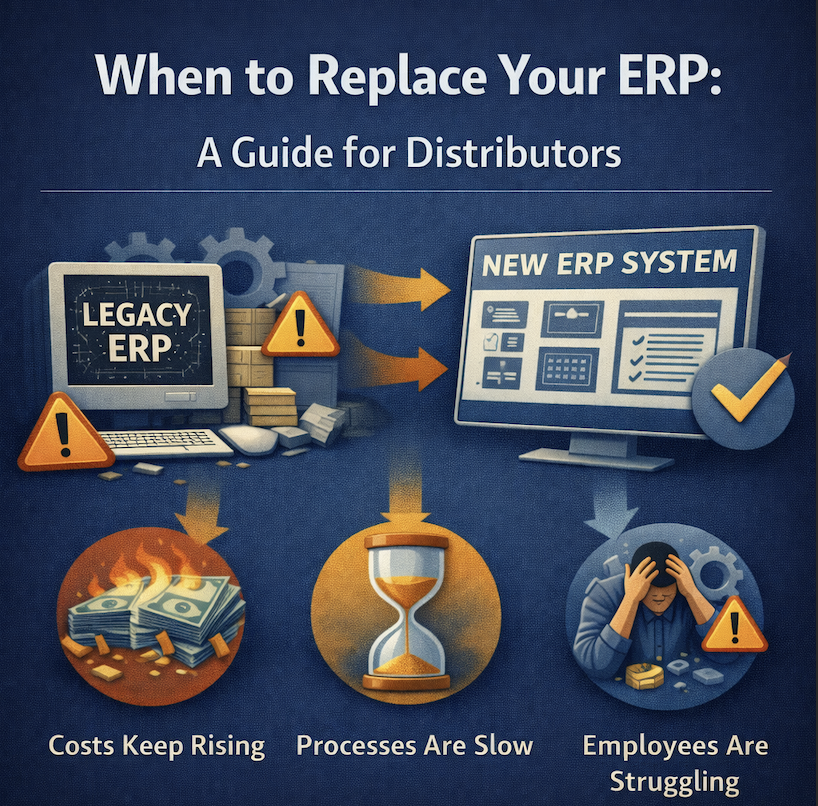
When to Replace Your ERP: A Guide for Distributors
The decision to replace an ERP system ranks among the most consequential choices distribution leaders make. Get it right, and the business gains operational efficiency, competitive advantage, and capacity for growth. Get it wrong, and the organization faces disruption, expense, and potentially worse systems than before.
This high-stakes decision is complicated by conflicting advice. IT consultants might recommend replacement based on technical obsolescence. Operations staff complain about limitations but can’t articulate whether they’re fundamental or fixable. Finance sees the price tag—$300,000 to $2 million for mid-market implementations—and questions whether improvement justifies the cost.
Meanwhile, the current ERP continues functioning. Orders get processed. Invoices get sent. The system works—sort of. Is that enough, or is “sort of working” actively limiting business potential?
This article provides a framework for distributors to evaluate objectively whether their ERP should be replaced, optimized, or left alone. It examines the warning signs that indicate replacement timing, the questions that distinguish fixable limitations from fundamental inadequacy, and the financial analysis that determines whether replacement makes business sense.
Understanding the Three Scenarios
Scenario 1: The ERP Is Actually Fine
Some distribution businesses have adequate ERP systems that aren’t being used effectively. The platform has capabilities staff don’t know about, configurations that were never implemented, or integrations that were planned but never completed.
Common indicators this describes your situation:
- The system was implemented within the past 5 years by a capable vendor
- Staff training was minimal or occurred long ago without refreshers
- Many features and modules were purchased but never activated
- The vendor has released significant updates you haven’t installed
- Complaints focus on specific workflows or missing reports, not fundamental architecture
- Similar distributors using the same platform report satisfaction
In this scenario, replacement is premature. Investment in training, configuration optimization, better implementation of existing features, or adding modules typically delivers substantial improvement at a fraction of replacement cost.
The path forward involves:
- Comprehensive training for staff on features they don’t currently use
- Working with the vendor or implementation partner to optimize configurations
- Installing updates and patches that add functionality or improve performance
- Implementing modules purchased but not deployed
- Better utilizing reporting and analytics capabilities
Many distributors discover their “inadequate” ERP actually provides 80% of needed functionality once properly configured and utilized.
Scenario 2: The ERP Has Fixable Limitations
Other distribution businesses have ERP systems with specific gaps that can be addressed through targeted additions:
- Adding a warehouse management system (WMS) for improved warehouse operations
- Implementing e-commerce integration for online ordering
- Deploying EDI connections for major customers
- Adding transportation management for freight optimization
- Integrating business intelligence tools for better reporting
Common indicators this describes your situation:
- The core ERP functions (order management, inventory, financials) work reasonably well
- Specific areas like warehouse management or reporting are weak
- The vendor ecosystem includes solutions for your gaps
- Integration between core ERP and add-on systems is proven and stable
- The core platform is actively maintained with regular updates
- Other distributors successfully use similar bolt-on approaches
In this scenario, targeted additions can address specific limitations without full replacement. The key question is whether gaps are discrete and solvable with add-ons or whether they indicate fundamental platform inadequacy.
Warning signs that bolt-on solutions might fail:
- You’re adding systems to compensate for multiple core weaknesses
- Integration requires extensive custom development
- The vendor’s integration architecture is fragile or poorly documented
- Similar customers report integration maintenance is burdensome
- Adding systems will increase complexity rather than simplify operations
Scenario 3: The ERP Needs Replacement
Some ERP systems have reached the end of their useful life. They were adequate for the business as it existed years ago but can’t support current or future needs. No amount of optimization, training, or bolt-on additions will address fundamental architectural limitations.
Common indicators this describes your situation:
- The platform is 10+ years old with declining vendor support
- Core functionality requires extensive workarounds
- Integration with modern systems (e-commerce, EDI, warehouse automation) is impossible or extremely difficult
- Performance degrades noticeably as data volume grows
- The vendor has sunset the product or shifted focus to newer platforms
- User interface requires extensive training and remains difficult even for experienced staff
- Cloud capabilities are absent or poorly implemented as afterthoughts to on-premise architecture
- Similar distributors have migrated to modern platforms and report significant improvements
In this scenario, continuing to invest in the current platform means throwing good money after bad. Replacement is disruptive and expensive but delivers ROI through operational efficiency, reduced workarounds, and capacity for growth.
Key Warning Signs That Replacement Is Necessary
Technical Obsolescence
Technology platforms have natural lifecycles. Systems designed 15-20 years ago made architectural choices that no longer serve modern distribution:
On-premise architecture in a cloud world. Legacy on-premise systems require internal IT infrastructure, backup management, security patching, and disaster recovery planning. Cloud-native platforms offload this burden while providing better scalability, accessibility, and disaster resilience.
Beyond operational benefits, cloud architecture enables capabilities that on-premise systems struggle to provide—real-time mobile access, rapid scaling during peak periods, and automatic updates without downtime.
Batch processing instead of real-time updates. Older systems process transactions in batches—nightly, hourly, or at intervals. Inventory updates overnight. Financial posting happens during maintenance windows. Integrations sync periodically.
Modern distribution requires real-time visibility. When a customer service rep checks inventory availability while a customer is on the phone, they need current data, not data from last night’s batch process. When warehouse allocates inventory, sales needs to see that allocation immediately.
If your ERP shows yesterday’s inventory when you need today’s, or if synchronization delays create allocation conflicts, batch architecture is constraining operations.
Database limitations affecting performance. Legacy systems built on older database technology struggle with data volume. Reports that took seconds with 10,000 SKUs now take minutes with 100,000 SKUs. Queries across years of transaction history become impractical.
Performance degradation isn’t just annoying—it’s operationally limiting. If staff avoid running necessary reports because they’re too slow, or if order entry lags during busy periods, database architecture is constraining business capability.
Integration impossibility with modern systems. Modern distribution depends on integration—e-commerce platforms, EDI networks, shipping systems, warehouse automation, payment processors, and business intelligence tools.
Legacy ERP systems often lack modern integration capabilities. They don’t have REST APIs. They can’t consume JSON. They require custom coding for every integration. When connecting to new systems requires months of development and results in fragile integrations that break frequently, integration architecture is inadequate.
Operational Constraints That Limit Growth
Sometimes ERP systems work adequately at current scale but can’t support planned growth:
Multi-warehouse limitations. Distributors operating from a single warehouse might find their ERP adequate. Plans to add a second or third warehouse reveal that multi-location support is an afterthought rather than core architecture.
Warning signs include: separate database instances per warehouse requiring synchronization, inability to allocate orders intelligently across locations, clunky transfer management between warehouses, or reporting that can’t consolidate across facilities.
If expanding to multiple warehouses requires extensive customization or accepting significant operational limitations, single-warehouse architecture is a growth constraint.
Transaction volume ceilings. Some systems work fine processing 200 orders daily but slow noticeably at 500 and become problematic at 1,000. If performance degrades with volume in ways that hardware upgrades don’t solve, architectural limits constrain growth.
Ask current customers of your ERP platform about their daily transaction volumes. If none are processing volumes significantly higher than yours, you may be approaching a ceiling.
SKU proliferation problems. Growing distributors often expand product lines, adding SKUs faster than they add customers or revenue. Systems designed for 5,000 SKUs might become unwieldy at 50,000.
Search performance degrades. Pick lists become longer. Reports take forever. Cycle counting becomes impractical. If SKU growth creates operational problems that training and process improvements don’t solve, the platform isn’t designed for product variety at scale.
Geographic expansion barriers. Serving customers across multiple time zones, countries, or regulatory environments requires ERP capabilities many legacy systems lack—multi-currency, multi-language, region-specific tax handling, and consolidated reporting across entities.
If geographic expansion plans are constrained by system limitations rather than market opportunities or capital availability, platform inadequacy is limiting strategic options.
Financial Indicators of ERP Inadequacy
Sometimes the clearest signal comes from financial analysis:
IT costs rising faster than revenue. As distributors grow, IT costs should increase but at a slower rate than revenue. If IT spending grows proportionally or faster than revenue, something is wrong.
Common causes include: extensive customization requiring ongoing maintenance, fragile integrations that break frequently, aging infrastructure requiring constant repair, or staff additions to compensate for poor automation.
Calculate IT costs as a percentage of revenue over several years. If the percentage is rising, platform inefficiency is consuming growth.
Labor productivity stagnating or declining. Measure orders per employee, revenue per employee, or gross profit per employee over time. These metrics should improve as the business scales and staff gain experience.
If productivity is flat or declining despite operational improvements, the ERP may be the constraint. Modern systems enable one employee to handle work that requires two in legacy systems.
Technology investment not delivering ROI. When improvement initiatives consistently underdeliver—the WMS integration that was supposed to increase picking efficiency by 30% only achieved 10%, the reporting tool that was supposed to reduce finance effort barely helps, the e-commerce launch that took twice as long as planned and still has limitations—the platform is probably the problem.
If multiple improvement projects have disappointed, platform limitations are likely undermining them.
Hidden costs of workarounds. Audit the labor spent on activities that shouldn’t require human intervention:
- Manual data entry from emails or spreadsheets
- Reconciling disconnected systems
- Correcting errors the system should prevent
- Searching for information that should be readily accessible
- Maintaining shadow databases because the ERP is inadequate
Calculate hours per week and multiply by fully loaded labor costs. For many mid-market distributors, the “workaround tax” exceeds $300,000-$500,000 annually—often enough to justify replacement based purely on labor savings.
The Critical Questions Framework
Question 1: Can the Platform Support Our 3-Year Vision?
Effective ERP evaluation starts with business strategy rather than current pain points:
Where will the business be in three years? Consider revenue projections, warehouse expansion plans, geographic growth, new channels (e-commerce, marketplace selling), product line additions, and acquisition targets.
What capabilities will that future business require? List specific needs: multi-warehouse inventory management, e-commerce integration, EDI with major customers, advanced reporting, mobile access for sales teams, customer portals for self-service.
Can the current platform provide those capabilities? Not theoretically, but practically. If the vendor claims the system can do something but no current customers do it successfully, the capability doesn’t exist in practice.
What’s the implementation reality? Even if capabilities exist, what effort is required to implement them? If multi-warehouse support requires months of custom development and expensive consultants, that’s a practical barrier even if it’s technically possible.
If your honest assessment concludes that the current platform can’t support the three-year vision without heroic effort and expense, replacement timing should align with growth initiatives rather than waiting until constraints actively limit the business.
Question 2: Is the Vendor Committed to the Platform?
Platform longevity matters because replacing ERP is disruptive and expensive:
Is the vendor actively developing the platform? Look for regular releases with meaningful new functionality, not just bug fixes and security patches. Check release notes from the past two years.
Are they investing in modern architecture? Cloud capabilities, mobile access, modern APIs, and improved user experience should be development priorities. If the vendor is mainly maintaining legacy architecture, the platform is in decline.
How many customers are actively using it? Growing customer bases indicate a healthy platform. Declining or stagnant customer counts suggest the vendor is shifting focus or the product is being displaced by competitors.
What’s the vendor’s roadmap? Ask about planned capabilities over the next 2-3 years. Vague answers or roadmaps focused on maintaining rather than advancing suggest a platform in maintenance mode.
Are new customers choosing this platform? If the vendor’s own new customer acquisition focuses on a different, newer platform, that’s a clear signal your current platform is sunset even if not officially announced.
Committed vendors invest in their platforms, grow customer bases, and have clear roadmaps. Platforms in decline receive minimal investment and lose customers to newer alternatives—including the vendor’s own next-generation product.
Question 3: What’s the Total Cost of Status Quo?
Many distributors evaluate ERP replacement cost without equally rigorously evaluating the cost of not replacing:
Direct operational waste: Quantify labor hours spent on workarounds, error correction, manual processes, and searching for information. Include both obvious waste (manual data entry) and subtle inefficiency (checking multiple systems for information that should be in one place).
For a 60-person distribution operation, operational waste often represents 15-25% of total labor costs or $400,000-$800,000 annually.
Error costs: Calculate the annual cost of picking errors, shipping mistakes, inventory discrepancies, pricing errors, and invoicing problems. Include correction labor, expedited freight, customer credits, and goodwill damage.
Industry benchmarks suggest distributors with legacy systems experience 3-5x higher error rates than those with modern platforms. The difference often exceeds $150,000-$300,000 annually.
Excess inventory carrying costs: If inventory accuracy problems force safety stock buffers, calculate the carrying cost of excess inventory. For distributors with $6-8 million in inventory and 20% cost of capital, eliminating even 10% of safety stock buffers saves $120,000-$160,000 annually.
Opportunity costs: Estimate revenue and profit from strategic initiatives that system limitations prevent or delay—e-commerce, geographic expansion, new product lines, or major customer opportunities requiring EDI or other integration capabilities.
For many distributors, opportunity costs dwarf direct operational waste. A two-year delay launching e-commerce might represent $5-10 million in foregone revenue.
Competitive disadvantage: What’s the cost of slower response times, limited self-service options, and operational inefficiency compared to competitors with modern systems? This is difficult to quantify but appears as margin compression, customer churn, and slower growth than the market.
Total cost of status quo often exceeds $1-2 million annually when all factors are included. This context makes $500,000-$1 million implementation costs far more justifiable.
Question 4: Can We Successfully Execute a Replacement?
Having good reasons to replace an ERP doesn’t mean replacement will succeed. Honest assessment of execution capability is critical:
Do we have internal project leadership? Successful implementations require senior operations leadership with authority, time commitment, and change management capability. If everyone who would lead implementation is already overworked, timing might not be right.
Can we tolerate implementation disruption? Even well-executed implementations create 3-6 months of reduced operational efficiency as staff learn new systems and processes. Can the business absorb this during a growth phase, or should implementation wait for a slower period?
Is the organization change-ready? Staff who’ve invested years learning complex legacy systems might resist change. Recent failed technology initiatives create scar tissue and skepticism. Organizational readiness matters as much as system selection.
What’s our implementation partner capability? The implementation partner often matters more than the software itself. Partners with distribution expertise, proven methodologies, and realistic timelines increase success probability dramatically.
Can we fund the project appropriately? Underfunding implementations through unrealistic budgets or penny-pinching on implementation services creates failure risk. Better to delay until proper funding is available than attempt inadequately resourced implementation.
Honest answers to these questions might lead to “yes, but not right now” conclusions that defer replacement until organizational readiness and timing align.
Question 5: Is Optimization a Viable Alternative?
Before committing to replacement, thoroughly evaluate whether optimization could address limitations:
Have we truly exhausted current platform capabilities? Many distributors use 40-60% of purchased functionality. Training investments, configuration optimization, or activating unused modules might deliver substantial improvement.
Are limitations fixable with targeted additions? Bolt-on WMS, business intelligence tools, or e-commerce integration might address specific gaps at lower cost and disruption than full replacement.
What would optimization cost versus replacement? If optimization requires $150,000 in consulting, training, and bolt-on software while replacement costs $800,000, optimization deserves serious consideration even if it’s not a perfect solution.
Would optimization buy us 2-3 years? Even if eventual replacement is necessary, optimization that defers replacement until better timing or more favorable business conditions might be strategically smart.
The decision isn’t binary—”keep forever” versus “replace immediately.” Sometimes the right answer is “optimize now, plan replacement in 18-24 months when we’ve opened the new warehouse and have internal leadership capacity.”
The Financial Analysis Framework
Calculating Implementation Costs
Realistic ERP replacement budgets for mid-market distributors include:
Software licensing: $50,000-$300,000 depending on user count, module selection, and vendor pricing models. Cloud platforms typically use subscription pricing ($3,000-$15,000 monthly) while some legacy vendors still sell perpetual licenses.
Implementation services: $100,000-$500,000 for consulting, configuration, training, and data migration. Implementation typically costs 1.5-3x annual software costs depending on complexity, customization, and data quality.
Internal labor: 500-1,500 hours of staff time for data preparation, testing, training, and process documentation. At $65,000 average fully loaded cost, this represents $15,000-$50,000 in internal labor.
Temporary productivity loss: During go-live and the first 2-3 months, operational productivity typically drops 20-30%. For a 60-person operation, this might represent $80,000-$120,000 in reduced productivity.
Infrastructure costs: Cloud implementations have minimal infrastructure costs. On-premise implementations might require server hardware, networking upgrades, and backup infrastructure—potentially $30,000-$80,000.
Integration development: Connecting the new ERP to existing systems (warehouse management, shipping, e-commerce) might require $20,000-$100,000 in integration development depending on complexity and whether pre-built connectors exist.
Total first-year cost for typical mid-market implementations: $400,000-$1.2 million with wide variation based on distributor size, complexity, and implementation approach.
Ongoing annual costs include software subscription/maintenance ($50,000-$180,000), hosting or infrastructure ($0 for cloud, $10,000-$30,000 for on-premise), and internal support ($40,000-$80,000 for dedicated system administrator).
Calculating Return on Investment
ROI calculation should include all benefits, not just the most obvious:
Labor efficiency gains: If replacement eliminates 5,000 annual hours of workarounds, error correction, and manual processes at $35 fully loaded hourly cost, annual savings are $175,000.
Error reduction: If replacement cuts error rates from 1.5% to 0.4% on 120,000 annual transactions at $75 per error, annual savings are $99,000.
Inventory optimization: If better visibility and accuracy enable 12% inventory reduction on $7 million inventory at 18% carrying cost, annual savings are $151,000.
Opportunity enablement: If replacement enables e-commerce launch generating $3 million incremental revenue at 22% gross margin, annual gross profit increase is $660,000.
Operational scaling: If replacement enables 40% volume growth with only 20% headcount increase (versus requiring proportional growth with legacy systems), the difference on 12 new employees might be $420,000 annually.
Strategic value: Some benefits are difficult to quantify—competitive positioning, acquisition capability, attracting better talent—but are nonetheless real and valuable.
Conservative three-year ROI example:
- Implementation cost: $600,000 first year
- Annual operational savings: $400,000
- Incremental gross profit from enabled initiatives: $300,000
- Total three-year benefit: $2.1 million
- Net benefit: $1.5 million
- ROI: 250%
- Payback period: 10 months
This calculation framework helps leadership evaluate replacement as an investment decision rather than a discretionary expense.
Evaluating Financial Risk
Beyond ROI, consider implementation risk:
What if implementation takes longer than planned? Budget contingency for 20-30% schedule overruns. Delayed implementations mean delayed benefits and extended periods of reduced productivity.
What if adoption is slower than expected? If staff resist the new system or learning curves are steeper than anticipated, benefits might take longer to realize. Plan for phased benefit realization rather than immediate transformation.
What if replacement doesn’t solve all problems? No system is perfect. Some current frustrations might persist or new ones might emerge. Manage expectations that replacement improves operations substantially without creating perfection.
What’s our confidence in the vendor and implementation partner? Higher risk comes from unproven vendors, inexperienced implementation partners, or bleeding-edge platforms. Lower risk comes from established vendors, experienced partners, and mature platforms with proven distribution track records.
Risk assessment should inform both go/no-go decisions and implementation approach. Higher-risk situations might warrant phased implementations, more extensive testing periods, or pilot approaches that limit exposure.
When to Optimize Instead of Replace
Optimization Makes Sense When:
The platform is relatively modern. Systems less than 7-8 years old, actively maintained by committed vendors, with growing customer bases usually have substantial remaining life.
Gaps are discrete and addressable. If the core ERP works well but specific areas (reporting, warehouse management, e-commerce) are weak, targeted bolt-on solutions might address gaps.
Training was inadequate. If staff learned minimal functionality during implementation and never received advanced training, investment in comprehensive training often unlocks substantial capability.
Recent upgrades haven’t been installed. Vendors add functionality through updates. If you’re several versions behind, updating might provide features you’re considering replacement to obtain.
Internal bandwidth is limited. If operational leadership is consumed with other initiatives, attempting ERP replacement risks failure. Better to optimize current systems until bandwidth becomes available.
Business is in transition. During ownership changes, major organizational restructuring, or strategic pivots, deferring ERP replacement until stability returns often makes sense.
Financial resources are constrained. If capital availability is limited and optimization delivers 70% of replacement benefits at 30% of replacement cost, optimization might be the prudent choice even if replacement would ultimately be better.
Optimization Approaches
Comprehensive training program: Bring in vendor or implementation partner to train staff on advanced features, lesser-known capabilities, and optimal workflows. Cost: $15,000-$40,000. Benefit: Often 20-30% efficiency improvement.
Configuration optimization: Have experts review and optimize system configuration—workflows, approvals, automation rules, and reporting. Cost: $20,000-$50,000. Benefit: Streamlined operations and better user experience.
Bolt-on WMS or reporting tools: Add specialized systems for warehouse management, business intelligence, or other weak areas. Cost: $30,000-$100,000. Benefit: Addressed specific gaps without full replacement.
Process redesign: Sometimes the problem isn’t the system but the processes. Business process consultants can redesign workflows to work with rather than against system capabilities. Cost: $25,000-$60,000. Benefit: Reduced workarounds and improved efficiency.
Integration improvements: Stabilize or enhance existing integrations, add pre-built connectors, or implement integration platforms. Cost: $20,000-$80,000. Benefit: Reduced manual data transfer and better information flow.
Setting Optimization Success Criteria
If pursuing optimization instead of replacement, define success criteria upfront:
Measurable improvement targets: “Reduce order processing time by 25%,” “Cut error rates from 1.5% to 0.8%,” “Eliminate 3,000 annual hours of manual data entry.”
Timeline for achievement: “Improvements should be measurable within 6 months of optimization completion.”
Replacement triggers: “If we don’t achieve 70% of targets, we’ll initiate replacement planning.” “If optimization doesn’t buy us 24 months before replacement becomes necessary, we’ll pursue replacement now.”
Clear criteria prevent optimization from becoming perpetual delay of necessary replacement. Either optimization succeeds measurably or the organization commits to replacement.
Making the Decision
Building Internal Consensus
ERP replacement decisions require buy-in from multiple stakeholders:
Operations leadership must believe replacement will improve daily work rather than create disruption without benefit. Include them in evaluation, vendor demonstrations, and reference calls.
Finance leadership must be convinced the investment delivers acceptable ROI and fits capital availability. Provide thorough cost-benefit analysis and realistic implementation budgets.
IT leadership must assess technical feasibility, integration requirements, and ongoing support implications. Their technical evaluation prevents surprises during implementation.
Executive leadership must believe replacement is strategically necessary and well-timed. Frame decisions in terms of competitive positioning and growth enablement, not just operational improvement.
Staff who’ll use the system should understand what’s changing and why. Resistance from front-line users undermines implementation regardless of how good the new system is.
Building consensus takes time but prevents the common scenario where executives approve replacement, operations is skeptical, and implementation struggles due to resistance.
Creating Decision Frameworks
Rather than endless debate, establish decision frameworks:
Objective criteria: “We replace if: (1) optimization can’t achieve 50% of needed improvement, (2) three-year ROI exceeds 150%, (3) current platform can’t support our strategic plan, and (4) we have implementation leadership available.”
Deadline for decision: “We’ll complete evaluation and decide by [date]. After that date, we either commit to replacement and begin vendor selection or commit to optimization with defined success criteria.”
Review triggers: “We’ll revisit the decision if: business strategy changes significantly, major customer requirements emerge that current systems can’t support, or competitive pressure increases substantially.”
Frameworks prevent perpetual analysis and force disciplined decision-making.
Choosing Timing Strategically
Even when replacement is clearly necessary, timing matters:
Align with business cycles. Implement during slower operational periods when reduced efficiency during transition is least disruptive. Avoid peak seasons.
Coordinate with strategic initiatives. Replacement that enables e-commerce launch, warehouse expansion, or geographic growth creates urgency and clear success criteria.
Consider competitive dynamics. If competitors are rapidly improving operations through better technology, delaying replacement risks falling further behind. Urgency increases with competitive pressure.
Assess internal readiness. Wait for implementation leadership availability, completion of other major initiatives, or improved organizational stability if current timing isn’t optimal.
Evaluate vendor and partner availability. Peak implementation periods (often Q4 for mid-year go-lives) might strain vendor and partner resources. Off-peak implementations sometimes receive more attention.
The right answer might be “yes, but in 6-9 months when we’ve completed the warehouse expansion and have dedicated project leadership available.”
Moving Forward with Confidence
Deciding whether to replace distribution ERP requires balancing current limitations against replacement costs, risks, and strategic necessity. The framework is:
First, honestly assess whether the platform can support your three-year business vision. If yes, optimization might be sufficient. If no, replacement timing becomes the question, not whether to replace.
Second, quantify the total cost of status quo including operational waste, errors, excess inventory, opportunity costs, and competitive disadvantage. This reveals whether replacement is merely nice-to-have or financially compelling.
Third, evaluate alternatives objectively—optimization, targeted additions, or full replacement—considering costs, benefits, risks, and timing of each approach.
Fourth, assess organizational readiness for implementation in terms of leadership availability, change management capability, and capacity to execute while maintaining operations.
Finally, make the decision with commitment. Either pursue replacement with full support and adequate resources, commit to optimization with defined success criteria, or accept current limitations consciously. The worst outcome is perpetual evaluation without action.
Modern cloud-native distribution ERP platforms designed specifically for wholesale distributors eliminate the architectural limitations, operational constraints, and strategic barriers that legacy systems create. For distributors whose current platforms can’t support their business vision, replacement isn’t just operational improvement—it’s strategic necessity.
The question isn’t whether modern ERP is better than legacy systems—it demonstrably is. The question is whether your business has reached the point where current limitations constrain growth, erode profitability, or prevent strategic initiatives enough to justify replacement costs and disruption.
For many mid-market distributors, honest analysis reveals that point arrived months or years ago, and replacement has been deferred due to inertia, fear of change, or underestimation of current system costs. Once the true cost of status quo becomes visible, replacement becomes obviously necessary.
Schedule a demo to see how modern distribution ERP eliminates the limitations that legacy systems create and provides the operational foundation that growth requires.