
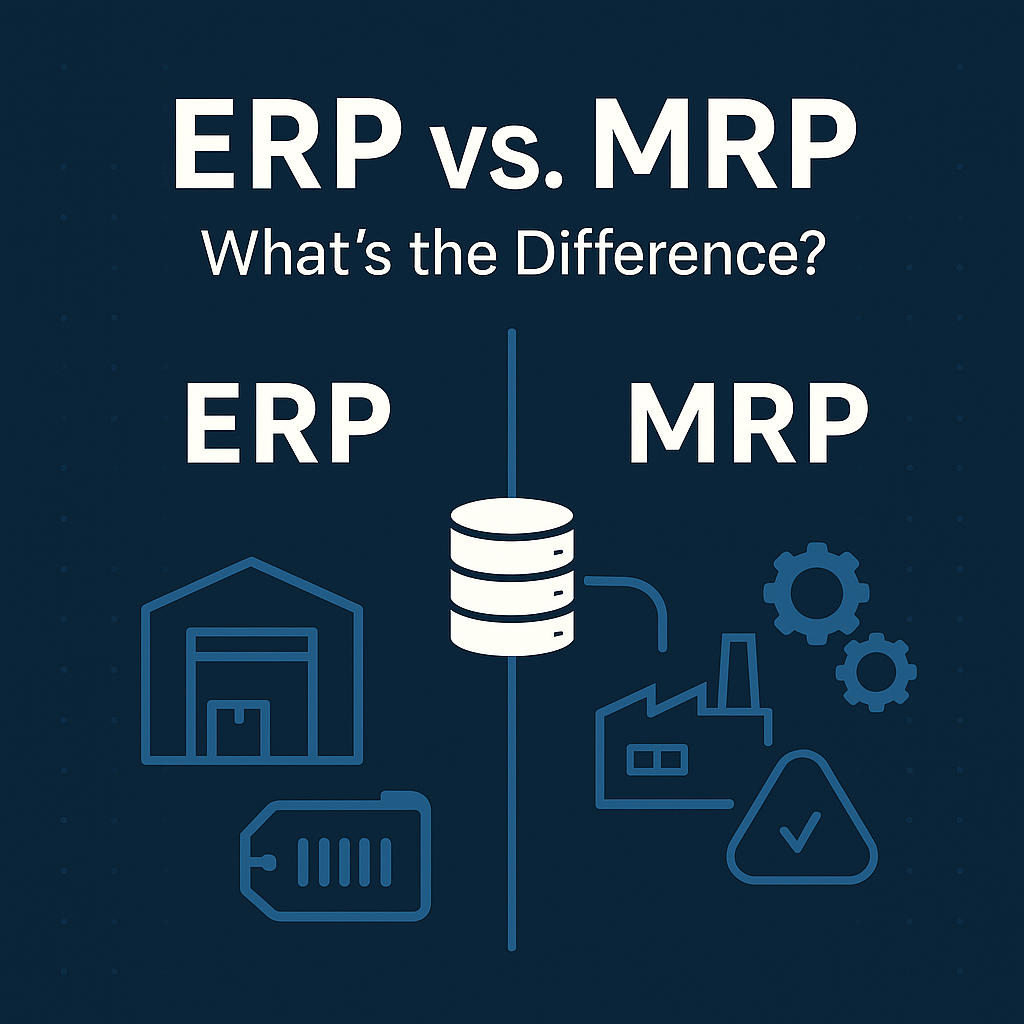
ERP vs. MRP: What’s the Difference?
The short answer: MRP is a planning calculation that works out what to buy and what to make. ERP is the system of record for the whole business, and modern ERP includes MRP inside it. MRP is a component of ERP, not a competing product.
That distinction sounds academic until you are comparing quotes. One vendor is selling a planning tool. Another is selling a platform. They are not the same purchase, they do not cost the same, and they do not fail in the same ways.
This guide explains what each system actually does, what MRP genuinely cannot do on its own, where the two overlap, and how to tell which one your operation needs.
What Is MRP?
MRP (Material Requirements Planning) is a calculation that answers two questions: what do we need to buy, and what do we need to make, and by when.
It was developed in the 1960s and it remains one of the most useful ideas in manufacturing. The logic is straightforward — which is exactly why it is powerful and also why it has limits.
MRP takes three inputs:
- Demand — sales orders, forecasts, and stocking targets.
- The bill of materials — what each product is made of, at every level.
- Current supply — what is on hand, what is already on order, and what is in process.
From those, it produces recommendations: purchase this, make that, start it on this date so it finishes on that date.
What MRP Actually Calculates
Understanding the mechanics matters, because most MRP complaints come from people who do not know what the calculation is doing.
1. It explodes demand through the BOM. An order for 100 finished units becomes a requirement for 100 of each top-level component, then for the sub-components of those, all the way down. Quantity-per and scrap factors are applied at each level.
2. It nets against available supply. For each item, gross requirement minus on-hand minus scheduled receipts equals net requirement. If you need 500 and have 200 with 100 on order, you need 200 more.
3. It offsets by lead time. If you need those 200 pieces on March 14 and the lead time is 21 days, the order has to be placed by February 21. This is called backward scheduling, and it is where most of MRP’s value lives.
4. It applies order policy. Minimum order quantities, multiples, safety stock, and lot sizing rules adjust the raw net requirement into something you can actually order.
The output is a set of planned orders. A buyer or planner reviews them and converts the ones that make sense into real purchase orders and work orders.
That last sentence is important. MRP recommends. It does not decide. A system that automatically releases every MRP suggestion without human review will order things you do not want.
What Is MRP II?
MRP II (Manufacturing Resource Planning) extended the original idea in the 1980s by adding capacity.
Classic MRP plans material and assumes the plant can build whatever the schedule says. MRP II adds work centers, routings, and available hours, so the plan accounts for whether you actually have the machine time and labor to execute it.
MRP II also introduced the feedback loop — comparing what was planned against what happened, and using the difference to improve the next plan.
Most systems marketed as “MRP” today are really MRP II. And MRP II is, in practice, most of what became the manufacturing core of ERP. The lineage runs MRP → MRP II → ERP, with each step absorbing the previous one rather than replacing it.
What Is ERP?
ERP (Enterprise Resource Planning) is the system of record for the business. It holds the transactions that describe what the company bought, made, moved, sold, owed, and earned — in one place, under one set of numbers.
A manufacturing ERP typically covers order management, purchasing, inventory, production, warehouse operations, costing, financials, and reporting. MRP sits inside it as the planning engine.
The defining characteristic of ERP is not breadth of features. It is that one transaction updates everything at once. When the shop floor reports 40 units complete, that single event relieves component inventory, moves value out of WIP, receives finished goods, accumulates job cost, and posts to the general ledger — without anybody rekeying it anywhere.
That is the actual difference between an ERP and a collection of departmental tools that happen to share files.
See our complete guide to manufacturing ERP software for how this plays out across a plant.
ERP vs. MRP: Side by Side
| MRP | ERP | |
|---|---|---|
| What it is | A planning calculation | A system of record |
| Core question | What should we buy and make, and when? | What did the business actually do, and what did it cost? |
| Scope | Materials, and in MRP II, capacity | Operations, finance, and everything transactional in between |
| Primary users | Planners, buyers, production control | The whole company |
| Financials | Generally none | General ledger, AR, AP, costing |
| Order management | Rarely | Quote to cash |
| Accounting integration | Export or interface | Same transaction, same database |
| Relationship | A component of ERP | Contains MRP |
| Typical failure mode | Good plan nobody can cost or invoice against | Broad system with shallow manufacturing depth |
Note that last row. Both purchases fail, just differently. Standalone MRP fails by being an island. Generic ERP fails by treating manufacturing as a module rather than a discipline.
How MRP Works Inside an ERP
When MRP lives inside the ERP, the planning run reads live data rather than an overnight export.
- Demand comes from actual sales orders and forecasts in the same system.
- On-hand quantities reflect this morning’s receipts and issues, not last night’s snapshot.
- Open purchase orders and their confirmed dates are already there.
- Work in process reflects what the floor reported an hour ago.
- Planned orders convert to real POs and work orders in one step, with approvals and audit trail intact.
When MRP is a separate product, every one of those bullets becomes an integration — and each integration has a schedule, a failure mode, and somebody who has to notice when it breaks.
This is the practical argument for built-in MRP. Not that a standalone tool plans badly, but that its plan is always based on a copy of reality rather than reality.
Where MRP Alone Breaks Down
Standalone MRP is a reasonable purchase for some shops. These are the places it tends to run out of road.
It cannot tell you what a job cost. MRP plans material. It generally does not accumulate actual labor, machine time, scrap, and overhead against a work order. So you can plan a job precisely and still have no idea whether you made money on it. See job costing in manufacturing ERP.
It has no financial side. Inventory value, WIP balances, and cost of goods sold have to be maintained somewhere else, which means two systems have to agree about the same physical events. They drift.
It does not manage the order. Quoting, pricing, allocation, shipping, and invoicing live outside it. For make-to-order and engineer-to-order shops, that is most of the workflow.
Traceability is usually partial. Lot and serial genealogy that has to survive from raw receipt through production to customer shipment requires the whole chain in one system.
It assumes its inputs are true. MRP is arithmetic. If on-hand balances are wrong or BOMs have drifted from what the floor builds, MRP produces confident, precise, wrong answers — faster than before.
That last one is worth sitting with. MRP does not fix data quality. It amplifies it.
ERP vs. MRP vs. MES vs. APS
Four acronyms, frequently confused, operating at different altitudes.
ERP — the system of record for the business. Days to months. Owns the transaction and its financial consequence.
MRP — the planning calculation inside ERP. Weeks to months. Owns what to buy and make.
APS (Advanced Planning and Scheduling) — optimization against finite constraints. Hours to weeks. Owns sequencing: given limited machines, people, and tooling, what order should jobs run in? Some ERPs include APS-grade scheduling; many bolt it on.
MES (Manufacturing Execution System) — execution at the machine. Seconds to hours. Owns operator instructions, real-time machine data, and detailed dispatch.
Mid-market manufacturers frequently discover they do not need four systems. They need an ERP whose planning and shop floor functionality are deep enough that the other three are unnecessary. Our guide to shop floor visibility covers where that line usually falls.
Standalone MRP vs. ERP With MRP Built In
Standalone MRP software is cheaper up front, faster to deploy, and narrower. It suits a shop with straightforward products, a working accounting package it likes, and a planning problem that is genuinely about materials.
The hidden costs are integration, reconciliation, and the reporting you cannot do because the data lives in two places.
ERP with MRP built in costs more initially and takes longer to implement. What you get is one version of events — the plan, the execution, the cost, and the financials all describing the same transactions.
The honest test: count how many times a week somebody exports from one system to reconcile against another. If the answer is zero, standalone MRP is serving you. If people spend their days making two systems agree, you are already paying for ERP without owning one.
Which Do You Actually Need?
MRP alone may be enough if: you are a single-site shop, your products have stable and shallow BOMs, your accounting package genuinely works, you are mostly make-to-stock, and your planning pain is specifically about material timing.
You probably need ERP if: you run more than one site or entity, you quote custom or configured work, you need job-level cost to price accurately, you carry meaningful WIP, you have traceability obligations, you sell through channels that require EDI or eCommerce integration, or your month-end close is dominated by reconciling operations against the books.
A useful diagnostic: ask what happens when a customer calls about an order placed six weeks ago. If answering requires opening three systems and one spreadsheet, the problem is not your planning tool.
Moving From MRP to ERP
Outgrowing MRP is normal, and the transition is mostly a data exercise.
Your BOMs come with you, and they have to be right. Most shops discover during migration that BOMs no longer match what the floor builds. Fixing that is the project, not a task inside it. Our BOM management guide covers what “right” means.
Inventory accuracy has to come first. An ERP planning against inaccurate balances produces the same bad recommendations your MRP did, and you will have spent a great deal of money to keep them.
Routings usually need real work. Shops that ran material-only MRP often have thin routing data. Finite capacity planning needs real operations, real setup and run times, and real work center capacity. See capacity planning.
Keep the planning logic you trust. If your planners have developed good judgment about lot sizing and safety stock, carry that forward. The point of the move is a wider system, not different arithmetic.
Frequently Asked Questions
What is the difference between MRP and ERP?
MRP is a planning calculation that determines what to purchase and manufacture based on demand, bills of material, and current inventory. ERP is the broader system of record that includes MRP along with order management, purchasing, inventory, costing, and financials. MRP is a part of ERP rather than an alternative to it.
Is MRP part of ERP?
Yes. In any modern manufacturing ERP, MRP is the planning engine inside the platform. Standalone MRP products also exist, and they are generally used by smaller manufacturers who keep accounting in a separate system.
Which came first, MRP or ERP?
MRP, in the 1960s. It became MRP II in the 1980s with the addition of capacity planning, and broadened into ERP in the 1990s as the same systems absorbed finance, order management, and the rest of the business.
Can you use MRP without ERP?
You can, and many small manufacturers do. The tradeoff is that costing, financials, and order management live elsewhere, so the two systems have to be kept in agreement — usually by people, usually in spreadsheets.
Is MRP II the same as ERP?
No, though they are close relatives. MRP II added capacity planning and feedback to material planning but stayed focused on manufacturing. ERP extended that scope across the entire business, including finance and customer-facing processes.
Do I need MRP if I have ERP?
You already have it, assuming your ERP is a genuine manufacturing system. The question worth asking a vendor is not whether MRP is included but how it behaves: does it run against live data, does it respect finite capacity, and can planners act on its output without exporting anything.
What about MRP for distributors?
Distributors generally need replenishment planning and demand forecasting rather than MRP proper, since there is no bill of materials to explode. The underlying netting logic is similar. See our distribution ERP software guide.
See It Run on Your Own Numbers
The fastest way to settle the ERP-versus-MRP question is to stop comparing feature lists and watch a planning run against data that looks like yours.
Bring us a product with a real multi-level BOM, a demand picture with some forecast and some firm orders, and a component with an awkward lead time. We will run it and show you what the system recommends, why, and what happens downstream when the job actually runs.
See how planning works in Bizowie.