
Switching ERP Systems? Compare Bizowie With What You Run Today
Most manufacturers and distributors do not replace their ERP because they want new software. They replace it because the current system has become the bottleneck: too many add-ons, too much rekeying, a support deadline, or a business that has simply outgrown it.
If you are at that point, this page brings together everything we have published to help you decide: side-by-side comparisons with the systems companies most often leave, and practical guides to evaluating, pricing, and implementing a replacement.
Bizowie is a cloud ERP platform built for mid-market manufacturers and distributors, implemented directly by the Bizowie team.
Compare Bizowie With Your Current System
Sage 100For companies whose Sage 100 has become a stack of add-ons for warehouse, EDI, and manufacturing.
Oracle NetSuiteA broad business suite compared with a manufacturing-and-distribution-focused platform, module by module.
AcumaticaThe biggest difference is who you buy from: a reseller partner or the vendor that builds the software.
Epicor Prophet 21For distributors deciding whether to modernize within the Epicor ecosystem or move to a unified platform.
QuickBooksWhen manufacturers and distributors should move from QuickBooks and its add-ons to ERP.
Is It Time to Switch?
These are the signs we hear most often from companies that are ready to replace their ERP:
- Key processes run in spreadsheets because the system cannot handle them
- Orders, receipts, or production are entered twice, in two systems
- Add-ons and integrations need constant attention, and nobody owns the whole picture
- Month-end close depends on reconciling systems that should agree
- Inventory accuracy is low enough that people check the shelf before trusting the screen
- The system cannot support a new warehouse, entity, EDI partner, or sales channel
- Your vendor has announced an end-of-support date
For more, see signs you may have outgrown your manufacturing ERP and when to replace your ERP: a guide for distributors.
See Bizowie in Action
Real screens from Bizowie, not mockups. Click any screen to enlarge.
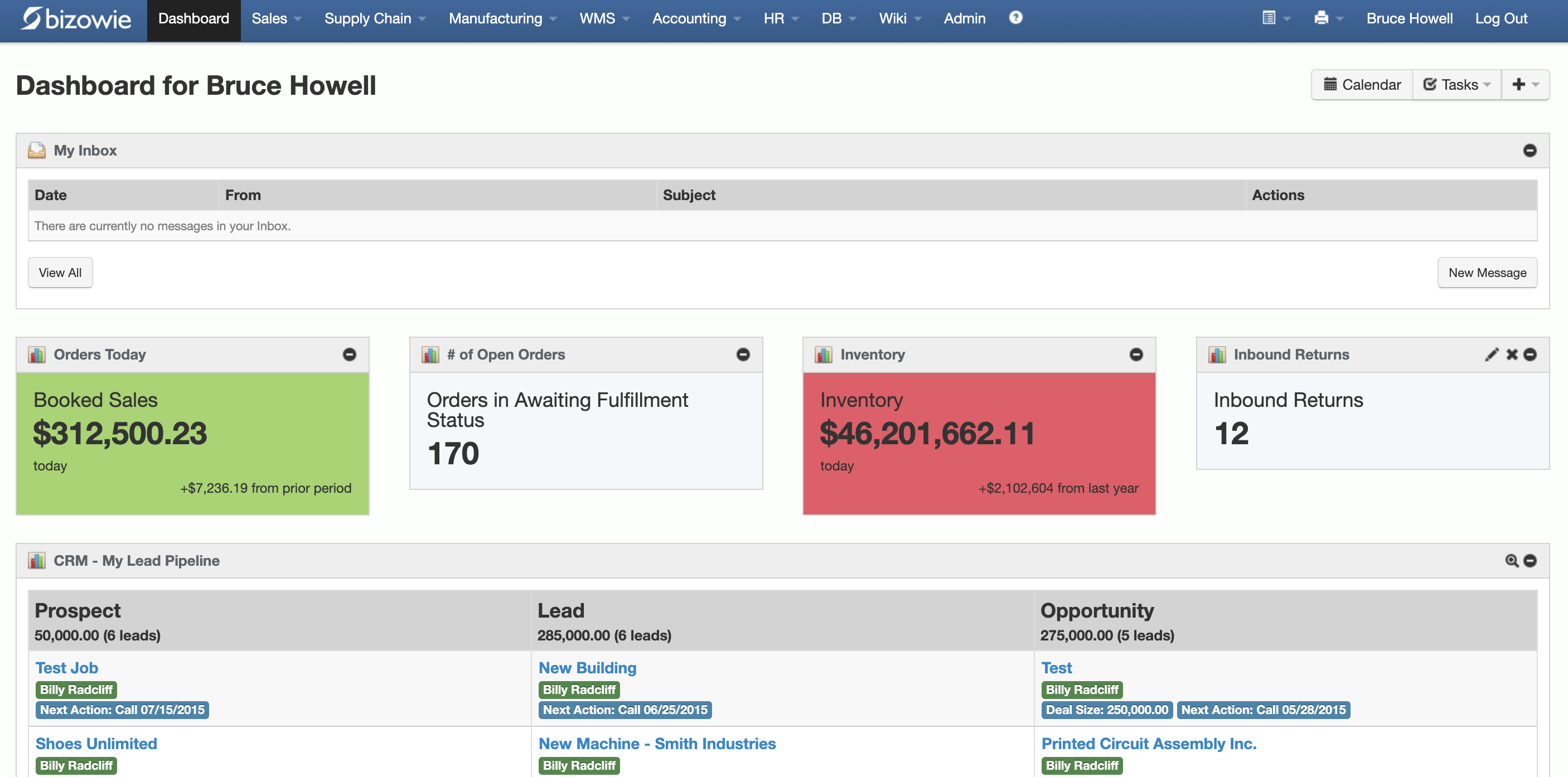
Live Dashboard
Bookings, open orders awaiting fulfillment, and inventory value at a glance.
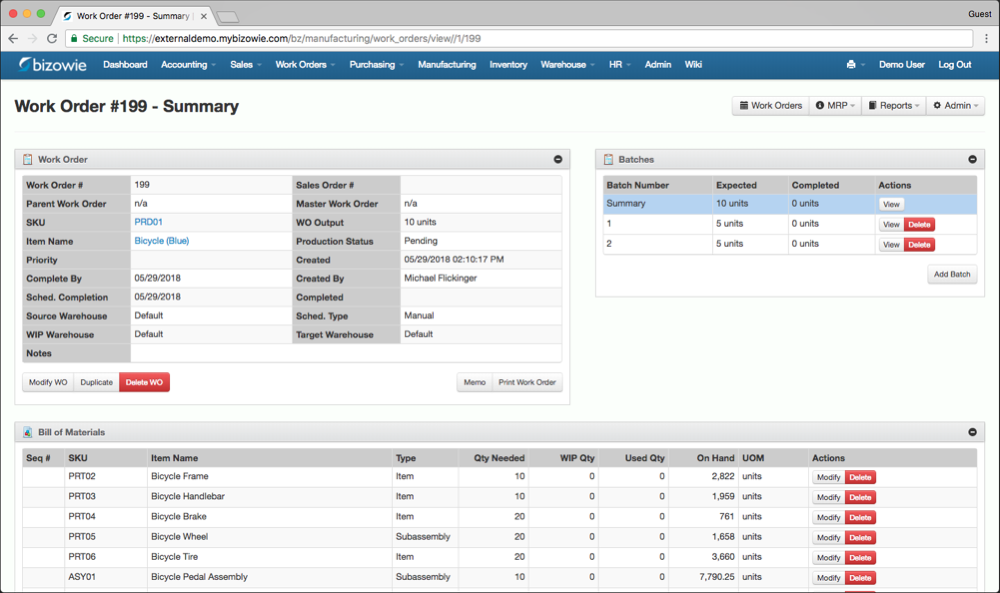
Work Orders & BOMs
Each work order carries its multi-level bill of materials, batches, and live on-hand quantities.
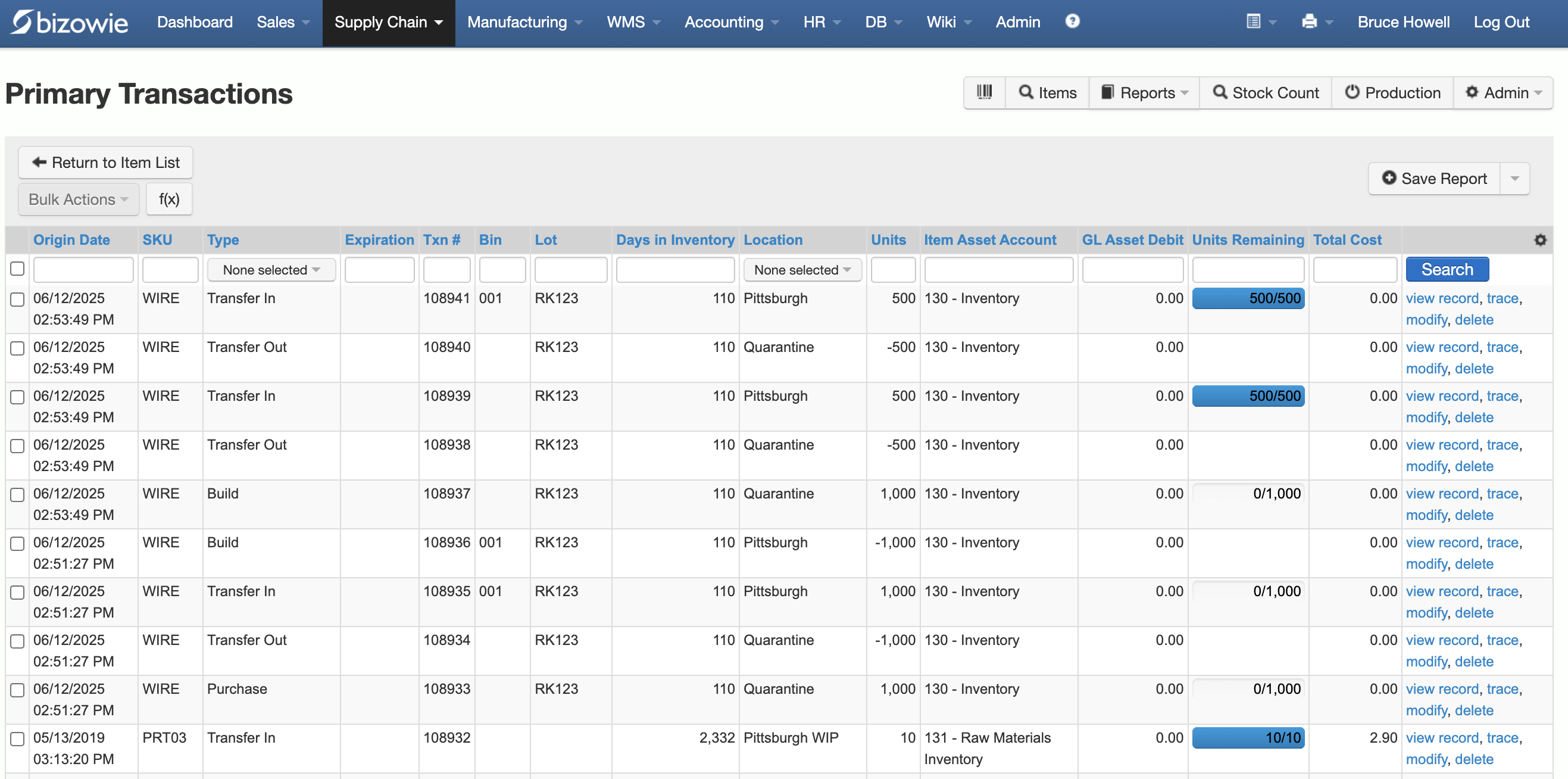
Inventory Transactions
Every receipt, transfer, build, and quarantine move by SKU, lot, bin, and location.
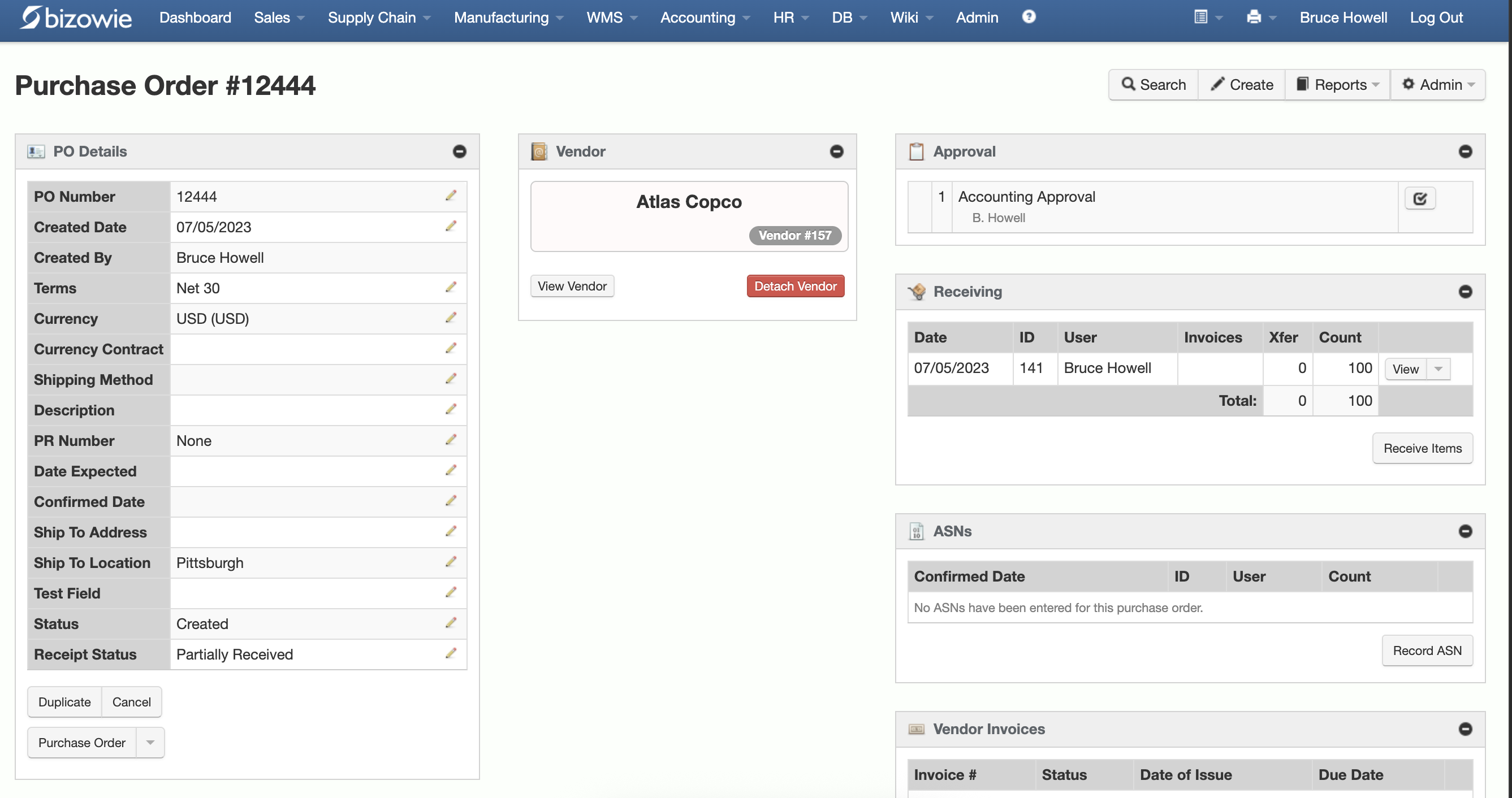
Purchasing & Receiving
Purchase orders with approvals, receiving, ASNs, and vendor invoices on one screen.
How to Switch ERP Systems Without the Chaos
1. Define What Has to Work
Write down the scenarios that make your business hard: your most complicated order, your toughest production job, your messiest warehouse workflow. These become the test every vendor has to pass. See how to evaluate manufacturing ERP vendors and our cloud ERP checklist.
2. Make Vendors Run Your Scenarios
A demonstration with the vendor’s own sample data proves very little. Ask each one to run your scenarios, using only what is in their proposal.
3. Compare Total Cost, Not Just the Subscription
Include implementation, add-ons, integrations, internal time, and renewals. See our manufacturing ERP total cost of ownership guide and cloud vs. on-premise TCO over 10 years.
4. Plan the Data Before the Project Starts
Decide what to bring, what to archive, and what to leave behind, and start cleaning items, customers, and BOMs early. See data migration: what to bring, archive, and leave behind and ERP data hygiene.
5. Plan for Go-Live and the Months After
Test with real scenarios, train the people who do the work, and plan for the first months after cutover. See the mid-market ERP migration playbook and the first 180 days after go-live.
“From our first contact all the way through to our implementation, Bizowie has been a first class organization to work with… We strongly recommend the Bizowie software program.”
Alan Seymour — President, Cleveland Electric Labs
Buyer’s Guides
- Manufacturing ERP Software: A Buyer’s Guide for mid-market manufacturers
- Distribution ERP Software: A Buyer’s Guide for wholesale and distribution companies
Frequently Asked Questions
How long does it take to switch ERP systems?
It depends mostly on data, integrations, and how many locations and processes are involved. Allow time for selection as well as implementation, and plan the cutover for the start of a fiscal period rather than the end of a year.
What is the hardest part of switching ERP?
For most companies it is data: cleaning and mapping items, customers, price lists, bills of material, and open transactions. Rebuilding integrations and changing how people work are close behind.
Should we move all of our history to the new system?
Usually not. Most companies bring over balances, open transactions, and clean master data, and keep detailed history available read-only in the old system or an archive.
Who implements Bizowie?
We do. Bizowie is implemented by the same team that builds and supports the software, not handed off to a reseller.
Bring Us the Reason You Are Switching
Whatever is pushing you to look, whether a support deadline, a stack of add-ons, or a business that has outgrown its system, bring it to a conversation. We’ll show you how Bizowie would handle it, and if we are not the right fit, we will tell you.
See if Bizowie fits your operation
A real person will reply within one business day with an honest assessment, not a sales pitch.
- We review your submission personally.
- No automated email sequences.
- If we’re not the right fit, we’ll tell you.
Prefer to talk?
Call (888) 635-2517, Mon–Fri, 9 AM–5 PM Eastern
NetSuite and Oracle are trademarks of Oracle and/or its affiliates. Acumatica is a trademark of Acumatica, Inc. Epicor and Prophet 21 are trademarks of Epicor Software Corporation. Microsoft, Dynamics, and Dynamics GP are trademarks of the Microsoft group of companies. Sage and Sage 100 are trademarks of The Sage Group plc or its licensors. QuickBooks is a trademark of Intuit Inc. Bizowie is not affiliated with, sponsored by, or endorsed by these companies.