SAGE 100 ALTERNATIVE

Looking for a Sage 100 Alternative? Compare Bizowie

Sage 100, known for years as MAS 90 and MAS 200, is one of the most widely used ERP systems among growing distributors and manufacturers. It is familiar, it has a deep partner network, and its modular design lets companies add capability as they grow.

That modular design is also why many Sage 100 customers start looking around. Over time, the system becomes Sage 100 plus a set of add-ons for warehouse management, EDI, manufacturing, ecommerce, and reporting, each from a different vendor, on an on-premises or partner-hosted server that someone has to maintain and upgrade.

If that sounds familiar, the question is whether to keep extending Sage 100 or move to a platform where those functions are native.

Bizowie is a cloud ERP platform built for mid-market manufacturers and distributors. It brings manufacturing, inventory, warehouse operations, EDI, financials, and reporting together in one unified operating environment, implemented directly by the Bizowie team.

Get a Free Fit Assessmentor call (888) 635-2517

What Is Sage 100?

Sage describes Sage 100 as ERP software for small and midsize businesses that manages core operations such as finance, accounting, sales, and reporting in one connected system.

It is built from modules. Financial modules include General Ledger, Accounts Payable, Accounts Receivable, and Bank Reconciliation. Distribution modules include Inventory Management, Sales Order, Purchase Order, Return Merchandise Authorization, and Bar Code. Manufacturing modules include Bill of Materials, Work Order, and Production Management, with planning through Material Requirements Planning or Inventory Requirements Planning.

Sage 100 is offered in Standard, Advanced, and Premium editions, which differ mainly in their technical architecture, with Premium running on Microsoft SQL Server. It is installed on-premises or hosted by a partner, and it is sold, implemented, and supported through Sage’s partner network. Many companies extend it with third-party add-ons from that ecosystem.

That is important context. Sage 100 is a capable, proven system. The more useful question is whether a modular, add-on-based approach is still the best fit for how your business operates today.


Why Do Manufacturers and Distributors Evaluate Sage 100 Alternatives?

Companies comparing Sage 100 with other options usually do so for one or more of these reasons:

  • A growing number of add-ons, each with its own vendor, license, and upgrade cycle
  • Integrations between Sage 100 and warehouse, EDI, or ecommerce tools that break or need reconciliation
  • Server, hosting, and upgrade work that falls on internal IT or a partner
  • Warehouse operations that have outgrown basic bar code functionality
  • EDI volume from large retail or industrial trading partners
  • Manufacturing that needs shop floor data collection, scheduling, or deeper job costing
  • Multiple locations or entities that are hard to manage in one environment
  • A desire for real-time reporting without exporting to spreadsheets

The decision is not “Sage 100 or nothing.” It is whether to keep extending a modular system or consolidate onto one platform.

Bizowie vs. Sage 100 at a Glance

Area Bizowie Sage 100
Primary market Mid-market manufacturing and distribution Small and midsize businesses
Platform approach Unified cloud platform with manufacturing, WMS, EDI, and financials operating in one environment Modular system, commonly extended with third-party add-ons
Deployment Cloud, delivered by Bizowie as a service On-premises or partner-hosted, in Standard, Advanced, and Premium editions
Manufacturing Make-to-stock, make-to-order, engineer-to-order, assembly, and process, in one system, with shop floor data collection Bill of Materials, Work Order, and Production Management modules
Distribution Multi-location inventory, customer-specific pricing, integrated barcode WMS, and direct ANSI X12 EDI Inventory Management, Sales Order, Purchase Order, RMA, and Bar Code modules; advanced warehouse management and EDI commonly added through partners
Planning MRP and replenishment planning within the core platform Material Requirements Planning or Inventory Requirements Planning modules
Implementation Vendor-direct implementation by the Bizowie team Sage partners
Pricing model Subscription; ask for pricing against your own scenario Quoted through Sage partners, by edition, modules, and users
Customization Configuration, no-code platform capabilities, and workflows Customization tools and partner-developed add-ons
Potential best fit Manufacturers and distributors that want production, warehouse, EDI, and finance in one platform with one accountable vendor Companies whose needs are well covered by core modules, working with an established Sage partner

This comparison reflects publicly available vendor information reviewed in October 2026. Product capabilities, packaging, pricing, and deployment options can change. Buyers should validate their specific requirements directly with each vendor.

See Bizowie in Action

Real screens from Bizowie, not mockups. Click any screen to enlarge.

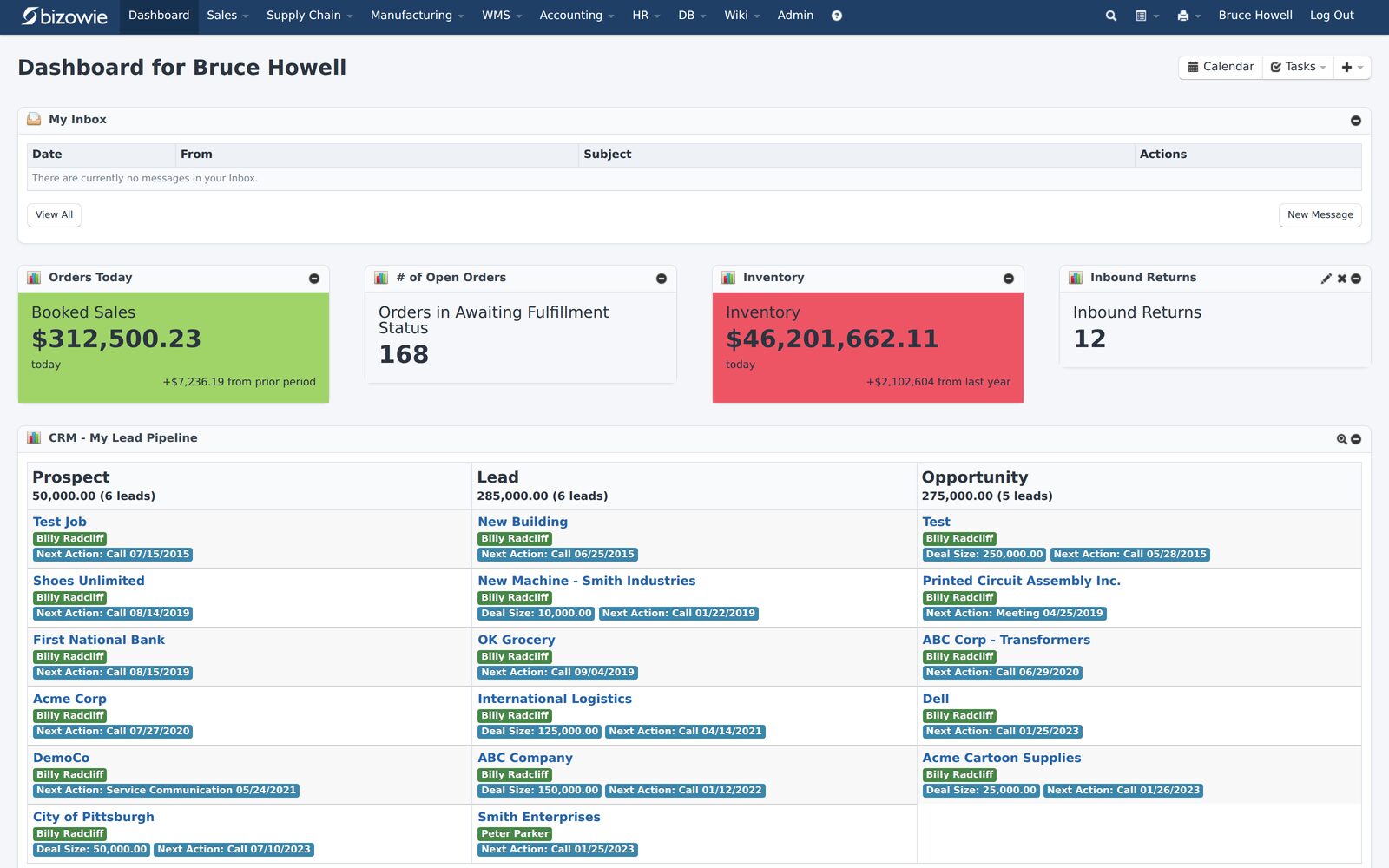
Bizowie live dashboard screen

Live Dashboard
Bookings, open orders awaiting fulfillment, and inventory value at a glance.

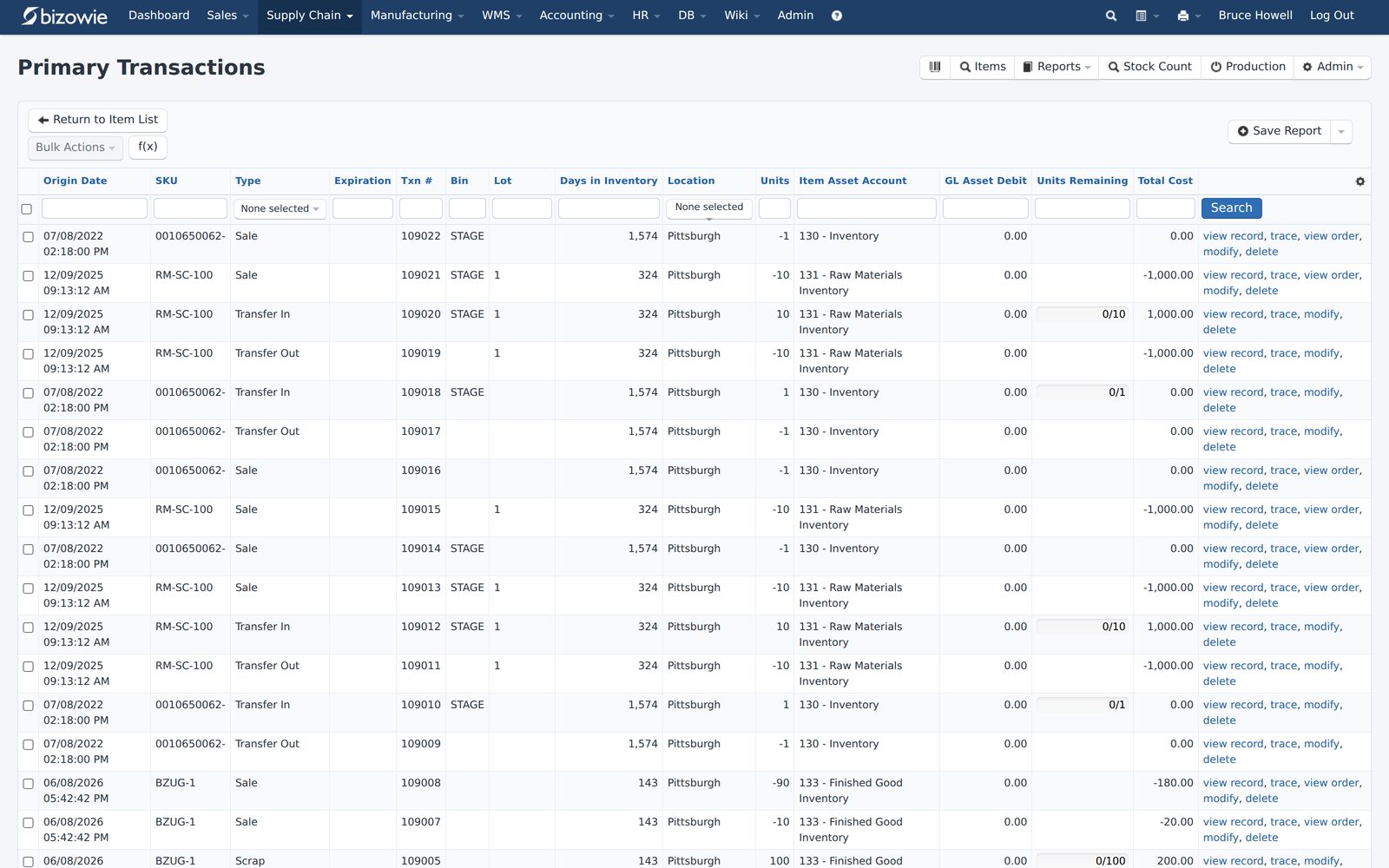
Bizowie inventory transactions screen

Inventory Transactions
Every receipt, transfer, build, and quarantine move by SKU, lot, bin, and location.

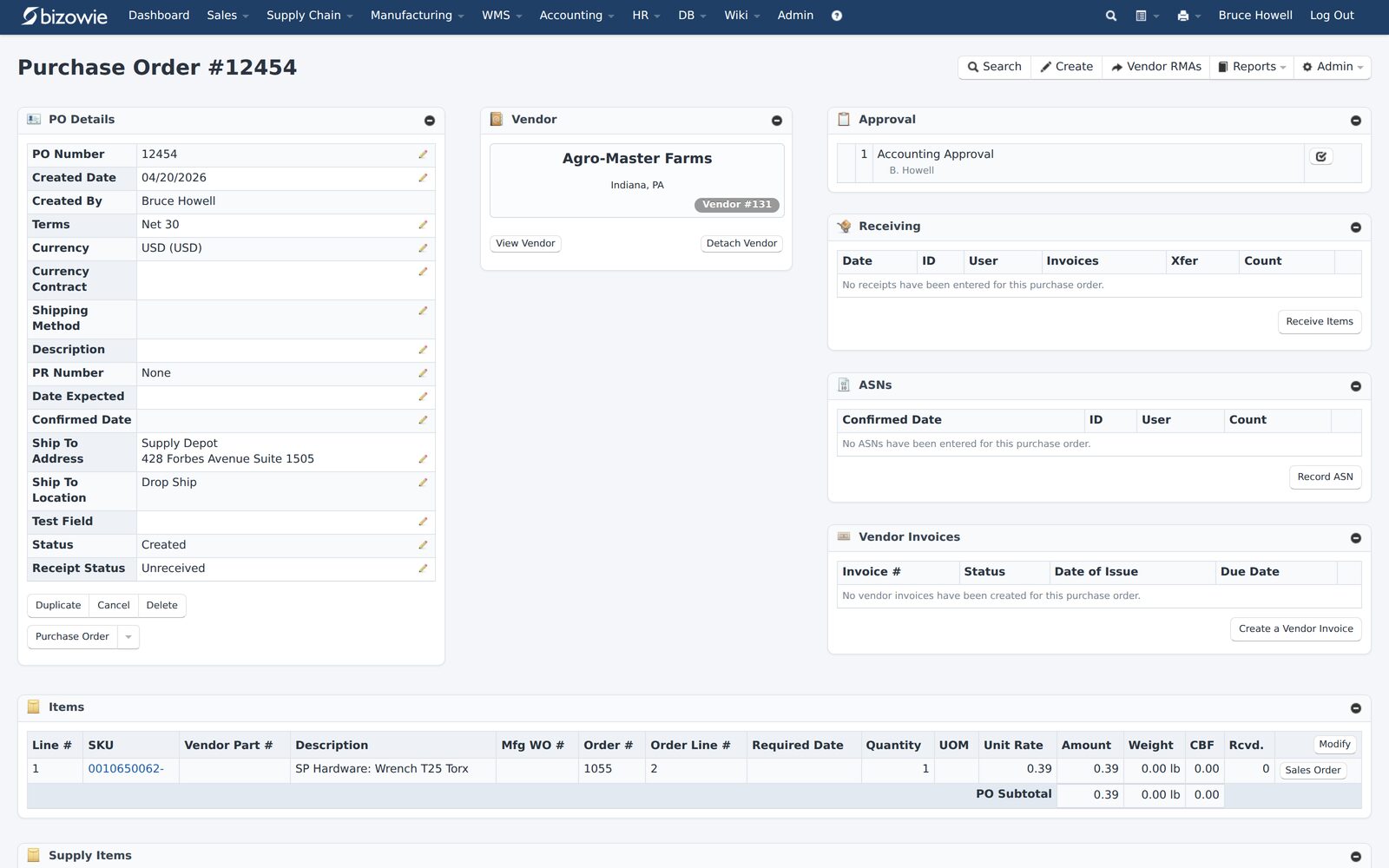
Bizowie purchasing & receiving screen

Purchasing & Receiving
Purchase orders with approvals, receiving, ASNs, and vendor invoices on one screen.

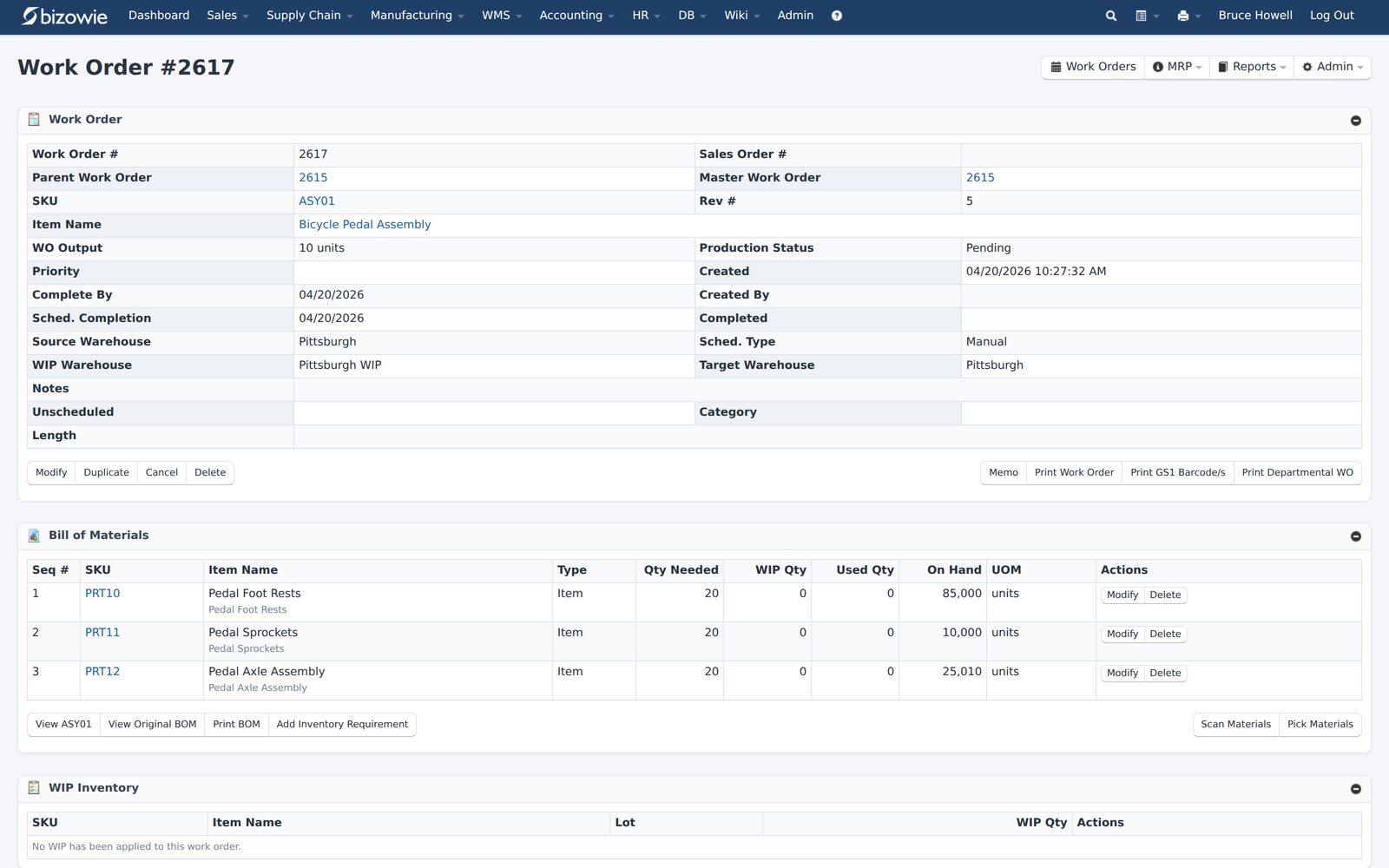
Bizowie work orders & boms screen

Work Orders & BOMs
Each work order carries its multi-level bill of materials, batches, and live on-hand quantities.

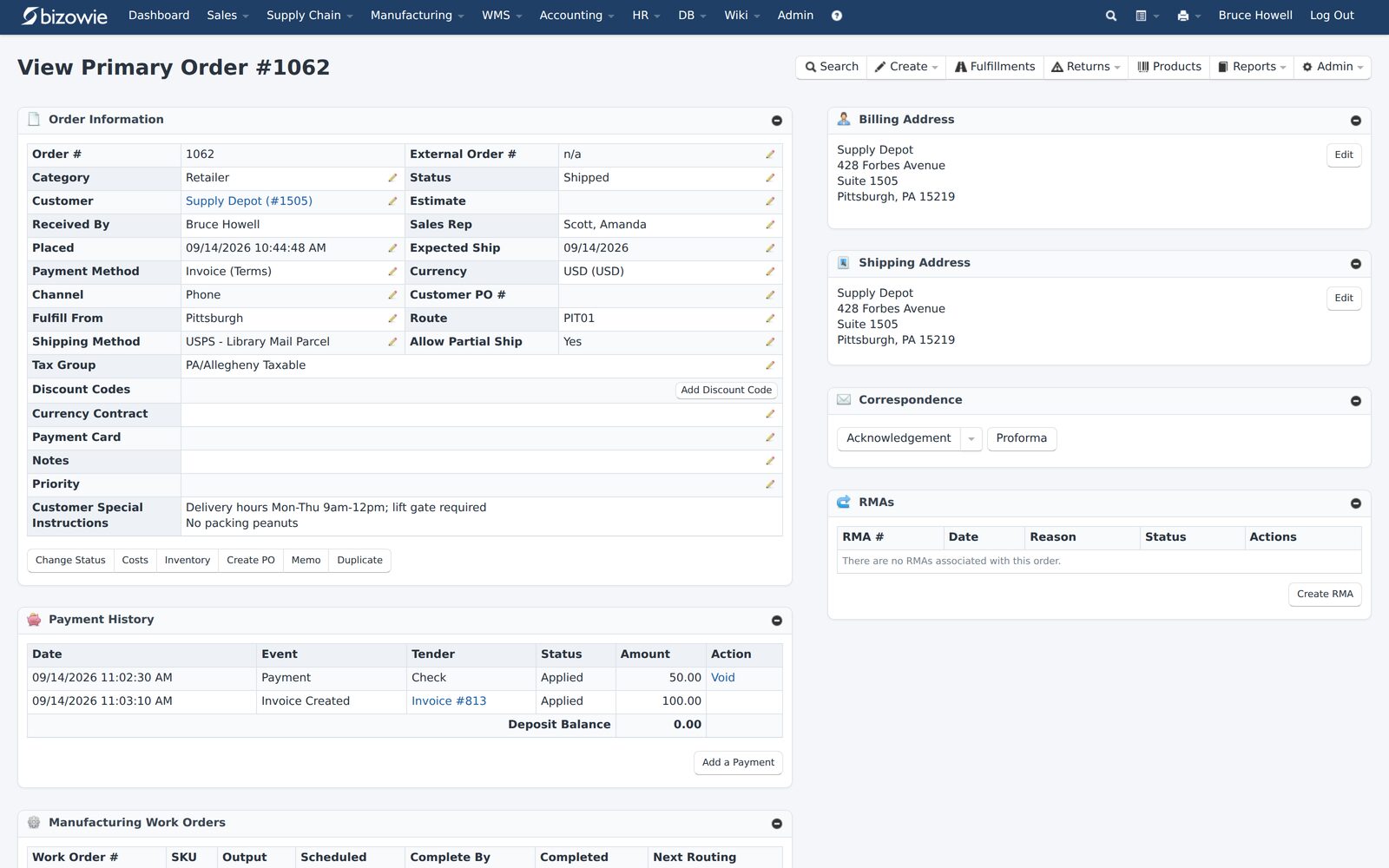
▶  Watch a 2-Minute Customer StoryTruTech Tools, an HVAC tools distributor and e-commerce retailer, on running their business on Bizowie.

The Biggest Difference: One Platform or a Stack of Add-Ons

The Sage 100 Approach

Sage 100’s strength is its modularity. Companies license the modules they need and add third-party products for specialized functions. A good partner can assemble an environment that fits a business well.

The cost of that flexibility shows up over time. Each add-on has its own vendor and release schedule. Upgrades have to be coordinated across all of them. Data moves between products through integrations that someone has to monitor. And when something goes wrong, it is not always clear whose problem it is.

The Bizowie Approach

Bizowie is designed as one platform. Warehouse management, EDI, manufacturing, inventory, and financials run in the same environment, so a scan in the warehouse, an EDI order, a production completion, and the general ledger all describe the same transaction. Bizowie delivers the platform as a cloud service, and the team that builds it also implements and supports it.

The strategic question is therefore:

Do you want to keep assembling your ERP from parts, or run on one platform with one accountable vendor?

Distribution Depth: Make Them Run Your Orders

Ask each vendor to run these scenarios, live, using only what is in their proposal:

  • Take an EDI purchase order from a major customer through to an invoice without rekeying
  • Price an order for a customer with contract pricing, quantity breaks, and a promotion
  • Allocate limited stock across competing orders and two warehouses
  • Receive a purchase order, put it away by scanner, then pick, pack, and ship an order
  • Transfer inventory between locations and show when it is available
  • Show true margin on an order after freight, landed cost, and rebates

Ask exactly which of these use add-ons, and who supports each one.

For a full view of what distributors should look for, see our distribution ERP software buyer’s guide.

“We have seen immediate economic benefit for our business in terms of productivity from our warehouse staff, eliminated processing errors, and better stock control.”

Julius Hart — Managing Director, LensesOnline

Manufacturing Depth: Make Them Run Your Scenarios

  • Release an engineering change to a component used on open work orders
  • Insert a rush job into a loaded schedule and show what it displaces
  • Report labor and quantity from the shop floor without supervisor rekeying
  • Close a job and explain its variance against the estimate
  • Trace a raw material lot to every customer who received it
  • Run a make-to-order job and a make-to-stock replenishment in the same system

For more, see our manufacturing ERP software buyer’s guide.

“From our first contact all the way through to our implementation, Bizowie has been a first class organization to work with… We strongly recommend the Bizowie software program.”

Alan Seymour — President, Cleveland Electric Labs

When Sage 100 May Be the Right Choice

Sage 100 may be the better fit if:

  • Your needs are well covered by its core modules, with few add-ons
  • You prefer on-premises software or a specific hosting arrangement
  • You have a long-standing Sage partner who knows your business well
  • Your warehouse and EDI requirements are modest

When Bizowie Deserves Serious Consideration

Bizowie deserves a close look if:

  • Your Sage 100 environment depends on several add-ons for warehouse, EDI, manufacturing, or ecommerce
  • Integrations between those products need regular attention
  • You want to stop maintaining servers and coordinating upgrades
  • You distribute at volume, with complex customer pricing and EDI trading partners
  • You want shop floor and warehouse staff working in the system, not on paper
  • You want one company accountable for the software, the implementation, and support

12 Questions to Ask Before Replacing Sage 100

  1. Which of our current add-ons would the new system replace natively?
  2. Which requirements still need a third-party product, and who supports it?
  3. How are EDI orders received, processed, and invoiced?
  4. How does warehouse management work: receiving, put-away, picking, packing, and cycle counts?
  5. How are customer-specific prices and contracts maintained?
  6. How do operators report production from the floor, and on what devices?
  7. Who hosts, upgrades, and backs up the system?
  8. What will we pay in year one and at renewal, including every add-on?
  9. Who implements the system, and who supports it after go-live?
  10. How much Sage 100 history will we bring over, and how?
  11. How will our custom reports and integrations be rebuilt?
  12. Can we speak with a manufacturer or distributor that moved off Sage 100?

Frequently Asked Questions

What is the best alternative to Sage 100?

It depends on what you need to fix. Companies whose Sage 100 environment relies on several add-ons for warehouse management, EDI, or manufacturing should compare platforms where those functions are native, using their own scenarios.

Is Sage 100 cloud-based?

Sage 100 is installed on-premises or hosted by a partner and accessed remotely. It connects to some cloud services, but it is not a multi-tenant cloud platform. Check with Sage or your partner for current deployment options.

Does Sage 100 have manufacturing?

Yes. Sage 100 offers Bill of Materials, Work Order, and Production Management modules, with planning through Material Requirements Planning or Inventory Requirements Planning. Confirm which modules your scenario requires and how shop floor reporting would work.

Does Sage 100 include warehouse management and EDI?

Sage 100 includes Inventory Management and a Bar Code module. More advanced warehouse management and EDI are commonly provided by third-party products from the Sage partner ecosystem. Ask which products your proposal includes.

Can Bizowie replace Sage 100 and its add-ons?

For many mid-market manufacturers and distributors, yes. The right way to find out is to bring your own scenarios to a demonstration: a representative order with your pricing, a warehouse workflow, an EDI transaction, or a production job.

How difficult is it to migrate from Sage 100?

Most of the effort is data: items, customers and price lists, bills of material, open orders, inventory balances, and history. Integrations and add-on data need to be reviewed too, since many of those functions may be replaced rather than migrated.

Evaluate Your Next ERP From a Clean Sheet

Sage 100 is a proven system, and for many companies it remains the right one. The goal is to make sure your next decision is based on how your business works today, not on how your ERP grew over the years.

Bring us your hardest order or production scenario. We’ll show you how Bizowie handles it, and if we are not the right fit, we will tell you.

See if Bizowie fits your operation

A real person will reply within one business day with an honest assessment, not a sales pitch.

  • We review your submission personally.
  • No automated email sequences.
  • If we’re not the right fit, we’ll tell you.

Prefer to talk?
Call (888) 635-2517, Mon–Fri, 9 AM–5 PM Eastern

    Your Name (required)

    Work Email (required)

    Company Name (required)

    Annual Revenue

    Other comparisons: Dynamics GP, NetSuite, Acumatica, Prophet 21, and outgrowing QuickBooks. See all on our switching ERP page.

    Product information sources: Bizowie Cloud ERP for Manufacturers, Bizowie Cloud ERP for Distributors, Sage's official Sage 100 and distribution and manufacturing pages, and the Sage 100 2026 What's New guide.

    Sage, Sage 100, and MAS 90 are trademarks or registered trademarks of The Sage Group plc or its licensors. Bizowie is not affiliated with, sponsored by, or endorsed by The Sage Group plc. This comparison is based on publicly available information and is intended to support independent evaluation.