
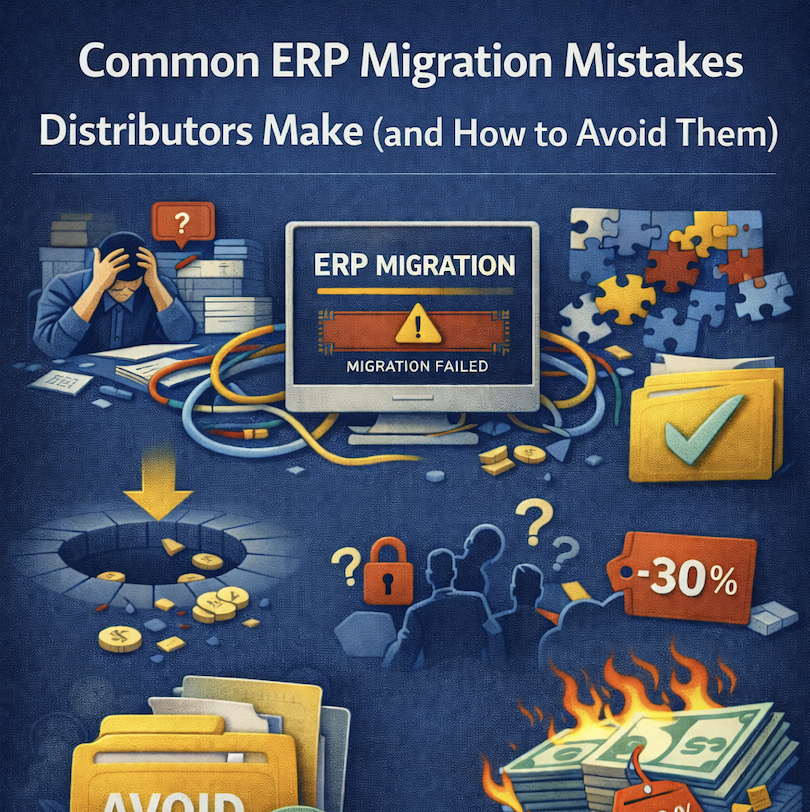
Common ERP Migration Mistakes Distributors Make (and How to Avoid Them)
ERP migration represents one of the highest-stakes projects distribution businesses undertake. Done well, it transforms operations, eliminates inefficiencies, and positions the company for growth. Done poorly, it creates chaos, costs spiral out of control, and the business ends up with systems worse than what it replaced.
Industry research reveals sobering statistics: approximately 55-75% of ERP implementations fail to meet their original objectives. They deliver late, run significantly over budget, miss critical functionality, or require expensive rework post-go-live. Some implementations fail so completely that businesses abandon them and revert to legacy systems or start over with different platforms.
These failures aren’t inevitable. Most stem from predictable, avoidable mistakes that distributors repeat despite decades of collective industry experience. The patterns are consistent: inadequate planning, poor vendor selection, unrealistic timelines, insufficient testing, weak change management, and data quality problems discovered too late.
This article examines the most common ERP migration mistakes distributors make, explains why they happen despite obvious warning signs, and provides specific guidance for avoiding them. Understanding these pitfalls dramatically improves implementation success probability.
Mistake #1: Selecting the Wrong Platform
The Mistake
Distributors frequently select ERP platforms based on factors that seem logical but don’t predict operational fit:
Brand recognition over distribution expertise. Choosing SAP, Oracle, or Microsoft Dynamics because they’re established brands, despite these platforms being designed for manufacturing or general business rather than wholesale distribution specifically.
Lowest price wins. Selecting the cheapest proposal without understanding why it’s cheaper—often because critical functionality is missing, implementation scope is inadequate, or the vendor underestimated to win the deal.
Impressive demonstrations that don’t reflect reality. Vendors showcase capabilities using sanitized demo data that hides performance problems, usability issues, and gaps that emerge with production data volumes.
IT preference over operational needs. IT teams favor platforms matching their technical expertise or preferred technology stacks, even when those platforms don’t match distribution workflows.
Existing relationship bias. Choosing the accounting software vendor’s ERP because of an existing relationship, despite their platform lacking distribution-specific functionality.
Why It Happens
Platform selection is complex and overwhelming. Distributors evaluate 5-10 platforms, each claiming to meet all requirements. Differentiation seems minor during sales processes. Price becomes the deciding factor because everything else appears roughly equivalent.
Sales demonstrations are carefully choreographed to showcase strengths while obscuring weaknesses. Vendors know which questions to expect and prepare impressive answers. Demo data is small, clean, and optimized—nothing like the messy reality of production environments.
Reference customers provided by vendors naturally report positive experiences. Vendors don’t connect prospects with customers who struggled, abandoned implementations, or remain dissatisfied years later.
How to Avoid It
Define distribution-specific requirements clearly. Create requirements documents focusing on wholesale distribution workflows: multi-warehouse inventory allocation, landed cost calculation, customer-specific pricing, lot traceability, EDI processing, and freight management. Generic ERP platforms struggle with distribution complexity.
Demand demonstrations with realistic data. Insist on seeing the platform handle data volumes matching your scale—your SKU count, transaction volumes, and years of history. Performance problems hidden by demo data become obvious with production scale.
Talk to customers not provided by the vendor. Search LinkedIn, industry associations, and user groups for companies using platforms you’re evaluating. Contact them directly rather than relying on vendor-provided references. Ask about post-implementation satisfaction, what they’d do differently, and problems that weren’t disclosed during sales.
Evaluate implementation partner as carefully as software. The implementation partner often matters more than the software. Partners with distribution expertise, realistic timelines, and proven methodologies dramatically improve success probability. Ask partners for distributor references and call them.
Pilot or proof-of-concept with real data. For major investments, pilot implementations using actual data and real workflows reveal platform fit better than demonstrations. While pilots cost $20,000-$50,000, they’re cheap insurance against $500,000+ implementation failures.
Involve operational staff in selection. The people who’ll use the system daily should participate in evaluation. Their input about usability, workflow fit, and practical concerns often differs dramatically from executive or IT perspectives.
Look beyond the first year. Evaluate not just whether the platform meets current needs but whether it supports your three-year vision. Can it scale? Does the vendor actively develop it? Are customers growing with it or outgrowing it?
Mistake #2: Underestimating Data Migration Complexity
The Mistake
Distributors routinely underestimate data migration difficulty by 200-400%. Vendor proposals allocate 80 hours for data migration. Actual effort consumes 300 hours. Projects that should complete in four months extend to nine months primarily due to data problems.
Assuming data is cleaner than it actually is. Distributors believe customer records are accurate, product information is complete, and inventory data is reliable because the business functions daily. Reality reveals duplicate customers, missing product specifications, inactive inventory still in the system, and financial discrepancies.
Underestimating data transformation effort. Legacy systems organize data differently than new ERPs. Field mappings seem straightforward until edge cases emerge: customers with multiple ship-to addresses, products in various units of measure, pricing with complex structures, or financial data spanning multiple fiscal calendars.
Ignoring historical data requirements. Deciding how much history to migrate seems simple until operational staff explain they need three years of customer order history, five years of product costs, and complete financial data for comparison reporting.
Missing data relationships and dependencies. Migrating customers seems independent from migrating orders until the migration fails because orders reference customer records that don’t exist yet. Data has complex interdependencies rarely understood completely upfront.
Why It Happens
Data quality problems accumulate gradually over years. Staff develop workarounds—they know Customer A’s address in the system is wrong and use the correct one from memory. They know Product B’s weight is incorrect and reference a spreadsheet. These workarounds mask data problems until migration attempts to use the data systematically.
Data migration isn’t glamorous work. It’s tedious, technical, and difficult to estimate. Vendors minimize data migration in proposals because emphasizing complexity hurts sales. Distributors want to believe it’s straightforward because facing reality delays projects and increases budgets.
Finally, data problems only become fully visible during migration attempts. Discovery happens late when timeline pressure is highest and budgets are consumed, limiting options for addressing problems properly.
How to Avoid It
Conduct data quality audits before vendor selection. Analyze customer records for duplicates, missing information, and inconsistencies. Check product data completeness—descriptions, dimensions, weights, costs, categories. Verify inventory accuracy. Count financial discrepancies. This audit informs realistic implementation planning.
Industry data quality tools can audit databases in hours, generating reports showing duplicate rates, missing field percentages, and inconsistency patterns. Budget $5,000-$15,000 for professional data quality assessment.
Clean data before migration, not during. Address data quality problems while still operating on legacy systems where staff understand the data. Attempting to clean data during migration creates timing pressure and forces decisions without proper context.
Dedicate 3-6 months before implementation to data cleanup:
- Merge duplicate customer records
- Complete missing product information
- Archive inactive inventory
- Reconcile financial discrepancies
- Standardize data formats
Pilot migration early and repeatedly. Don’t wait until implementation to attempt data migration. Conduct trial migrations early, identify problems, fix them, and migrate again. Each iteration reveals issues and improves processes.
Plan 3-5 migration cycles:
- Initial migration identifies major gaps
- Second migration tests fixes and reveals new issues
- Third migration approaches production readiness
- Fourth migration is dress rehearsal
- Final migration is go-live
Budget 2-3x vendor data migration estimates. If vendors quote 80 hours for data migration, budget 160-240 hours. If they estimate four weeks, plan eight to twelve weeks. This contingency accommodates inevitable data problems without derailing the project.
Define data retention policies clearly. Document exactly what historical data migrates and what archives separately. Balance operational needs (staff want complete history) against cost and complexity (every additional year of data increases migration effort).
Assign data ownership responsibility. Specific individuals should own data accuracy for each domain—customer data, product data, inventory data, financial data. These owners validate migration results and sign off on data quality before go-live.
Mistake #3: Accepting Unrealistic Timelines
The Mistake
ERP vendors quote implementation timelines that sound plausible during sales but prove impossible during execution:
“We can have you live in 90 days.” This timeline might work for simple businesses with clean data, standard processes, and no integrations. It fails for typical mid-market distributors with multiple warehouses, custom requirements, integration needs, and normal data complexity.
Fixed deadlines without contingency. Implementation plans show go-live dates without buffers for unexpected issues. When problems arise—and they always do—there’s no schedule flexibility, forcing compromises on testing, training, or data quality.
Underestimating specific phases. Timelines allocate one week for requirements definition when three weeks is realistic. Testing gets two weeks when four weeks is necessary. Training receives one week when comprehensive training requires three weeks.
Ignoring dependencies and sequential constraints. Plans show tasks as parallel that must be sequential. You can’t test functionality before it’s configured. You can’t train staff before workflows are finalized. Unrealistic parallelization creates timeline illusions.
Why It Happens
Vendors have incentives to quote aggressive timelines. Shorter implementations sound less disruptive, require less upfront commitment, and cost less—all factors that increase sales success. Vendors know that once contracts are signed, timeline extensions are far easier to negotiate than initially proposing longer implementations.
Distributors want to believe short timelines. Minimizing disruption is appealing. Leadership wants quick ROI. Everyone prefers to think their situation is simpler than it actually is.
Additionally, implementation timelines are difficult to estimate accurately. Every distribution business has unique complexities that only become apparent during implementation. What seems straightforward during planning reveals unexpected complications during execution.
How to Avoid It
Research typical timelines for comparable implementations. Talk to distributors who’ve recently implemented ERP systems. Ask how long it actually took (versus original estimates), what caused delays, and what timeline they’d recommend based on experience.
Industry benchmarks suggest:
- Simple implementations: 4-6 months
- Medium complexity: 6-9 months
- High complexity: 9-15 months
If a vendor quotes significantly shorter timelines than these benchmarks, either your implementation is much simpler than typical or the timeline is unrealistic.
Build in 25-35% contingency. If the vendor proposes six months, plan for 7.5-8 months. If they suggest nine months, anticipate 11-12 months. This contingency accommodates inevitable delays without creating crisis.
Demand phase-by-phase justification. Ask vendors to explain time allocation for each implementation phase:
- Requirements definition and planning
- System configuration
- Customization development
- Data migration and testing
- Integration development and testing
- User acceptance testing
- Training
- Go-live preparation and support
If any phase seems abbreviated compared to industry norms, question whether the timeline is realistic.
Identify potential delay factors upfront. Common delay causes include:
- Poor data quality requiring cleanup
- Integration complexity exceeding estimates
- Staff availability issues (key people on vacation, busy with peak season)
- Decision delays (approvals taking longer than expected)
- Scope changes (requirements emerging mid-project)
Discuss these risks explicitly and plan mitigation.
Consider phased implementation. Rather than implementing everything simultaneously (order management, inventory, warehouse management, financials, reporting, integrations), implement core functionality first, then add modules sequentially.
Phased implementations:
- Reduce initial complexity
- Allow learning between phases
- Spread effort over longer periods
- Minimize disruption at any single point
- Provide success milestones that build confidence
Align timing with business cycles. Avoid implementations during peak seasons. Distribution businesses have predictable busy periods—holiday seasons for consumer goods, spring for building materials, back-to-school for certain categories. Go-live during slower periods when reduced productivity is less damaging.
Mistake #4: Inadequate Testing Before Go-Live
The Mistake
Testing receives insufficient time, resources, and rigor in most ERP implementations:
Conference room pilots but not real operational testing. Testing uses clean demo scenarios in conference rooms with consultants guiding each step. This reveals obvious configuration errors but doesn’t simulate actual operational chaos—multiple people working simultaneously, handling exceptions, processing high volumes.
Limited test scenarios. Testing covers standard workflows (entering orders, receiving inventory, generating invoices) but misses edge cases (backorders, returns, credit memos, adjustments, month-end closing, year-end processes).
No stress or volume testing. Testing with five concurrent users processing ten transactions doesn’t reveal performance problems that emerge with 30 concurrent users processing hundreds of daily transactions.
Insufficient integration testing. Individual systems test fine in isolation, but integrated workflows—order from e-commerce flowing through ERP to warehouse management to shipping—reveal timing issues, data mapping problems, and error handling gaps.
Testing without real data. Using sanitized test data misses problems triggered by actual product codes, customer records, or transaction patterns from production environments.
Rushing or skipping user acceptance testing. Operational staff who’ll use the system daily get minimal time to test workflows, report issues, and validate that the system actually meets their needs.
Why It Happens
Testing comes late in implementation timelines when schedule pressure is highest and budgets are consumed. When projects run over timeline, the first thing cut is testing. “We’ll fix issues post-go-live” becomes the rationalization.
Testing isn’t visibly productive. Configuration and development produce tangible outputs. Testing just reveals problems that feel like failures rather than progress. When projects are behind schedule, spending more time finding problems seems counterproductive.
Additionally, comprehensive testing is difficult and time-consuming. Creating realistic test scenarios, loading production-scale data, coordinating multiple departments, and documenting results requires substantial effort.
How to Avoid It
Allocate 20-25% of implementation timeline to testing. For a six-month implementation, budget 5-6 weeks for comprehensive testing across multiple testing phases.
Implement structured testing phases:
Unit testing (weeks 1-2): Test individual functions in isolation—can the system create purchase orders, allocate inventory, generate invoices? Consultants primarily lead this phase.
Integration testing (weeks 3-4): Test workflows across systems—orders flowing from e-commerce through ERP to warehouse management to shipping. Verify data maps correctly, timing works, and error handling functions.
User acceptance testing (weeks 5-6): Operational staff test realistic scenarios using production-like data. They validate workflows match their needs, identify usability problems, and document gaps requiring addressing.
Performance testing (week 6): Simulate production loads—30-50 concurrent users, hundreds of daily transactions, large reports, period-end processing. Identify performance bottlenecks before they impact operations.
Load production-scale data for testing. Migrate complete historical data to the test environment. Use actual customer records, real product information, and genuine transaction volumes. Testing with sanitized demo data misses problems that production data triggers.
Create comprehensive test scripts. Document 50-100 test scenarios covering:
- Standard workflows (90% of transactions)
- Exception handling (backorders, returns, adjustments)
- Month-end and year-end processes
- Reporting and analytics
- Integration workflows
- Edge cases and error conditions
Involve actual users extensively in UAT. The people who’ll use the system daily should spend significant time testing it. Allocate 20-30% of their time during UAT phase. Their feedback about usability, missing functionality, and workflow gaps is invaluable.
Document and track issues systematically. Use issue tracking tools (not email or spreadsheets) to log every problem discovered during testing. Categorize by severity:
- Critical: Prevents business operations (must fix before go-live)
- Major: Significant impact but workarounds exist (should fix before go-live)
- Minor: Inconveniences or cosmetic issues (can fix post-go-live)
Don’t go live with critical issues unresolved. This seems obvious but happens constantly. “We’ll fix it after go-live” becomes “we’ve been working around this problem for two years.” If functionality is critical, it must work before go-live.
Plan for multiple testing cycles. After testing identifies issues, configuration fixes, retest. Multiple cycles improve quality:
- First testing cycle identifies 100 issues
- Fixes applied, second cycle finds 40 new issues
- More fixes, third cycle finds 10 remaining issues
- Final testing confirms resolution
Budgeting only one testing cycle guarantees insufficient quality.
Mistake #5: Neglecting Change Management
The Mistake
Distributors treat ERP implementation as primarily technical projects, neglecting the organizational change required:
Minimal communication with staff. Employees hear vague announcements that “we’re implementing new ERP” without understanding why, what’s changing, how it affects them, or when it’s happening.
Inadequate training. Staff receive one or two days of generic system training before go-live, leaving them unprepared for actual workflows, exception handling, or troubleshooting.
No transition support. On go-live day, consultants leave and staff struggle independently with unfamiliar systems during the most critical period.
Ignoring emotional responses. Experienced employees invested years learning complex legacy systems. New ERP makes their expertise obsolete, triggering resistance, resentment, or fear. These emotions are dismissed as “resistance to change” rather than addressed directly.
No champions or super-users. Everyone receives equal training and equal responsibility. No one develops deep expertise or becomes the go-to resource for colleagues.
Top-down mandate without buy-in. Leadership decides to replace ERP and mandates implementation without involving operational staff in selection, planning, or design decisions.
Why It Happens
Technical teams lead ERP implementations—IT, consultants, project managers with technology backgrounds. They focus on technical challenges: configurations, integrations, data migration, testing. Organizational change management feels soft, subjective, and secondary.
Additionally, change management requires time and effort. Communication planning, training program development, super-user identification, and emotional support consume resources beyond technical implementation. When budgets are tight and timelines compressed, change management gets deprioritized.
Finally, many organizations underestimate resistance until it becomes problematic. During sales and planning, everyone agrees new ERP is necessary. Post-go-live, when staff face unfamiliar workflows and productivity drops, resistance manifests as complaints, shortcuts, workarounds, and reduced morale.
How to Avoid It
Start communication early and maintain it throughout. Begin communicating about ERP replacement during vendor selection, not after contracts are signed.
Monthly communication cadence:
- Month 1-2: Why we’re replacing ERP, what problems it solves
- Month 3-4: Vendor selection process and criteria
- Month 5-6: Implementation timeline and what to expect
- Month 7-10: Progress updates, upcoming changes
- Month 11-12: Training schedules, go-live preparation
- Post-go-live: Issue resolution, success stories
Use multiple channels: team meetings, email updates, intranet posts, departmental huddles. Repetition ensures messages reach everyone.
Involve operational staff early and extensively. Include warehouse supervisors, customer service leads, purchasing managers, and finance staff in:
- Requirements definition
- Vendor demonstrations and selection
- Workflow design decisions
- Testing and validation
- Training program development
Involvement creates ownership and reduces resistance.
Develop comprehensive role-based training. Generic “here’s how the ERP works” training doesn’t prepare staff for actual work. Instead, create role-specific training:
Warehouse staff: Receiving workflows, bin management, picking processes, cycle counting, shipping confirmation, inventory adjustments.
Customer service: Order entry, inventory availability checking, customer management, pricing and discounting, returns processing, invoice inquiries.
Purchasing: Supplier management, PO creation, cost management, receiving verification, invoice matching.
Finance: Period closing, financial reporting, journal entries, accounts receivable/payable, reconciliation.
Each role needs 2-4 days of intensive training, not 4 hours of generic overview.
Create super-user program. Identify 1-2 people per department with aptitude and interest in becoming system experts. Provide them with advanced training (50-100 hours versus 20-30 for regular users).
Super-users:
- Support colleagues during and after go-live
- Serve as liaisons between departments and IT/consultants
- Identify issues and improvement opportunities
- Develop training materials and documentation
- Eventually handle ongoing system administration
Plan intensive go-live support. The first 2-4 weeks after go-live are critical. Staff are learning, problems emerge, and productivity drops. This period requires intensive support:
- Consultants on-site full-time for week 1
- Consultants on-site part-time for weeks 2-4
- Super-users allocated 50% time supporting colleagues
- Rapid-response protocol for critical issues
- Daily stand-up meetings to identify and address problems
Address emotional dimensions directly. Acknowledge that experienced staff are losing expertise and familiarity. Validate that learning new systems is difficult and frustrating. Celebrate small wins and progress. Recognize that temporary productivity drops are normal, not failures.
Measure and celebrate improvements. Track metrics showing ERP benefits:
- Order processing time decreasing
- Error rates declining
- Inventory accuracy improving
- Customer satisfaction increasing
Share these wins regularly to demonstrate that disruption was worthwhile.
Mistake #6: Trying to Replicate Legacy Systems
The Mistake
Distributors attempt to make new ERP work exactly like their legacy systems:
Extensive customization to match old workflows. “Our old system did it this way, so the new one must also.” Custom development replicates legacy processes rather than adopting modern best practices.
Recreating every report from the legacy system. Demanding that new ERP produce identical reports in identical formats, even when those reports were cumbersome workarounds for legacy limitations.
Refusing to adapt processes. Insisting that the business won’t change any workflows, so the ERP must accommodate every existing process regardless of whether those processes are efficient.
Parallel operation indefinitely. Running old and new systems simultaneously for months “just in case,” which doubles work, delays full transition, and prevents staff from committing to new processes.
Why It Happens
Familiarity is comfortable. Staff know legacy systems intimately, including all workarounds and shortcuts. New systems feel foreign and difficult. The path of least resistance is making new systems behave like familiar old ones.
Additionally, organizations often don’t realize that legacy processes were workarounds for system limitations. “This is how we do purchase orders” seems like the business process when it’s actually a workaround for the old ERP’s inadequate functionality.
Finally, leadership often approved ERP replacement based on promises of minimal disruption. “We’re just upgrading systems, processes aren’t changing.” This false premise prevents beneficial process improvements.
How to Avoid It
Use ERP replacement as process improvement opportunity. Document current processes during requirements phase, but also question whether they’re optimal. Ask repeatedly: “Why do we do it this way? Is this the best approach, or a workaround?”
Often the answer is: “We do it this way because the old system required it.” Those processes can change with new ERP.
Adopt vendor best practices when possible. ERP vendors designed workflows based on hundreds of implementations across many distributors. Their standard processes often represent industry best practices. Default to standard functionality unless there’s compelling reason to customize.
A useful filter: “Is this process a competitive differentiator, or just how we’ve always done it?” If it’s not a differentiator, use standard functionality.
Limit customization to genuine business requirements. Budget for 5-10 customizations, not 50. Each customization adds cost, complexity, upgrade difficulty, and maintenance burden. Before approving any customization, ask:
- Does standard functionality accomplish 80% of what we need?
- If we adapted our process slightly, would standard functionality work?
- Is this customization worth $5,000-$15,000 in development cost plus ongoing maintenance?
- Will this customization complicate future upgrades?
Rethink reporting rather than replicating. Legacy reports often reflected system limitations—data split across multiple reports because the old system couldn’t consolidate it. New ERP might provide better reports that render old ones obsolete.
Instead of “recreate all 45 legacy reports,” determine what information staff actually need and design better reports for the new platform.
Set aggressive parallel operation end dates. Parallel operation is expensive and delays commitment to new systems. Plan 2-4 weeks maximum for parallel operation, then hard cutoff. Extended parallel operation enables staff to keep using old systems, preventing new system adoption.
Expect and accept productivity drops. Staff won’t be as efficient on new systems initially. This is normal and temporary. Accepting short-term productivity reduction enables long-term improvement, while insisting on identical immediate productivity forces workarounds that undermine long-term benefits.
Mistake #7: Underinvesting in Implementation Partnership
The Mistake
Distributors try to minimize implementation costs through strategies that backfire:
Choosing the cheapest implementation partner. Selecting based primarily on cost rather than expertise, methodology, or track record. Cheap partners often lack distribution experience, underestimate complexity, or staff projects with junior consultants.
Minimizing consulting hours to save money. Vendors propose 800 implementation hours, distributors negotiate to 500 hours to reduce costs. Under-resourced implementations cut corners on testing, training, and documentation, ultimately costing more when problems emerge.
DIY implementation. Attempting self-implementation with minimal vendor support to save consulting costs. This works only for simple businesses with strong internal technical expertise—rarely the case for mid-market distributors.
Mixing implementation partners. Using one consultant for configuration, another for integration, and internal IT for data migration. Coordination overhead and accountability gaps create problems nobody owns.
Why It Happens
ERP implementation costs are large and visible. Software licensing might be $150,000, but implementation services quote $300,000. Doubling the software cost through consulting fees feels excessive. Natural instinct is to minimize this expense.
Additionally, consulting feels discretionary. Software is essential—it’s the ERP. But consultants just configure it, and “how hard can configuration be?” Distributors underestimate expertise required for successful implementation.
Finally, all implementation proposals look similar superficially. Consultants describe configuration, data migration, testing, and training. Differentiating based on quality is difficult, so price becomes the deciding factor.
How to Avoid It
Evaluate implementation partners as carefully as software. The partner often matters more than the software. Excellent partners make adequate software work well. Poor partners make excellent software fail.
Evaluation criteria:
- Distribution industry experience (not just ERP experience generally)
- Proven methodology with documented processes
- References from similar distributors who can speak to quality
- Staff consistency (will experienced consultants pitch and then disappear?)
- Realistic timeline and budget estimates (versus optimistic lowballs to win business)
- Change management capability (not just technical expertise)
Accept that implementation will cost 2-3x software licensing. This ratio is industry standard for good reason. Attempting to implement for 1x or 1.5x software cost means insufficient resources, resulting in problems that cost more to fix later.
Better to implement properly once than cheaply twice.
Get a “blended rate” breakdown. Implementation teams include senior consultants ($200-$300/hour), mid-level consultants ($150-$200/hour), and junior consultants ($100-$150/hour). Understand the mix:
- Proposals with mostly junior consultants are cheaper but riskier
- Appropriate mix: 20-30% senior, 40-50% mid-level, 20-30% junior
- All-senior teams are expensive and potentially over-resourced
Budget contingency for additional consulting. Even well-estimated implementations encounter unexpected issues requiring additional consulting. Budget 15-20% contingency for extra consulting hours without derailing the project financially.
Ensure knowledge transfer. Implementation shouldn’t create consultant dependency. Insist on:
- Comprehensive documentation
- Training for internal staff on system administration
- Super-user development for ongoing support
- Transition plan from consultants to internal staff
Consider retained support post-go-live. Many implementations end support the day after go-live. Staff are learning, issues emerge, and questions arise without consultant access.
Negotiate 1-3 month post-go-live support retainers providing access to consultants as needed. Cost might be $10,000-$25,000 but dramatically smooths transition.
Mistake #8: Ignoring Integration Complexity
The Mistake
Distributors underestimate complexity of connecting ERP to other systems:
Assuming integrations are simple. “It’s just sending data from system A to system B. How hard can that be?” Very hard, actually. Data mapping, timing synchronization, error handling, and maintaining integrations over time are complex.
Relying on claimed “pre-built” integrations. Vendors claim pre-built integrations exist, but they require configuration, testing, and customization to match specific environments. “Pre-built” doesn’t mean “plug-and-play.”
Underestimating integration count. Typical mid-market distributors need 5-8 integrations:
- E-commerce platforms
- Warehouse management systems
- Shipping software
- EDI connections
- Payment processors
- Business intelligence tools
- Accounting systems (if not integrated)
- CRM platforms
Each integration adds complexity and cost.
Missing bidirectional requirements. Integration proposals show data flowing one direction (orders from e-commerce to ERP) but miss the reverse (inventory availability from ERP to e-commerce). Bidirectional integration doubles complexity.
No error handling or monitoring. Integration works fine until it breaks—network issues, data format changes, system updates. Without monitoring and error handling, integrations break silently and data drifts out of sync.
Why It Happens
Integration complexity isn’t visible during demonstrations. Vendors show end results—”order appears in the ERP from e-commerce”—without revealing the technical complexity underneath.
Additionally, integration effort gets minimized in proposals because emphasizing complexity hurts sales. Vendors quote 40 hours per integration when 80-120 hours is realistic.
Finally, integration requirements evolve during implementation. Initially, simple one-way data flow seems sufficient. As teams think through operational workflows, bidirectional integration, real-time synchronization, and sophisticated error handling become necessary.
How to Avoid It
Inventory all systems requiring integration early. Create comprehensive list during planning:
- E-commerce platforms (Shopify, Magento, BigCommerce, custom)
- Warehouse management systems
- Shipping software (ShipStation, EasyPost, direct carrier integrations)
- EDI networks and trading partners
- Payment processors
- Label printing and barcode systems
- Business intelligence and reporting tools
- Vendor portals or supplier integration
- Customer portals
- CRM systems
Define integration requirements precisely for each system:
- What data flows which direction?
- What’s the frequency (real-time, hourly, daily, on-demand)?
- What’s the data volume?
- How are errors handled?
- What monitoring and alerting is needed?
- What happens if integration fails temporarily?
Budget 80-120 hours per complex integration. Simple integrations (exporting reports to email) might need 20-40 hours. Complex integrations (bidirectional real-time inventory synchronization with e-commerce) might need 120-200 hours.
If the vendor quotes significantly less, their estimate is probably low or they’re underscoping integration requirements.
Evaluate integration architecture. Modern cloud ERP platforms should offer:
- RESTful APIs for integration development
- Pre-built connectors for common systems
- Integration monitoring dashboards
- Error logging and alerting
- Webhook support for real-time events
Legacy systems might require database queries, file transfers, or custom coding—all more fragile and expensive.
Consider iPaaS solutions. Integration Platform as a Service solutions (Dell Boomi, MuleSoft, Jitterbit) provide middleware connecting multiple systems with:
- Visual integration design tools
- Pre-built connectors for many platforms
- Centralized monitoring and error handling
- Easier maintenance than custom integrations
iPaaS costs $15,000-$60,000 annually but dramatically reduces integration complexity and maintenance burden.
Test integrations extensively. Integration testing should include:
- Happy path scenarios (everything works perfectly)
- Error scenarios (network failures, bad data, timeout)
- Volume testing (can integration handle peak loads?)
- Fail-over testing (what happens if one system is down?)
- Data validation (is data mapping correctly?)
Plan for ongoing integration maintenance. Integrations require ongoing attention:
- Systems update and APIs change
- Data structures evolve
- New requirements emerge
- Monitoring and troubleshooting
Budget $3,000-$8,000 per integration annually for maintenance, or more if integrations are custom-developed rather than using iPaaS.
Mistake #9: Rushing Go-Live Under Pressure
The Mistake
Distributors proceed with go-live despite red flags indicating unreadiness:
Open critical issues. Functionality that’s essential for operations doesn’t work correctly, but “we’ll work around it” becomes the plan.
Insufficient testing. User acceptance testing was abbreviated or skipped due to timeline pressure.
Incomplete data migration. Historical data hasn’t migrated, or known data quality problems remain unresolved.
Staff aren’t trained. Training was rushed, abbreviated, or incomplete. Staff haven’t practiced enough to be competent.
Integrations aren’t fully functional. Integration tests worked in isolation but haven’t been tested end-to-end under production conditions.
No rollback plan. If go-live fails catastrophically, there’s no documented plan to revert to legacy systems.
Why It Happens
Go-live dates become psychological commitments. Leadership communicates dates to staff, customers, suppliers. Momentum builds. Missing the date feels like failure even when pushing forward creates greater risk.
Timeline pressure accumulates. Implementations that were supposed to take six months are entering month eight. Everyone is exhausted. “Let’s just go live and fix issues afterward” becomes attractive compared to extending the project further.
Additionally, judging readiness is subjective. Some issues seem critical to operations staff but minor to consultants. Consultants who need to move to their next project have incentives to declare readiness. Leadership wants to believe readiness because delay is expensive and demoralizing.
How to Avoid It
Establish go/no-go criteria during planning. Define objective readiness criteria before timeline pressure makes judgment difficult:
Go-live requirements:
- Zero critical severity issues unresolved
- Less than five major severity issues (all with documented workarounds)
- Data migration completed with validation showing >98% accuracy
- All staff trained with minimum proficiency demonstrated
- Integration testing completed successfully
- User acceptance testing sign-off from all departments
- Rollback plan documented and tested
Hold go/no-go meetings. One week before planned go-live, conduct formal readiness review. Each department (operations, finance, IT, warehouse, customer service) presents status:
- Open issues preventing go-live
- Confidence level (1-10) in readiness
- Specific concerns requiring resolution
If any department scores confidence below 7, or if critical issues remain, delay go-live.
Empower project leaders to delay. Make it clear that delaying go-live when unready is good judgment, not failure. Rewarding “on-time” go-lives that cause operational chaos sends wrong message.
Communicate delays transparently. If go-live must delay, communicate clearly:
- What specific issues require resolution
- How long resolution will take
- What’s being done to prevent future delays
- Revised go-live date with rationale
Transparency maintains trust even when dates shift.
Plan go-live timing strategically. Avoid:
- Month-end or quarter-end (financial closing complexity)
- Peak business periods (high transaction volume when learning)
- Monday mornings (if issues emerge, you lose the weekend to resolve)
- Friday afternoons (issues discovered Friday have all weekend to compound)
Optimal go-live timing:
- Tuesday or Wednesday mid-morning
- During slow business periods
- Not during month-end week
- With full week ahead for issue resolution
Prepare comprehensive rollback procedures. If go-live fails critically, can you revert to legacy systems? Rollback requires:
- Legacy systems kept operational
- Recent backup of legacy data
- Documented procedure to resume legacy operations
- Communication plan for customers and staff
- Decision criteria for triggering rollback
Staff adequately for go-live. Implementation week isn’t time to save consultant costs. Maximum support during transition prevents small issues from becoming crises:
- All consultants on-site
- Super-users dedicated to supporting colleagues
- IT staff focused entirely on implementation support
- Leadership visible and available for decisions
Mistake #10: Declaring Victory at Go-Live
The Mistake
Organizations treat go-live as project completion rather than transition beginning:
Consultants leave immediately. Support ends the day after go-live when staff are still learning and issues are emerging.
No post-go-live optimization. The system goes live in basic configuration without refinement based on actual usage patterns.
Issues logged but not resolved. Problems identified during transition get documented but never fixed. Workarounds become permanent.
No measurement of benefits realization. Organizations don’t track whether ERP delivered promised improvements in efficiency, accuracy, or capability.
Staff left to struggle. After go-live, it’s sink or swim. Staff who struggle with new systems don’t get additional support or training.
Why It Happens
Go-live represents enormous relief. Projects that consumed 6-12 months are finally complete. Everyone is exhausted. The instinct is to move on rather than continue intensive effort.
Additionally, budgets are typically consumed by go-live. Continued consulting, optimization, and support represent additional expense when projects are already over budget.
Finally, organizations assume that once live, the system will be fine. “We’ll figure it out as we go.” This works eventually, but leaves productivity and accuracy gains on the table during extended learning periods.
How to Avoid It
Budget for post-go-live support. Don’t let budgets end at go-live. Plan 3-6 months of continuing support:
Month 1 (intensive support):
- Consultants available daily (on-site or remote)
- Daily stand-up meetings to identify issues
- Rapid response to problems
- Hand-holding for complex processes
Months 2-3 (transitioning support):
- Weekly consultant access
- Focus on optimization and refinement
- Advanced training for super-users
- Process improvements based on actual usage
Months 4-6 (light support):
- Monthly consultant access
- Ad-hoc support for specific issues
- Assistance with first month-end, quarter-end, year-end processes
Conduct 30-60-90 day reviews. Regular post-implementation reviews identify issues, measure progress, and plan improvements:
30-day review:
- What problems emerged that need addressing?
- What additional training is needed?
- What quick wins can we achieve?
60-day review:
- Are we seeing expected efficiency gains?
- What processes need optimization?
- What functionality aren’t we using that we should be?
90-day review:
- Have we achieved implementation objectives?
- What benefits have we realized?
- What improvements should we pursue next?
Measure baseline and improvement. Before go-live, measure key metrics:
- Average order processing time
- Error rates (picking, shipping, invoicing)
- Inventory accuracy
- Customer service response times
- Report generation time
Measure these metrics monthly post-go-live to track improvement and identify problems.
Create continuous improvement process. Implementation shouldn’t end at go-live. Establish ongoing improvement:
- Monthly reviews of system usage and efficiency
- Quarterly training updates and refreshers
- Annual optimization reviews with consultants
- Regular evaluation of new functionality and modules
Develop internal expertise systematically. Plan super-user evolution into system administrators:
- Advanced technical training
- Vendor certification programs
- Gradually transferring configuration and administration from consultants
- Building internal capability for ongoing management
Celebrate wins and acknowledge challenges. Communication shouldn’t end at go-live:
- Share metrics showing improvements
- Acknowledge issues honestly and communicate resolution
- Celebrate staff adaptation and learning
- Recognize individuals who supported transition particularly well
Moving Forward with Implementation Success
ERP implementation failure rates are high—55-75% of projects fail to meet objectives. But failures aren’t mysterious or unpredictable. They stem from repeating common mistakes that decades of industry experience have identified.
The mistakes are clear: selecting wrong platforms, underestimating data migration, accepting unrealistic timelines, inadequate testing, neglecting change management, trying to replicate legacy systems, underinvesting in implementation partnership, ignoring integration complexity, rushing go-live under pressure, and declaring victory prematurely.
The paths to avoiding these mistakes are equally clear: rigorous platform selection with realistic evaluation, honest data assessment with adequate cleanup time, conservative timelines with contingency, comprehensive testing across multiple phases, intentional change management from project inception, willingness to adopt best practices over legacy workflows, adequate investment in experienced implementation partners, realistic integration planning and budgeting, disciplined go-live readiness criteria, and ongoing support and optimization post-implementation.
Distributors who learn from these common mistakes and proactively plan to avoid them dramatically improve implementation success probability. The difference between projects that fail and those that succeed often comes down to whether organizations take these lessons seriously during planning rather than learning them painfully during troubled implementations.
Modern cloud-native distribution ERP platforms designed specifically for wholesale distributors eliminate many common failure causes through intuitive design, distribution-specific functionality, proven implementation methodologies, and architectures that support rather than constrain operations.
Schedule a demo to see how purpose-built distribution ERP and proven implementation approaches help avoid the common mistakes that cause ERP projects to fail.