
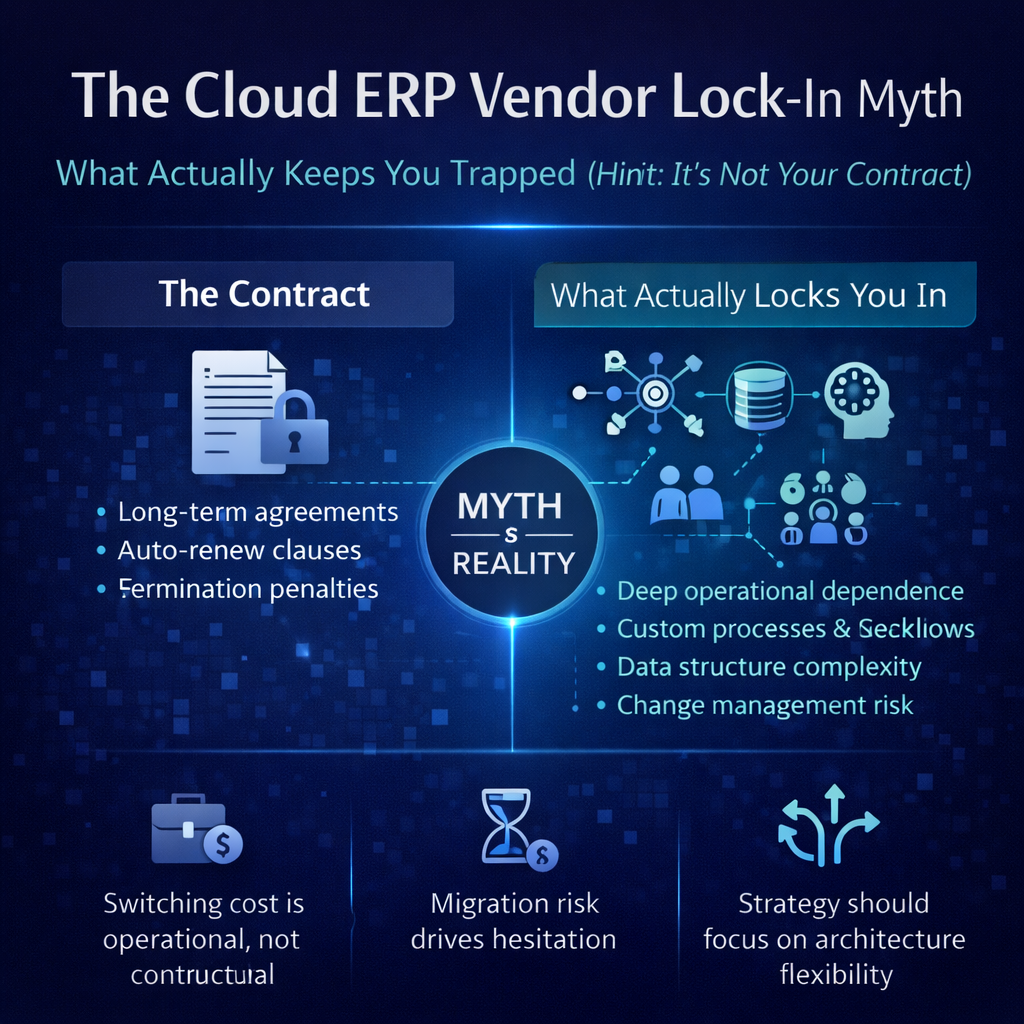
The Cloud ERP Vendor Lock-In Myth: What Actually Keeps You Trapped (Hint: It’s Not Your Contract)
Vendor lock-in is the bogeyman of enterprise software. It shows up in every ERP evaluation, every board meeting, every risk assessment. The fear is straightforward: once you commit to a cloud ERP vendor, you’re trapped. Your data is on their platform. Your workflows are built on their architecture. Your team has invested months learning their system. And if things go wrong — if the vendor raises prices, lets the product stagnate, or goes in a direction that doesn’t serve your business — the switching cost is so high that you’re stuck.
It’s a legitimate concern. But the conversation about vendor lock-in is almost always focused on the wrong thing.
Buyers worry about contracts, data portability, and proprietary formats. These are real but manageable issues. What actually traps companies in failing ERP relationships — what makes switching genuinely prohibitive rather than merely inconvenient — has almost nothing to do with the contract and everything to do with decisions made during and after implementation. Decisions about customization, about integration architecture, about consultant dependency, and about the organizational inertia that accumulates when a system becomes too embedded to replace regardless of how poorly it serves the business.
The irony is that the ERP model most often marketed as “freedom” — the heavily customizable, consultant-implemented, your-own-dedicated-instance approach — creates the deepest lock-in. And the model most often feared as a lock-in risk — the multi-tenant SaaS platform where you share infrastructure with other customers — actually creates the most portable, least entangled relationship in enterprise software.
Understanding why requires looking at lock-in differently than the industry wants you to.
The Lock-In Everyone Worries About vs. The Lock-In That Actually Hurts
Contractual Lock-In: Real but Overrated
The most visible form of lock-in is contractual — the commitment you make when you sign. Annual or multi-year subscription agreements, auto-renewal clauses, termination penalties, and data retention terms after cancellation. These are the provisions that procurement teams scrutinize and that vendor comparison articles highlight.
Contractual lock-in is real, and you should negotiate favorable terms. But in practice, it’s the least significant form of lock-in you’ll face. Most cloud ERP contracts run one to three years. Termination provisions exist but are rarely punitive enough to keep a company on a platform that’s genuinely failing them. And contract terms can be renegotiated at renewal — a vendor who knows you’re evaluating alternatives has strong incentive to offer favorable terms.
If the contract were the only thing keeping you on a platform, switching would be a scheduling exercise: wait for the renewal date, decline to renew, and migrate. The fact that almost no one experiences ERP switching as that straightforward tells you that the real lock-in lives elsewhere.
Data Lock-In: Manageable With the Right Vendor
The second concern is data portability — the ability to extract your data from the current platform in a usable format when you decide to leave. The fear is that the vendor holds your data hostage, making it difficult or impossible to migrate to a competitor.
Data lock-in is a legitimate risk, but it’s one of the easier forms of lock-in to evaluate and mitigate before you sign. Ask the vendor directly: can we export all of our data at any time? In what formats? Is there an API that provides programmatic access to our data? Are there fees for extraction? What’s the data retention policy after termination?
A vendor confident in their platform will make data portability straightforward — not because they want you to leave, but because making it easy to leave signals that they’re confident you won’t want to. Vendors that make data extraction difficult or expensive are vendors whose retention strategy depends on friction rather than value. That’s a red flag worth heeding during evaluation, not a reason to avoid cloud ERP altogether.
The honest reality: your data will come out. It might require effort to map it into a new system’s structure, but the raw data — customer records, vendor records, transaction history, inventory data, financial records — is yours and any reputable vendor will provide access to it.
Proprietary Format Lock-In: Largely a Legacy Problem
The concern that your data will be trapped in a proprietary format that only the current vendor can read is largely a relic of the on-premise era, when vendors used proprietary database engines, proprietary file formats, and closed data structures designed to prevent exactly this kind of portability.
Modern cloud ERP platforms overwhelmingly use standard database technologies, standard data formats (JSON, XML, CSV), and standard API protocols (REST) that make data extraction and migration technically feasible with any competent implementation team. The data isn’t trapped in a black box. It’s accessible through documented, standardized interfaces.
This doesn’t mean migration is effortless — mapping data from one system’s schema to another’s is always work. But the barrier is effort, not impossibility. And it’s a very different problem from legacy systems where extracting data required specialized tools, vendor cooperation, or reverse-engineering a proprietary format.
The Lock-In Nobody Talks About: What Actually Keeps You Trapped
Here’s where the conversation gets honest. The forms of lock-in that actually prevent companies from leaving failing ERP relationships aren’t contractual or technical. They’re operational, organizational, and architectural. They build quietly over time, and by the time they’re recognized, they’ve become the walls of a prison that no contract renegotiation can escape.
Customization Lock-In
This is the deepest and most expensive form of vendor lock-in in enterprise software, and it’s almost entirely self-inflicted.
When a company customizes their ERP — modifying source code, building custom modules, altering database schemas, writing bespoke scripts — they’re not just adapting the software to their business. They’re creating a unique system that exists nowhere else. The custom code isn’t portable. It was written specifically for this platform’s architecture, this platform’s data structures, this platform’s APIs. None of it transfers to a new system.
Every customization increases the switching cost. A company with 50 custom modifications isn’t just migrating data when they switch — they’re recreating 50 custom functions on a new platform. Each one has to be re-analyzed, re-specced, re-developed, and re-tested. Some may not be possible on the new platform at all. The labor cost alone can make switching economically irrational, even when the current platform is clearly underperforming.
The cruelest aspect of customization lock-in is that it often intensifies the longer you stay. Companies that can’t upgrade their current system — because the customizations make upgrades too risky and expensive — compensate by adding more customizations to work around the problems that the missed upgrades would have solved. Each workaround deepens the entanglement. Each year adds complexity that makes the eventual migration more daunting.
This is why the platform that’s marketed as offering the most “freedom” — the one that lets you customize everything — is actually the platform that creates the deepest lock-in. The freedom to customize is the freedom to build your own cage.
Multi-tenant platforms that enforce configuration over customization eliminate this lock-in vector entirely. Your adaptations operate within the platform’s designed framework. They’re expressed as business rules, workflow settings, and configuration parameters — not as code that’s welded to the architecture. When you leave, you’re not abandoning custom code. You’re leaving a configured system, and the configurations themselves — the business rules, the pricing structures, the workflow logic — are business knowledge that transfers to any platform, even if the specific settings don’t.
Consultant Lock-In
This is the form of lock-in that the consulting industry would prefer you didn’t think about.
When a third-party consulting firm implements your ERP, they make hundreds of configuration decisions, build integrations, design workflows, and — in many cases — write custom code. The knowledge of how and why those decisions were made lives primarily with the consulting firm, not with your team and not with the vendor.
Post-implementation, when you need to modify a workflow, troubleshoot an integration, or understand why a particular process works the way it does, the consultant who built it is often the only person who can help efficiently. Your team wasn’t part of every technical decision. The vendor’s support team didn’t make the implementation choices. The consultant holds the institutional knowledge of your specific system configuration — and they bill by the hour to access it.
This creates a dependency that’s as powerful as any contractual lock-in and far more insidious because it’s invisible until you need something changed. Switching consultants means bringing a new firm up to speed on decisions they didn’t make, which is expensive and slow. And switching ERP platforms means abandoning the consultant’s work entirely, which makes the consultant a quiet advocate for staying on the current system regardless of whether it’s serving you well.
Vendor-direct implementation eliminates consultant lock-in structurally. When the vendor’s own team implements the system, the institutional knowledge lives with the vendor. Their support team understands your configuration because their implementation team built it. There’s no third party holding knowledge hostage. There’s no intermediary whose business model depends on your continued dependency.
Integration Lock-In
Every system your ERP connects to — your e-commerce platform, your EDI network, your shipping carriers, your payment processor, your CRM — represents an integration that took time and money to build. These integrations are specific to the ERP’s API structure, data model, and event framework. They don’t transfer to a new platform.
The more integrations you’ve built, the higher the switching cost. A distribution company with 15 active integrations doesn’t just need a new ERP — they need 15 new integrations, each requiring development, testing, and validation. The integration rebuild alone can dwarf the cost of the ERP implementation itself.
Integration lock-in is a fact of life in any ERP deployment — there’s no way to connect systems without creating platform-specific connections. But the depth of the lock-in varies significantly based on how the integrations were built.
Custom point-to-point integrations — the kind built by consultants using bespoke code — are the most expensive to rebuild and the hardest to maintain. They’re tightly coupled to the specific ERP version and the specific external system version, creating fragile connections that break when either side updates.
Integrations built on standardized APIs with clean data mapping and well-documented logic are easier to rebuild on a new platform because the integration logic is transparent and the mapping is documented. The work still has to be done, but it’s a reconstruction from clear blueprints rather than an archaeology project through undocumented custom code.
And integrations maintained at the vendor level — pre-built connectors that the ERP vendor manages as part of the platform — reduce lock-in by reducing the integration investment you’d lose by switching. If the vendor maintains the connector to your e-commerce platform, the investment you’re abandoning is the vendor’s, not yours. Your switching cost is lower because you built less.
Organizational Inertia Lock-In
This is the most powerful form of lock-in and the hardest to quantify. It has nothing to do with technology and everything to do with people.
Your team has spent months or years learning the current system. They’ve developed expertise, built muscle memory, created workarounds for the system’s limitations, and achieved a level of competence that makes them productive even when the system is fighting them. Switching to a new platform means temporarily losing all of that — the expertise, the efficiency, the confidence that comes from knowing how to make the system do what you need.
For individuals, this creates resistance. The warehouse associate who’s mastered the current picking interface doesn’t want to learn a new one. The controller who can generate the month-end reports in their sleep doesn’t want to figure out a new reporting engine. The purchasing manager who’s built an entire workflow around the current system’s limitations doesn’t want to dismantle and rebuild it, even if the new system would eliminate the limitations entirely.
For organizations, this resistance compounds into inertia. Even when leadership recognizes that the current system is holding the business back, the organizational cost of change — the temporary productivity loss, the retraining investment, the disruption to daily operations, the emotional burden on a team that’s already working hard — can make the status quo feel safer than the alternative.
Organizational inertia isn’t really about the current vendor at all. It’s a human response to change that would exist regardless of which platform you’re running. But it’s a form of lock-in nonetheless, because it keeps companies on systems they’ve outgrown long past the point where switching would be economically rational.
The most effective mitigation for organizational inertia isn’t technical — it’s operational. Companies that let operations lead the ERP evaluation, that involve the daily users in the selection process, and that choose platforms designed for rapid adoption and intuitive interaction reduce the human switching cost significantly. When the people who use the system every day are part of choosing the replacement, the resistance that accompanies imposed change transforms into the investment that accompanies chosen change.
Sunk Cost Lock-In
Closely related to organizational inertia is the sunk cost fallacy applied to ERP investments. Companies that spent $500,000 on implementation, $200,000 on customizations, and $150,000 on consultant-built integrations have a powerful psychological bias toward protecting that investment — even when the system is no longer serving the business.
The sunk cost argument always sounds the same: “We’ve invested too much to walk away.” But the investment is gone regardless of what you do next. The question isn’t whether the past investment was worthwhile. It’s whether the next five years of operating on this platform will serve the business better than five years on a different one. The historical investment is irrelevant to that forward-looking calculation.
This is one of the areas where the total cost of ownership analysis pays for itself many times over. When you can compare the projected five-year cost of staying — including the ongoing consultant fees, the deferred upgrades, the labor consumed by workarounds, the opportunity cost of operating on a system that constrains growth — against the five-year cost of switching, the sunk cost argument usually collapses. The past investment already happened. The future is the only thing you can affect.
How to Minimize Lock-In Before You Sign
The best time to reduce lock-in risk is before you commit to a platform. Once you’re live and operating, every day adds integration, configuration, and organizational investment that raises the switching cost. Here’s how to make decisions that minimize entanglement from the start.
Choose Configuration Over Customization
This is the single most impactful lock-in decision, and it’s entirely within your control. Every customization you add — every line of custom code, every bespoke module, every database modification — is an anchor. Every configuration you add — every business rule, every workflow parameter, every pricing structure — is knowledge that’s yours regardless of what platform it runs on.
The platform you choose should make configuration deep enough that customization is unnecessary. If the vendor’s answer to your requirements involves custom development, you’re buying lock-in along with functionality. If the answer involves configuration, you’re buying adaptability that doesn’t bind you to the architecture.
Insist on Vendor-Direct Implementation
When the vendor implements directly, the knowledge of your system configuration lives with the organization that built and maintains the platform. When you leave, you’re leaving a vendor who understands your setup — not a consultant who holds proprietary knowledge of decisions they made on your behalf.
Vendor-direct implementation also tends to produce cleaner, more standard configurations because the implementation team knows the platform’s best practices intimately. Consultant implementations more frequently introduce creative workarounds and custom solutions that create the entanglement lock-in feeds on.
Demand Data Portability Upfront
Before you sign, verify and document the data export capabilities. Can you extract all data at any time? Through API access? In standard formats? Without fees? Make data portability a contract term, not a verbal assurance. And test it during implementation — run an export and verify that the data is complete and usable. Finding out the export process doesn’t work the way you expected is much better discovered in month three than in year five when you actually need it.
Build Integrations on Standards, Not Shortcuts
When connecting your ERP to other systems, use the platform’s standard API and documented integration framework. Avoid custom integrations that bypass the API, that rely on undocumented features, or that connect directly to database structures that could change with platform updates.
Standard API-based integrations are more portable because the logic is clear and documented, even though the specific API calls will differ on a new platform. They’re also more maintainable, which means they’re less likely to become the fragile, undocumented connections that make switching feel impossible.
Document Everything
This is unglamorous but critical. Document your business rules, your workflow logic, your pricing structures, your integration mappings, and the reasoning behind your configuration decisions. This documentation is yours. It transfers to any platform. And it’s the difference between a migration that requires reverse-engineering a system nobody fully understands and a migration that starts from a clear specification of what the system needs to do.
The Vendor’s Perspective on Lock-In: What Their Model Tells You
How a vendor thinks about lock-in reveals what kind of relationship they want with you.
Vendors whose retention strategy depends on switching cost — who rely on customization depth, consultant dependency, and data friction to keep you — are telling you that their product alone isn’t compelling enough to earn your renewal. They need structural barriers to compensate for insufficient value.
Vendors whose retention strategy depends on ongoing value — who invest in making the platform continuously better, who implement directly so the relationship is clean, who make data portability straightforward, and who build deep configuration capabilities that create flexibility rather than entanglement — are telling you something different. They’re telling you they plan to keep your business by earning it.
This isn’t altruism. Subscription-based SaaS vendors whose revenue depends on annual renewals have a structural incentive to deliver continuous value because the alternative — losing the customer — directly affects their revenue. The business model makes lock-in counterproductive. A customer who stays because they can’t leave is a dissatisfied customer who undermines the vendor’s reputation, generates support burden, and leaves at the first opportunity regardless of switching cost. A customer who stays because the platform is indispensable is one who renews enthusiastically, refers peers, and grows their usage over time.
The healthiest vendor relationships are the ones where you could leave but don’t want to. That’s not a sign of naivety. It’s a sign that the value exchange is working.
How Bizowie Thinks About Lock-In
We want Bizowie customers to stay because the platform is the best option for their distribution business — not because leaving would be too painful to contemplate.
That’s not a philosophical position. It’s an architectural one.
Bizowie is multi-tenant. Your adaptations are configurations, not customizations. There’s no custom code binding you to our architecture. Your business rules, your pricing structures, your workflow logic — these are business knowledge expressed through system settings, not code welded to our codebase.
We implement directly. The knowledge of your configuration lives with us — not with a consulting firm that holds institutional knowledge as a business asset. And because our support team is the same organization that implemented your system, you’re never dependent on a third party for ongoing system knowledge.
Your data is yours. We provide full data access through standard APIs and export capabilities. No hostage-taking. No extraction fees. No proprietary formats. If you decide to leave, your data comes with you.
And we update the platform continuously so that the value you receive increases every month. Our retention strategy is simple: build a platform so good that switching would mean moving to something worse. Every deployment, every improvement, every feature we ship is an investment in that strategy.
Choose a vendor who earns your renewal, not one who relies on your switching cost. Schedule a demo with Bizowie and evaluate a cloud ERP platform built for distribution — with the architecture, the implementation model, and the data portability to prove that our confidence in the platform’s value is genuine.
Related Reading
- Cloud ERP Data Ownership: Who Actually Owns Your Data and What Happens If You Leave
- Cloud ERP Customization: What You Can Change, What You Shouldn’t, and Why Configuration Beats Code
- The Cloud ERP Partner Ecosystem Problem: When Your Vendor’s Success Depends on Someone Else’s Competence
- Cloud ERP Implementation Guide: How to Get It Right Without the Usual Pain
- Switching ERP Systems? Compare Bizowie