
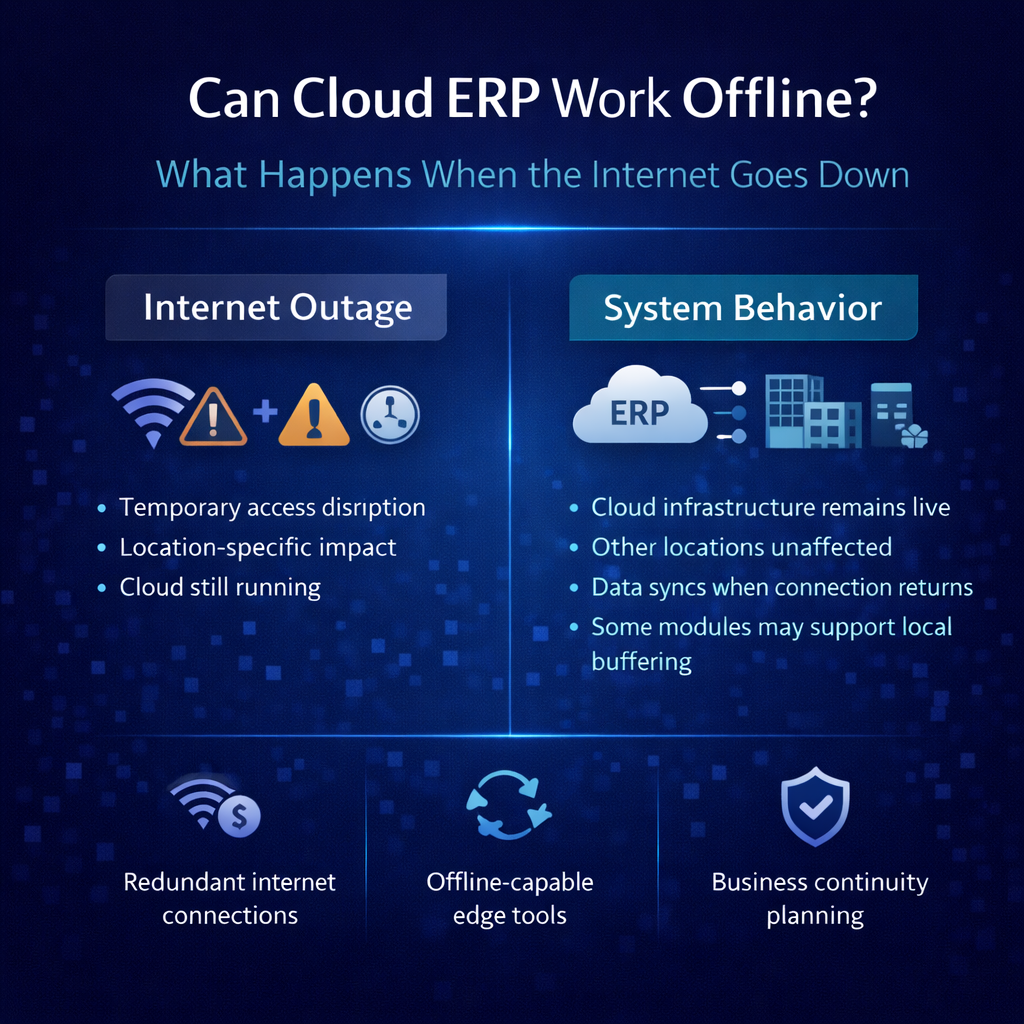
Can Cloud ERP Work Offline? What Happens When the Internet Goes Down
This is the question that stops cloud ERP evaluations cold. Someone in the room — usually someone who’s been through an internet outage that disrupted operations — asks the obvious: if everything runs in the cloud, what happens when the internet goes down? Does the warehouse stop? Do orders stop processing? Does the entire business grind to a halt because an ISP had a bad morning?
It’s a fair question. It deserves an honest answer. And the honest answer is more nuanced than either the cloud skeptics or the cloud evangelists want it to be.
The short version: yes, cloud ERP requires an internet connection to function fully. No, it’s not the existential vulnerability that on-premise advocates make it out to be. And the comparison that actually matters isn’t between cloud ERP with internet dependency and some fantasy of on-premise ERP that never goes down — it’s between the realistic risk profiles of both approaches, including all the failure modes that on-premise advocates conveniently forget to mention.
Here’s the full picture — what actually happens during an outage, how distribution companies mitigate the risk, and why the internet dependency conversation is usually asking the wrong question.
What Actually Happens When the Internet Goes Down
Let’s be direct about the impact. When your internet connection fails and your ERP runs in the cloud, your team cannot access the system. They can’t look up inventory. They can’t process orders. They can’t confirm shipments. They can’t generate invoices. They can’t run reports. The application lives on servers accessed through the internet, and without that connection, the application is unreachable.
This is real, and minimizing it doesn’t serve anyone. For a distribution operation where orders need to process, warehouses need to pick, and trucks need to load on schedule, even a brief system outage has operational consequences. The question isn’t whether internet dependency is a factor. It is. The question is how significant a factor it is relative to the alternatives and what you can do about it.
The answer to both questions is more encouraging than the anxiety suggests.
How Often Does the Internet Actually Go Down?
The fear of internet outages is almost always disproportionate to the reality. Modern business-grade internet connections are remarkably reliable — not perfect, but far more dependable than the outage anxiety implies.
Business-grade ISP connections typically deliver 99.9% to 99.99% uptime, which translates to between 52 minutes and 8.7 hours of unplanned downtime per year. For fiber connections, the numbers are often better. The vast majority of outages are brief — minutes, not hours — and many occur during off-hours when the impact on operations is minimal.
This isn’t to dismiss the risk. An internet outage that hits during your peak shipping window is a real problem regardless of how statistically unlikely it is. But context matters. When someone raises internet dependency as a reason to avoid cloud ERP, it’s worth asking: how many hours of productivity did your team lose to internet outages last year? For most businesses, the honest answer is very few. And for many, it’s zero.
Compare that to the hours lost to the other system problems that cloud ERP eliminates — server failures, failed backups, version upgrade projects, security incidents on unpatched systems, performance degradation on aging hardware — and the net reliability picture almost always favors the cloud.
The Comparison Nobody Makes: Cloud Downtime vs. On-Premise Downtime
The internet dependency conversation is almost always framed as a comparison between cloud ERP with internet risk and on-premise ERP with no risk. That framing is fundamentally dishonest — because on-premise ERP has its own failure modes that are more frequent, more expensive, and harder to recover from than a temporary internet outage.
On-Premise Server Failure
Your on-premise ERP runs on hardware. Hardware fails. Hard drives die. Power supplies burn out. Memory modules corrupt. Motherboards develop faults. When the server that runs your ERP fails, your ERP is down — and recovery depends on whether your backup is current, whether your backup hardware is ready, and whether someone on your team knows how to execute the recovery process.
Server failure recovery typically takes hours to days, depending on the severity and your preparedness. If the failure involves data corruption, recovery may require restoring from backup — which means losing every transaction between the last backup and the failure. If the backup itself has issues — and untested backups fail more often than anyone wants to admit — the situation gets dramatically worse.
Cloud ERP platforms running on hyperscale infrastructure are designed to survive hardware failures transparently. Data replicates across multiple servers and availability zones. If one server fails, traffic routes to another automatically. The failure is invisible to users because the architecture was designed for exactly this scenario. The cloud provider replaces failed hardware as part of their operations — it’s their problem, not yours.
Power Outages
When the power goes out at your facility, your on-premise ERP goes down — unless you’ve invested in an uninterruptible power supply and a backup generator. UPS systems provide minutes of runtime, enough to shut down gracefully but not enough to keep operating. Generators provide extended power but require maintenance, fuel, and testing to be reliable. Many mid-market companies have UPS protection but not generator backup, which means a power outage of more than a few minutes takes the system offline.
Cloud ERP is unaffected by power outages at your facility because the system runs in a data center with redundant power systems — multiple utility feeds, massive UPS arrays, diesel generators with days of fuel capacity. Your local power outage affects your office lights, your computers, your network equipment — but not the ERP platform. As long as you can get online from somewhere — a mobile hotspot, a coffee shop, a secondary location — you can access your system.
Ransomware and Security Incidents
On-premise ERP systems are increasingly targeted by ransomware attacks that encrypt business data and demand payment for its release. A successful ransomware attack on a server in your building can take your ERP offline for days or weeks. Recovery — if possible without paying the ransom — requires clean backups, forensic analysis, and system rebuilding that consumes massive IT resources and operational time.
Cloud ERP platforms maintain security at a level that most mid-market companies cannot replicate internally. Dedicated security teams, continuous monitoring, automated patching, and incident response capabilities that far exceed what a company with a two-person IT team can provide. The attack surface is different — not zero, but managed by professionals whose entire job is platform security.
The Failed Upgrade
Perhaps the most common form of on-premise ERP downtime isn’t hardware failure — it’s the upgrade that goes wrong. A version migration that encounters unexpected compatibility issues. A database migration that takes twelve hours instead of four. A customization that breaks in the new version and has to be debugged while the system sits offline.
These events can take systems offline for days. They’re planned events that become unplanned outages. And they’re entirely eliminated by multi-tenant cloud ERP platforms that update continuously without customer involvement.
The Honest Risk Comparison
When you stack up the realistic failure modes — internet outage versus server failure, power failure, ransomware, and failed upgrades — the risk profile of cloud ERP is demonstrably better than on-premise for most mid-market distribution companies. The internet outage risk is real but brief, predictable, and cheaply mitigated. The on-premise risks are less frequent individually but more severe in impact and more expensive to mitigate.
The question isn’t “what if the internet goes down?” The question is “which set of risks am I better equipped to manage?” For most businesses, the answer is clearly the cloud set.
Mitigating the Internet Dependency: Practical Strategies
Internet dependency is a manageable risk, not an unsolvable problem. The mitigation strategies are straightforward, well-established, and inexpensive relative to the alternatives.
Redundant Internet Connections
The single most effective mitigation is redundant connectivity — a backup internet connection from a different provider, preferably using a different technology than your primary connection. If your primary connection is fiber, your backup might be a cable connection or a fixed wireless link. If both wired connections fail, a cellular failover provides a third layer of redundancy.
Automatic failover routers detect when the primary connection drops and switch traffic to the backup within seconds — often so quickly that users don’t notice the transition. The cost of a backup internet connection is typically a few hundred dollars per month. Compare that to the cost of maintaining on-premise server infrastructure — hardware, maintenance contracts, IT labor, backup systems, power protection — and the economics aren’t even close.
Most distribution companies operating at any meaningful scale already have redundant internet connectivity because their operations depend on it for far more than ERP. E-commerce, EDI, email, voice-over-IP phones, shipping integrations, payment processing — the internet dependency existed long before cloud ERP entered the conversation. Adding ERP to the list of internet-dependent systems doesn’t materially change the risk profile if you’ve already invested in connectivity redundancy for everything else.
Cellular Backup as a Last Resort
Even without a dedicated secondary ISP, modern cellular networks provide emergency connectivity that can keep critical operations running during a primary connection outage. Mobile hotspots, cellular-enabled routers, or simply tethering to a smartphone provide enough bandwidth to access a cloud ERP system for essential functions — processing urgent orders, checking inventory, confirming shipments.
This isn’t a substitute for proper redundant connectivity. Cellular bandwidth is limited, latency is higher, and data costs can add up. But as a last-resort failover for brief outages, it’s effective and available immediately with no infrastructure investment.
Offline Contingency Procedures
For the truly worst-case scenario — a sustained, multi-provider internet outage affecting your entire area — the answer isn’t technology. It’s process.
Smart distribution companies develop lightweight offline contingency procedures for their most critical operations. These aren’t elaborate disaster recovery plans. They’re simple, practical protocols that keep the business moving during a brief system interruption.
The warehouse continues operating using the last-printed pick lists and wave documentation. Receiving can proceed using paper-based receiving sheets that are keyed into the system once connectivity is restored. Shipments that are packed and labeled can proceed to carrier pickup since the labels were generated while the system was available. Customer service can access recent order information from email confirmations and carrier tracking sites that may be accessible via cellular even if the primary connection is down.
The goal isn’t to replicate full ERP functionality offline — that’s neither possible nor necessary for the kinds of brief interruptions that redundant connectivity doesn’t already prevent. The goal is to keep the most time-sensitive operations moving for the hour or two it takes to resolve a connectivity issue, then reconcile the offline activity when the system is available again.
Geographic Distribution as Resilience
Multi-location distribution companies have a natural resilience advantage that single-location businesses don’t. If an internet outage affects one location, other locations continue operating normally on the same cloud platform. Orders can be rerouted. Customer service can shift to an unaffected site. The business continues even if one location is temporarily disconnected.
This geographic resilience is inherent to the cloud model and impossible to replicate with on-premise infrastructure. An on-premise server failure at your primary location affects every function the server supports, regardless of how many other locations you operate. A localized internet outage at one location in a cloud ERP environment affects only that location — the platform and every other site continue normally.
What About Offline-Capable ERP?
Some vendors market offline capabilities — the ability for the application to function locally when the internet connection is lost, syncing data back to the cloud when connectivity is restored. This sounds like the best of both worlds: cloud benefits when you’re online, local functionality when you’re not.
The reality is more complicated than the marketing.
The Sync Problem
Any system that operates offline and then syncs to a central platform faces a fundamental data consistency challenge. While you’re offline, other users — at other locations, in the sales office, at corporate — are still operating on the live platform. Orders are being taken. Inventory is being allocated. Prices are being updated. When your offline system reconnects and tries to sync, the data you generated offline may conflict with what happened on the platform while you were disconnected.
Inventory you allocated offline may have already been allocated to another order on the live system. A price that was correct when you went offline may have changed. A customer’s credit status may have been updated. Every conflict requires resolution — automatically by the system according to rules that may not produce the right answer in every case, or manually by your team, which consumes time and introduces error risk.
For a distribution business processing hundreds of orders per day across multiple locations, sync conflicts aren’t edge cases. They’re operational hazards that can produce inaccurate inventory, incorrect pricing, and customer commitments that can’t be fulfilled.
The Complexity Cost
Building and maintaining offline capability adds significant complexity to the application architecture. The ERP has to maintain a local data store that mirrors relevant portions of the cloud database. It needs conflict resolution logic for every transaction type. It needs a reliable sync mechanism that handles interruptions during the sync itself. And it needs to do all of this while maintaining data integrity across two environments that may have diverged during the offline period.
This complexity has costs that flow through to the customer. The application is more complicated, which means more potential failure points. Development resources that could be spent improving core functionality are spent maintaining offline capability. And the sync mechanism itself becomes a source of data quality risk that wouldn’t exist if the application simply operated online.
When Offline Capability Makes Sense
There are legitimate use cases for offline functionality — field service technicians working in areas with no connectivity, delivery drivers processing transactions on rural routes, remote facilities with genuinely unreliable internet infrastructure. If your operation regularly requires system access in locations where internet connectivity is unavailable, offline capability may be a genuine requirement.
For warehouse and office operations at fixed locations with access to business-grade internet and the ability to implement redundant connectivity, offline capability solves a problem that better infrastructure solves more cleanly and more reliably. Redundant internet that costs a few hundred dollars per month eliminates the connectivity risk without introducing sync complexity, conflict resolution overhead, and data consistency hazards.
The question to ask yourself is whether you’re solving an actual problem or an imagined one. If your facilities have reliable internet with redundant connectivity, the frequency of outages that would invoke offline mode is measured in minutes per year. The complexity and risk of offline sync may not be worth the insurance it provides against a scenario that almost never occurs.
The Warehouse Floor Question
The most operationally specific version of the offline concern comes from warehouse managers: what happens to my floor associates when they’re in the middle of a pick wave and the internet drops?
It’s a legitimate question because the warehouse is the most time-sensitive environment in the operation. Associates are moving product, filling orders, and loading trucks against deadlines. Any interruption translates directly into delayed shipments.
Here’s the practical answer for brief outages — which is what redundant connectivity should reduce the risk to.
Picks that were already directed to mobile devices and are in progress can often be completed using the information already loaded on the device, depending on the application architecture. The associate knows what to pick and where to find it. The physical work can continue even if the confirmation back to the system is temporarily delayed.
Packing and staging can continue for orders that are already picked. The physical product is assembled. Shipping labels that were already generated are still valid. Trucks that are already being loaded can proceed.
The functions that genuinely stop are new work initiation — releasing new pick waves, processing new orders, and allocating inventory for incoming orders. These functions require real-time system access because they depend on current data. A brief interruption delays them. A sustained outage stops them.
For the vast majority of scenarios — an ISP hiccup lasting a few minutes that the automatic failover to your backup connection resolves — warehouse operations experience a blip rather than a halt. For the rare extended outage, the offline contingency procedures described earlier keep the most critical physical activities moving while the system is unavailable.
Reframing the Question
The offline question is really a question about risk tolerance and risk management. Every technology platform has failure modes. The relevant question isn’t whether a particular failure mode exists — it always does — but whether the risk is proportionate to the concern, whether it’s manageable at reasonable cost, and whether the alternatives have better or worse risk profiles.
Cloud ERP has one primary dependency risk: internet connectivity. That risk is well-understood, cheaply mitigated through redundant connections, and brief in duration when it occurs. The failure mode is a temporary interruption that’s resolved in minutes to hours.
On-premise ERP has multiple dependency risks: hardware reliability, power availability, physical security, backup integrity, patch management, upgrade execution, and IT staffing. Each risk requires separate mitigation, each mitigation has significant cost, and the failure modes range from hours to days to permanent data loss.
A distribution company that chooses on-premise ERP to avoid internet dependency hasn’t eliminated risk. They’ve traded one well-understood, cheaply mitigated risk for a portfolio of risks that are individually less frequent but collectively more dangerous and significantly more expensive to manage.
The companies making the clearest decisions are the ones that evaluate both risk profiles honestly, invest in redundant connectivity as basic operational infrastructure, develop simple offline contingency procedures as insurance, and then focus their attention on what actually matters: choosing the platform that best serves their operation, their customers, and their growth trajectory.
Internet connectivity is a solved problem for fixed-location businesses. The anxiety it generates during ERP evaluations is disproportionate to the actual risk. Don’t let a manageable infrastructure question override the strategic technology decision.
How Bizowie Approaches Connectivity and Reliability
Bizowie runs on redundant cloud infrastructure designed for continuous availability. Our platform is distributed across multiple availability zones with automated failover, continuous data replication, and the kind of infrastructure resilience that would cost hundreds of thousands of dollars to build independently.
We don’t offer offline mode — and we’re straightforward about why. The data consistency risks and sync complexity that offline operation introduces create more problems than they solve for distribution businesses operating at fixed locations with access to reliable, redundant internet. We’d rather invest our engineering resources in making the online platform faster, more capable, and more reliable than in building an offline capability that introduces data quality risks for a scenario that proper infrastructure mitigates more effectively.
What we do invest in is platform reliability. Zero-downtime deployments so our updates never interrupt your operations. Multi-zone redundancy so infrastructure failures don’t affect your availability. Continuous monitoring so we detect and resolve issues before they reach your team. And the kind of architectural resilience that means when your internet is working — which is virtually all of the time — your ERP is working.
For the rare moments when connectivity does interrupt, we help customers develop the lightweight contingency procedures that keep critical warehouse and fulfillment operations moving until the connection is restored. It’s a practical conversation, not a technology pitch — because the right answer to a brief internet outage isn’t more software. It’s a simple plan and a backup connection.
Evaluate the real risk, not the hypothetical one. Schedule a demo with Bizowie and ask us the connectivity questions directly. We’ll give you honest answers about what requires internet access, what happens during an interruption, and how distribution companies running on our platform manage connectivity as the straightforward infrastructure concern it actually is — not the existential threat it’s often made out to be.
Related Reading
- Business Continuity Planning: Why Your ERP Disaster Recovery Plan Matters More Than You Think
- Cloud ERP Uptime and Reliability: What SLAs Actually Mean and What They Don’t Tell You
- Cloud ERP Advantages and Disadvantages: An Honest Assessment From Someone Who Builds One
- Cloud ERP Myths That Cost Distributors Millions
- Distribution ERP Software: A Buyer’s Guide